
Choosing between a 60% keyboard and 65% mechanical keyboard? When comparing 60% keyboard vs 65% keyboard, this in-depth guide breaks down compact layouts, magnetic switch technology, and reviews three trending Hall effect keyboard to help you make the right choice.
Why Compact Keyboard Are Taking Over in 2026
Walk into any esports arena, content creator’s setup, or minimalist desk showcase today, and you’ll notice a clear trend: the era of bulky full-size keyboard is fading fast. Over the past two years, the mechanical keyboard market has experienced a massive surge in compact layouts—particularly 60% keyboard and 65% keyboard—and there’s no sign of slowing down.
But what’s driving this shift?
- Esports demands: FPS players in titles like Valorant, CS2, e Apex Legends need maximum desk real estate for wide, sweeping mouse movements at low DPI settings.
- Desk aesthetics: Minimalist setups are everywhere on social media, and a smaller keyboard instantly cleans up your workspace.
- Portability: Students, digital nomads, and hybrid workers want keyboard they can toss in a backpack without sacrificing quality.
Yet a critical question remains for buyers looking at 60% teclado vs 65% keyboard: What’s the actual difference, and which one is right for you?
This guide will walk you through:
- Keyboard layout fundamentals (full-size to 40%)
- How Hall effect magnetic switches work — and why they’re a game-changer
- Three top Hall effect keyboard reviewed in detail
- A side-by-side comparison
- A clear buying decision framework
Part 1: Keyboard Layout Basics — From Full-Size to Compact
What Is a Keyboard Layout? A keyboard’s “layout” (or “form factor”) refers to the number of keys, their arrangement, and the overall footprint of the board. The smaller the layout, the more keys are removed—and the more reliant you become on key combinations (using the Fn modifier) to access missing functions.
Common Layouts at a Glance
| Layout | Contagem de teclas | Principais características | Ideal para |
|---|---|---|---|
| Full-Size | 104/108 | Complete F-row, arrows, numpad | Accountants, data entry, heavy number input |
| TKL (sem teclado numérico) | 87 | F-row + arrows, no numpad | Users who need arrows/F-keys but want to save space |
| 75% | ~84 | Arrows + condensed function keys | Balanced functionality in a small footprint |
| 65% | ~68 | Dedicated arrows + a few nav keys | Users who rely on arrow keys but want compact size |
| 60% | ~61 | Main cluster only — arrows/F-row via Fn | Minimalists comfortable with key combos |
| 40% | ~40 | Letters only — everything else via layers | Hardcore enthusiasts and programmers |
60% keyboard vs 65% Keyboard: The Core Difference Explained
Here’s the simplest way to understand it: 65% ≈ 60% + dedicated arrow keys
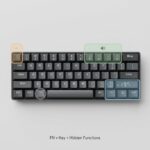
- 60% layout (61 keys): Strips down a full-size keyboard by removing the numpad, F-row, navigation cluster, and arrow keys. Everything beyond the alphanumeric block is accessed via Fn combinations.
- 65% layout (68 keys): Builds on the 60% by adding back dedicated arrow keys plus a small column of navigation keys (typically Delete, Page Up, Page Down).
This is not a “which is better” question—it’s a “which fits your workflow” question. The 65% lowers the learning curve, while the 60% pushes compactness to its absolute limit.
Part 2: Hall Effect Switches — The Technology Reshaping Esports Keyboards
How Traditional Mechanical Switches Work Traditional mechanical switches rely on physical metal contacts to register a keystroke:
- You press a key
- Two metal leaves make contact
- The circuit closes and the keystroke registers
This works—but it has limitations: fixed actuation points, gradual contact wear, oxidation over time, and no way to fine-tune how the key behaves.
How Hall Effect (Magnetic) Switches Work Hall effect switches replace metal contacts with a magnet and a Hall sensor:
- A magnet sits beneath each keycap
- As you press down, the magnet moves closer to the sensor
- The sensor detects the change in magnetic field strength and converts it into a voltage signal
- The signal triggers the keystroke
Because there’s no physical contact required for actuation, magnetic switches are virtually wear-free and offer something traditional switches simply cannot: fully adjustable actuation points.
Hall Effect vs Mechanical: Side-by-Side
| Recurso | Traditional Mechanical | Teclado com efeito Hall |
|---|---|---|
| Actuation method | contato físico de metal | Magnetic field sensing (contactless) |
| Ponto de atuação | Fixo | Fully adjustable (e.g., 0.001–3.3mm) |
| Response speed | Limited by physical travel | Ultra-fast (latency as low as 0.08ms) |
| Vida útil | Limited by contact wear | Significantly longer (no contact wear) |
| Gatilho Rápido | Not supported | Fully supported |
What Is Rapid Trigger (RT) — and Why It Matters for FPS Games Rapid Trigger is arguably the killer feature of magnetic switches.
On a traditional keyboard, after pressing a key, it must travel back up past a fixed reset point before it can register again. This creates a delay—small, but devastating in competitive FPS scenarios.
With Rapid Trigger, you define both the actuation and reset points dynamically. The moment you start releasing the key, it resets. This means:
- Faster counter-strafing in Valorant e CS2
- Snappier directional changes
- Sub-millisecond responsiveness on inputs
All three keyboard reviewed below support Rapid Trigger with 0.001mm precision.
Part 3: Three Top Hall Effect Keyboard — Reviewed
ATK Velota Fuzzy 60 V2 — The 60% Performance Flagship
- Layout: 60% (61 keys)
- Position: High-end flagship for performance and craftsmanship enthusiasts
- Key Highlights:
- Tri-Core Frame-Sync™ Architecture: The world’s first triple-MCU design, distributing computing across three high-frequency MCUs for unmatched signal processing.
- RAPTOR Magnetic Switch + MagNeural™ Smart Hall Technology: Integrates an independent computing core inside the Hall sensor itself, enabling real-time signal compensation.
- Taxa de amostragem de 8 kHz with extremely low transmission latency.
- 0.001mm adjustable Rapid Trigger precision.
- Premium construction: CNC-machined chassis with 220-mesh anodized silver finish, TROPIX wave-relief texturing, and a PA12 plastic base (600GS magnetic flux). Total travel: 3.2±0.1mm.
- Why it represents the 60% category: It pushes the “extreme” philosophy of the 60% form factor into every aspect — performance, materials, and aesthetics.
ATK RS6 Air — The 65% All-Rounder
- Layout: 65% (68 keys)
- Position: The balanced choice for users who want compact size and full functionality
- Key Highlights:
- 3rd-generation LIEFENG ULTRA magnetic switches.
- Taxa de amostragem de 8 kHz + 32kHz full-key scan rate + 256kHz single-key scan rate.
- 0.08ms transmission latency, 0.28ms end-to-end latency.
- 0.001–3.3mm full-range actuation tuning — set custom values for WASD vs ability keys.
- Striking visuals: Matte PC keycaps, side “Mech Wing” RGB strips, light-blade logo, laser-etched metal nameplate, and a 5-LED spacebar.
- Switch options: ATK Qianyuan or Bingren switches.
- Why it represents the 65% category: It keeps the convenience of dedicated arrow keys while pushing every performance spec to its ceiling — the definitive “compact but no compromise” choice.
MADLIONS MAD60/68 V2 — One Series, Two Layouts
- Layout: Available in both 60% (61 keys) and 65% (68 keys)
- Position: Easy-to-use, accessible magnetic keyboard for users who want flexibility
- Key Highlights:
- Hall effect magnetic switches with full Rapid Trigger support.
- Web-based driver: No software install required — configure key mapping, RT settings, polling rates, and more directly in your browser.
- Solid build: “Boat hull” case structure, PBT keycaps with dye-sublimation printing, and a tightly tuned compact form factor.
- Why it represents the dual-layout concept: It lets users directly compare the 60% and 65% experience within the same product family, while proving that magnetic switch technology has now reached every tier of the market — from entry to flagship.
Part 4: Multi-Dimensional Comparison
Spec Sheet Comparison
| Recurso | Velota Fuzzy 60 V2 | RS6 Air | MAD60/68 V2 |
|---|---|---|---|
| Layout | 60% | 65% (68 keys) | 60% / 65% (selectable) |
| Taxa de votação | 8 kHz | 8 kHz | 8 kHz |
| Transmission latency | Ultrabaixo | 0,08 ms | — |
| End-to-end latency | — | 0,28 ms | — |
| Rapid Trigger precision | 0,001 mm | 0,001 mm | Apoiado |
| Actuation tuning | Apoiado | 0.001–3.3mm | Apoiado |
| Taxa de varredura | Tri-Core Frame-Sync | 32kHz full-key / 256kHz single-key | — |
| Switch type | RAPTOR Magnetic | LIEFENG ULTRA Gen 3 | Standard Magnetic |
| Driver | ATK HUB | ATK HUB 3.0 | Web-based |
| Position | Performance flagship | Feature-complete all-rounder | Flexible entry-level |
60% Teclado vs 65% Keyboard: Use Case Comparison
| Scenario | 60% Wins | 65% Wins |
|---|---|---|
| jogos FPS (rare arrow key use) | √ | — |
| MOBA/RPG (frequent arrow keys) | — | √ |
| Extremely limited desk space | √ | — |
| Don’t want to learn key combos | — | √ |
| Maximum minimalist aesthetic | √ | — |
| Mixed work + gaming use | — | √ |
Part 5: Buying Guide — Which One Should You Pick?
Choose a 60% if you…
- Have very limited desk space (dorm rooms, tight workstations)
- Are willing to learn and adapt to key combinations
- Want the most minimalist desk look possible
- Primarily play FPS games where arrow keys aren’t critical
Choose a 65% if you…
- Can’t live without dedicated arrow keys
- Don’t want to constantly press Fn combinations
- Play MOBAs, RPGs, or strategy games that use arrow keys
- Use your keyboard for both work and gaming and want a low learning curve
The One-Question Decision Tree “Can I live without dedicated arrow keys?”
- Sim → Go 60% → Velota Fuzzy 60 V2 or MAD60 V2
- Não → Go 65% → RS6 Air ou MAD68 V2
- Not sure → Try the MADLIONS MAD60/68 V2 — it comes in both layouts in the same series
Pick Based on Your Priority
- Top-tier performance & craftsmanship → ATK Velota Fuzzy 60 V2 (Tri-Core architecture + flagship-grade build)
- Arrow keys + every performance spec maxed out → ATK RS6 Air (65% + 8KHz + full tuning suite)
- Plug-and-play simplicity with layout flexibility → MADLIONS MAD60/68 V2 (web driver + dual layout option)
Conclusion: The Future Is Compact and Hall Effect
When deciding between 60% Teclado vs 65% keyboard, there’s no objectively “better” choice — the entire decision boils down to one question: do you need dedicated arrow keys?
Once you’ve answered that, your layout is decided.
Looking at the bigger picture, two clear trends are reshaping the keyboard industry:
- Hall effect magnetic switches are going mainstream. From the flagship Velota Fuzzy 60 V2 to the accessible MAD60/68 V2, magnetic switch technology now spans every price tier — proving it’s not a luxury feature anymore, but the new baseline for competitive gaming.
- Compact + magnetic is becoming the FPS standard. This combo offers the best balance of mouse space, response speed, and tunability — and it’s quickly becoming the default setup for serious FPS players.
If you’re still on the fence about 60% Teclado vs 65% keyboard, just ask yourself: “Can I be comfortable using key combos for arrow keys?” Your answer is your layout.
Whichever direction you go, one thing is certain — you’re stepping into the next generation of keyboard technology.


 English
  German
  Portuguese
  Spanish
  Italian
  Finnish
  French
  Japanese
  Korean
  Swedish