
Vous est-il déjà arrivé de lire une critique dithyrambique d'un interrupteur de clavier — “ d'une fluidité exceptionnelle ”, “ son haute fidélité ”, “ retour instantané ” — d'acheter exactement le même interrupteur, de l'installer sur votre clavier, et de constater… que rien ne correspondait à ce qui avait été annoncé ? Vous ne rêvez pas, et votre interrupteur n'est pas défectueux.
Voici la vérité que la plupart des débutants ignorent : Le commutateur n'est qu'une variable parmi d'autres concernant le confort de frappe au clavier, et non l'ensemble de l'explication. La sensation finale de frappe d'un clavier est déterminée par un structure à trois couches — montage interrupteur + plaque + boîtier. Changer les interrupteurs ne réinvente pas un clavier. structure fait.
Voyons comment ces trois couches interagissent et pourquoi un même commutateur peut donner l'impression d'être deux claviers totalement différents selon ce qui se trouve en dessous.
Couche 1 : Le commutateur — Où se sentir Début, Pas là où Fin
L'interrupteur est le point de départ La sensation de frappe. La force d'activation, la course totale et la lubrification d'usine définissent la “ personnalité de base ” d'une touche.”
Voyez les choses ainsi :
- A Interrupteur linéaire 45g Se déclenche au moindre contact et rebondit parfaitement.
- A Interrupteur tactile de 60 g exige plus de force et ajoute cette “ bosse ” distincte à mi-chemin.
Mais ce n'est que le début. Laissez tomber le même Passez du clavier A au clavier B, et l'expérience peut être complètement différente. Ce qui détermine vraiment l'impression finale, ce sont les deux couches sous l'interrupteur — la plaque et l'étui.
Un exemple concret : les commutateurs hybrides le prouvent.
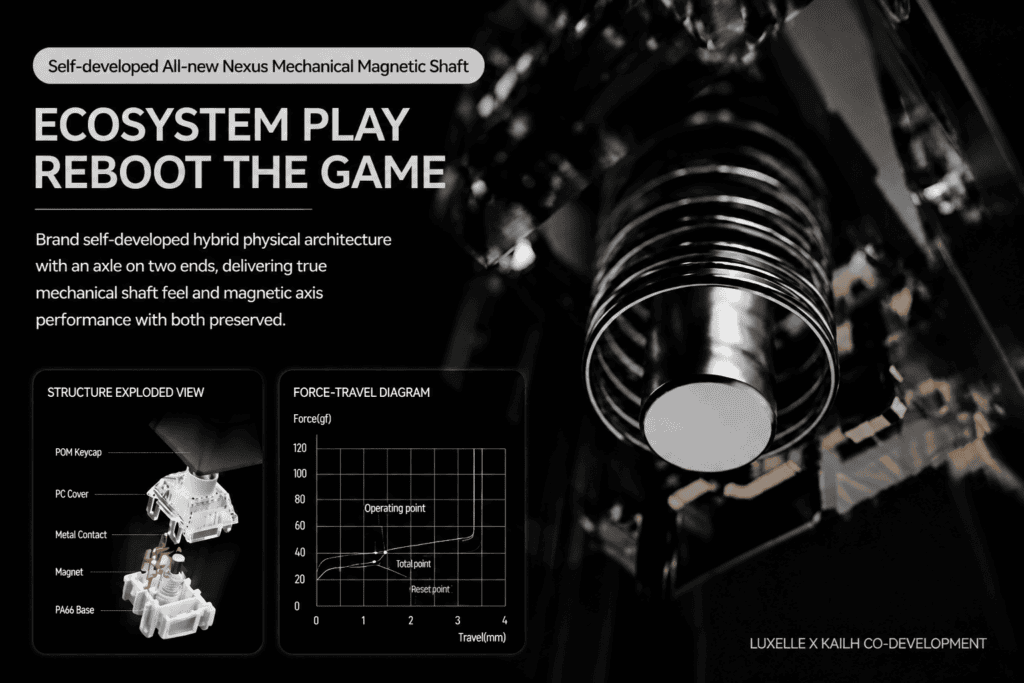
Le Lofree HYZEN67 fonctionne grâce à son système auto-développé Interrupteur magnétique hybride Nexus, co-conçu avec Kailh. Cet interrupteur fusionne astucieusement un Structure magnétique à effet Hall avec une feuille de contact métallique — en combinant la rapidité de réponse d'un interrupteur magnétique avec le retour tactile d'un interrupteur mécanique.
Pourtant, même cet interrupteur sophistiqué se comporte différemment selon son boîtier : doux et rebondissant à l'intérieur d'une carte montée sur joint, mais ferme et directe Dans un boîtier à montage sur plateau. Même interrupteur, âme différente.
Deuxième couche : La plaque — L“” amplificateur “ et le ” filtre » des sensations
La plaque est la couche qui maintient vos interrupteurs en place, et elle sert de traducteur entre le commutateur et le boîtier. Chaque frappe passe par la plaque, qui soit amplifie ou filtres la sensation avant même qu'elle n'atteigne le bout de vos doigts.
Les différents matériaux utilisés pour les plaques produisent des résultats radicalement différents :
| Matériau de la plaque | Dureté | Sensation de frappe | Personnage |
|---|---|---|---|
| PC (Polycarbonate) | Faible | Doux et moelleux | Une légère “ pression ”, comme lorsqu'on appuie sur un coussinet élastique. |
| FR4 (Fibre de verre) | Moyen | Équilibré | Le modèle “ polyvalent ” — doux mais offrant un bon soutien |
| Métal (acier/aluminium) | Haut | Ferme, solide | Coup de pied direct, flexion quasi nulle, son net |
Le matériau de la plaque détermine directement ce que vos doigts ressentent réellement en descendant — mou ou ferme, rebondissant ou solide, feutré ou net.
Un exemple concret : le “ rebond ” artificiel”
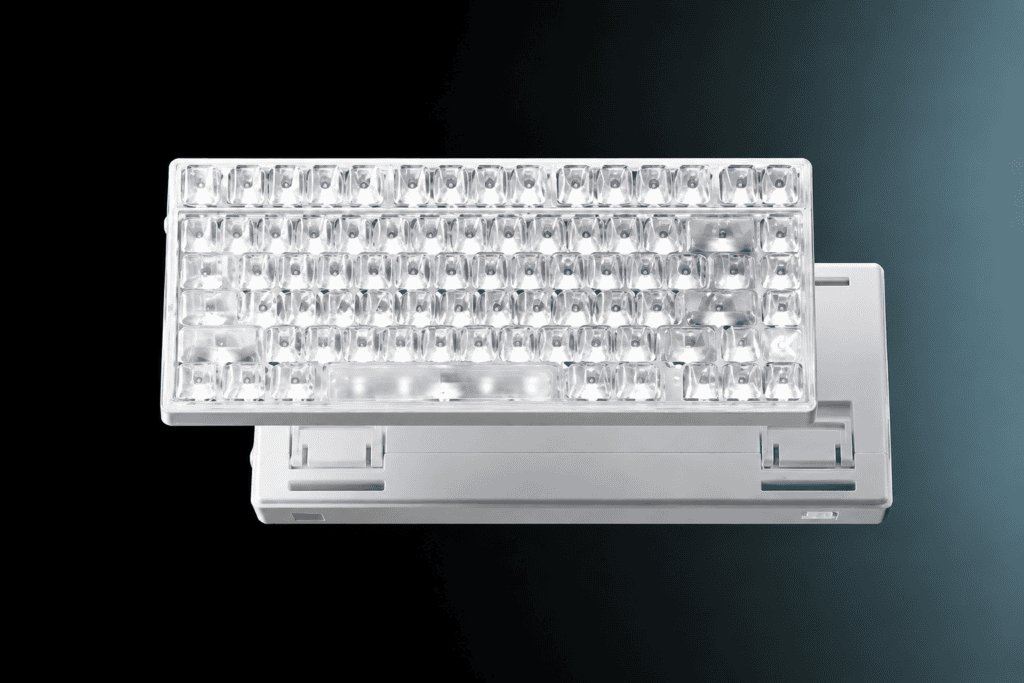
Le MCHOSE Ace75 paires a plaque PC avec un conception de joint à double couche et Amortissement acoustique à 6 couches. Cela crée un minuscule espace de flexion délibéré : lorsque vous appuyez sur une touche, l’interrupteur pousse la plaque en une légère flexion, que les bandes de silicone absorbent et convertissent en énergie de rebond.
C’est précisément pour cela que l’Ace75 donne cette impression. “ Q-bouncy ” — ni mou ni pâteux, mais une réponse élastique avec une véritable résilience.
Troisième couche : Le montage du boîtier — L’élément ultime pour définir le son“
Si la plaque est la amplificateur, le montage du boîtier est le donneur de leçons — Elle définit la personnalité même du clavier. Deux styles de montage dominent actuellement le marché.
Plateau de montage
La plaque est vissée directement dans le boîtier inférieur — une “ connexion directe ”. La force se propage directement de l'interrupteur → plaque → vis → boîtier → bureau.
- Sentir: Ferme, direct, précis. Faible jeu des touches, rebond rapide.
- Son: Un “ clac ” sec, un son net comme celui d'un caillou — ni étouffé ni creux.
- Idéal pour : Les joueurs de FPS qui recherchent une précision impitoyable, du type “ viser et tirer ”.
Joint de montage
La plaque n'est pas boulonnée. Au lieu de cela, “ flotte ” sur des bandes de rembourrage élastiques (silicone ou mousse Poron). La force comprime le coussin avant actionner l'interrupteur.
- Sentir: Souple, résistant, avec un enfoncement doux et un retour qui épouse la forme des doigts.
- Son: Un “ clac ” étouffé, comme si l'on marchait sur une piste en caoutchouc — l'écho de la caisse de résonance disparaît presque complètement.
- Idéal pour : Écrivains, programmeurs et utilisateurs quotidiens en quête de confort tout au long de la journée.
Point clé : Le joint ne se ramollit pas automatiquement. Ses principes physiques fondamentaux sont les suivants : suspension et rembourrage. La douceur réelle dépend de la combinaison du matériau de la plaque, de la fermeté du coussin et de la densité de la mousse.
Deux exemples concrets : le chemin “ ferme ” et le chemin “ souple ”.
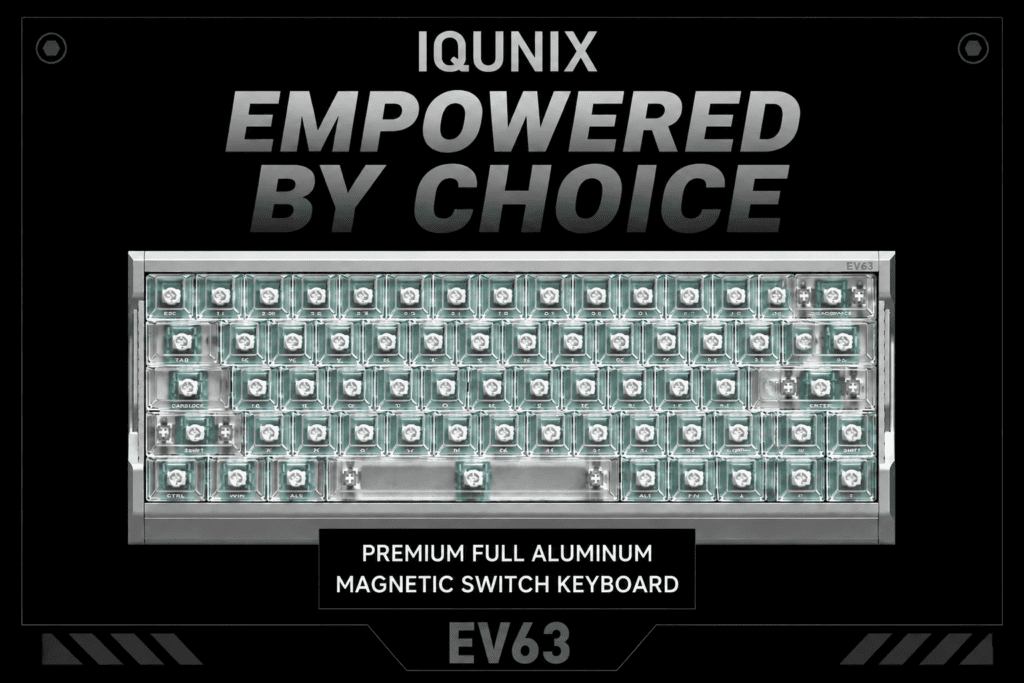
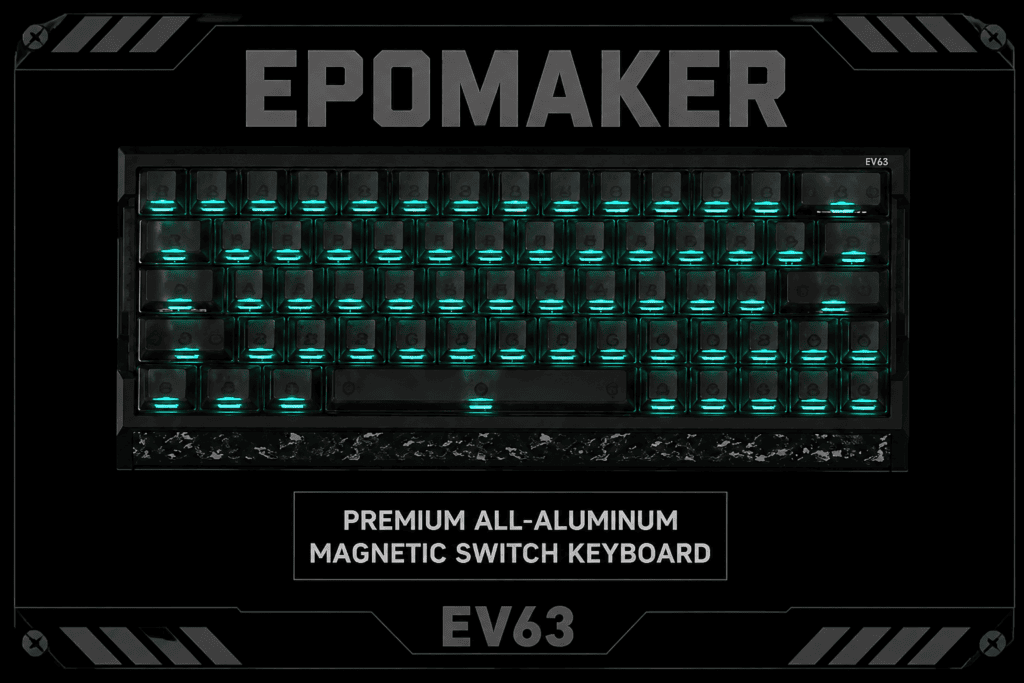
Le IQUNIX EV63 prend le route ferme: un plaque en aluminium + support de plateau + amortissement multicouche, le tout enveloppé dans un plein monocoque en aluminium usiné CNC. Il se pose sur votre bureau avec une stabilité à toute épreuve, offre une frappe sans jeu et reprend instantanément sa forme initiale. Les utilisateurs décrivent la frappe comme “ tapoter un instrument de précision. ” Sa fermeté n'est pas un défaut : elle est conçue spécifiquement pour les FPS, où des arrêts nets et un suivi précis permettent de remporter la victoire. Alimenté par un Fréquence d'interrogation de 8 kHz et Précision de 0,001 mm RT Sur Switch, la Mystic X Ultra est une véritable arme pour l'e-sport.
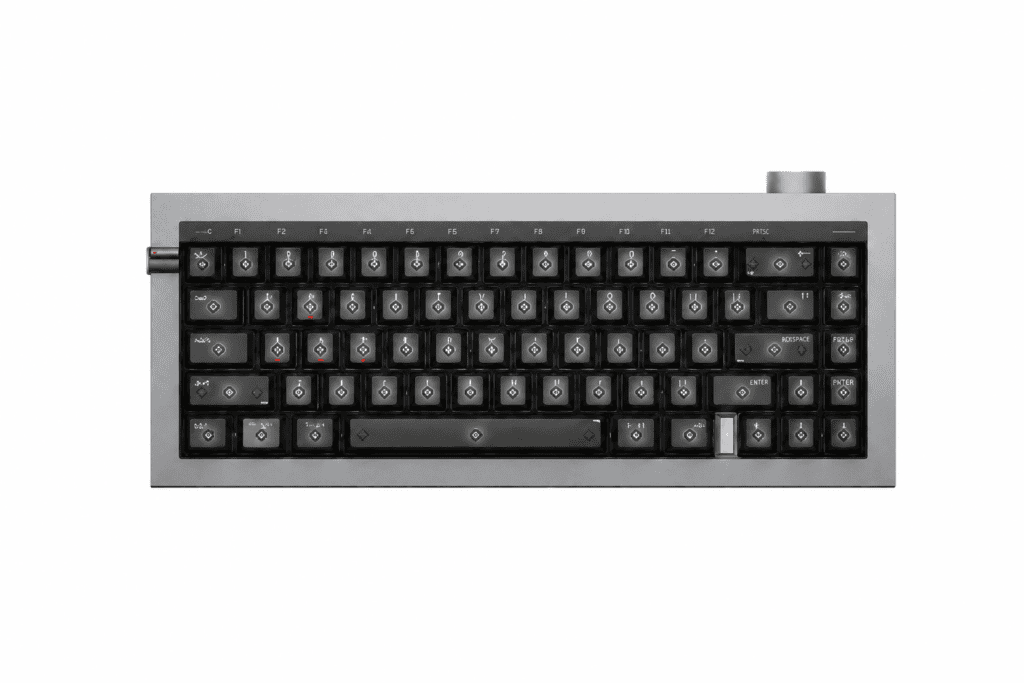
Le Lofree HYZEN67 prend le itinéraire rebondissant: un structure de joint à cinq couches à l'intérieur d'un plein Corps en aluminium usiné CNC avec un confortable angle de frappe de 12°. La coque en aluminium assure la rigidité structurelle, tandis que le joint à cinq couches procure ce toucher moelleux et élastique. “ coque dure + noyau souple ” Cette combinaison confère au HYZEN67 à la fois le poids rassurant d'une plaque métallique et le confort d'un montage sur joint — et connectivité tri-mode et un énorme Batterie de 10 000 mAh.
Les “ Recettes ” : Comment trois couches se combinent
Disposez les trois couches côte à côte, et la “ recette de sensation ” de chaque clavier devient limpide :
| Produit | Changer | Plaque | Montage du boîtier | Profil de ressenti |
|---|---|---|---|---|
| IQUNIX EV63 | Mystic X Ultra (30% flux supérieur) | Aluminium | Plateau + aluminium usiné CNC | Instrument de précision ferme et précis |
| Lofree HYZEN67 | Nexus magnétique hybride | FR4 | Joint + 5 couches + aluminium usiné CNC | Souple, ferme, le confort allié à la performance |
| MCHOSE Ace75 | Magnétique auto-développé (40 gf) | PC | Joint + amortissement multicouche | Q-rebondissant, résistant, chaud |
Remarquez la régularité : Une technologie de commutation à effet Hall similaire, des constructions en aluminium similaires — et pourtant trois sensations complètement différentes. Le matériau de la plaque et le système de fixation du boîtier orientent chaque clavier dans sa propre direction. C'est Pourquoi le même interrupteur donne l'impression d'utiliser deux claviers différents.
Conclusion : Ne choisissez jamais un clavier uniquement en fonction de ses commutateurs.
La plupart des débutants procèdent ainsi : “ Choisir d’abord l’interrupteur, on s’occupera du reste plus tard. ” Mais vous en voyez maintenant le problème : Le commutateur n'est que le point de départ. La plaque et le boîtier de montage déterminent l'expérience finale.
Voici une approche plus intelligente :
- Déterminez d'abord l'ambiance que vous souhaitez. — Souple et rebondissante, ou ferme et croustillante ? Axée sur le confort, ou vive et dynamique ?
- Lisez ensuite la “ recette structurelle ”.” — le matériau de la plaque et le style de montage — et pas seulement le numéro de modèle de l'interrupteur.
La sensation au toucher d'un clavier est le résultat combiné de montage interrupteur + plaque + boîtier. Maîtrisez cette logique à trois niveaux, et vous ne serez plus jamais déconcerté par cette question lancinante : “ Pourquoi le même interrupteur procure-t-il une sensation si différente ? ”
Guide rapide : Quelle recette vous convient ?
- FPS compétitif, exigez une précision impeccable → construction robuste à montage sur plateau comme le IQUNIX EV63
- Un hybride travail-loisirs, je recherche le confort et la robustesse → joint en aluminium comme le Lofree HYZEN67
- Un excellent produit polyvalent à petit prix → construction de joint PC rebondissant comme le MCHOSE Ace75
Comprenez sa structure, et chaque achat de clavier deviendra un choix éclairé et en toute confiance — fini les effets de mode, fini les mauvaises surprises à l'ouverture de la boîte.




 English
  German
  Portuguese
  Spanish
  Italian
  Finnish
  French
  Japanese
  Korean
  Swedish