
Here’s a complete, SEO-friendly breakdown of one of 2026’s most aggressive 75% magnetic switch keyboards. The MADLIONS MAD75 arrives loaded with flagship specs — 0.001mm rapid trigger precision, an 8K polling rate, 256K scan rate, and three distinct switch types. The real question we’ll answer: is this a genuine performance champion, or just a spec sheet chasing hype? Let’s unpack it piece by piece.
Introduction: A New Variable in the Crowded 75% Hall Effect Market
By 2026, the 75% Hall effect keyboard space is saturated. Competitors have claimed every tier — some lead with dual 8K polling, others grab the mid-range with 0.08ms latency, and premium models own the high end.
On October 15, MADLIONS officially launched the MAD75. This is the brand’s first move to bring its flagship magnetic switch technology into the mainstream 75% layout, following the earlier MAD 60/68 HE series.
The core specs are bold:
- 0.001mm RT precision
- 8K polling rate
- 256K scan rate
- 0.08ms competition-grade latency
- Three switch options paired with dual-platform software and dual lighting designs
This review evaluates the MAD75 across four angles — real-world performance, switch comparison, the wired-only tradeoff, and software features — to answer one question: true king, or spec-chaser?
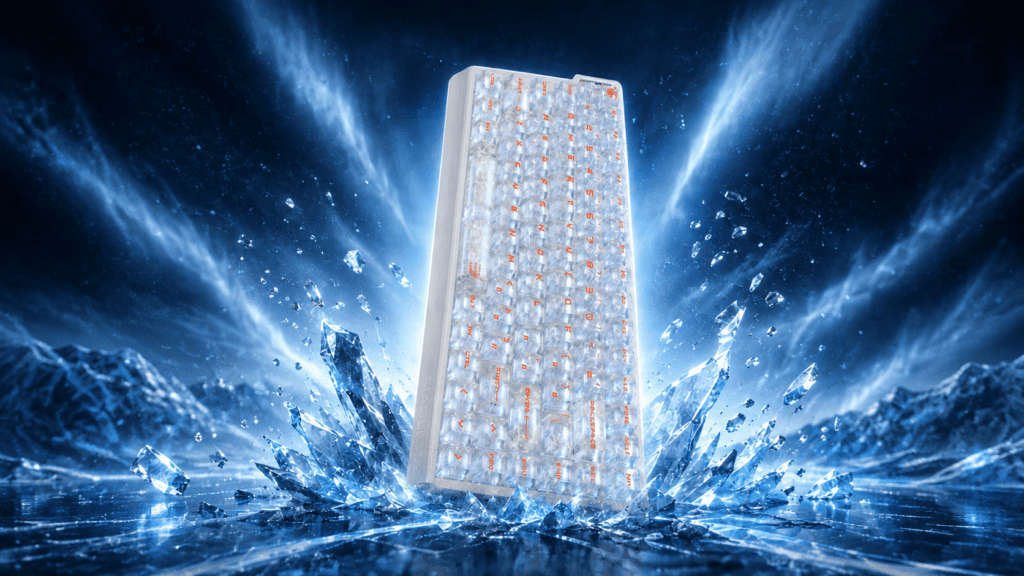
Performance Tested: What Do 0.001mm, 8K, and 0.08ms Actually Mean?
Let’s decode the numbers and separate marketing language from meaningful gameplay impact.
Core Spec Overview
| Specification | MAD75 Rating |
|---|---|
| RT Precision | 0.001mm |
| Polling Rate | 8K |
| Scan Rate | 256K (Snow) / 128K (Lime, White Horse) |
| Latency | 0.08ms (Snow) / 0.1ms (White Horse) / 0.125ms (Lime) |
| Connection | Wired USB-C |
| Layout | 75% |
What the Numbers Mean in Practice
- 0.001mm RT precision controls how finely you can tune actuation points. A smaller value means you can dial in WASD travel with extreme granularity — producing cleaner stop-and-go judgments in Valorant and CS2.
- 8K polling rate delivers a theoretical 0.125ms response — 8× faster than standard 1KHz boards. The honest caveat: you need a 240Hz+ monitor to actually perceive it.
- 256K scan rate sets the channel sampling frequency. Higher scan rates complete the chain from physical keypress to signal report, forming a tight low-latency loop alongside 8K polling.
- 0.08ms latency (Snow switch) puts the MAD75 firmly in the top tier of magnetic keyboards.
FPS Feel Test
Testing rapid stops, taps, and spray control in Valorant, with WASD actuation set to 0.5mm, the “release-to-stop” response felt clean and immediate.
A fair reality check: some community users report that MADLIONS magnetic switches feel slightly heavier to press than mechanical switches, and that typing speed differences versus a standard mechanical board are hard to notice. For non-competitive players, the perceived upgrade may be limited.
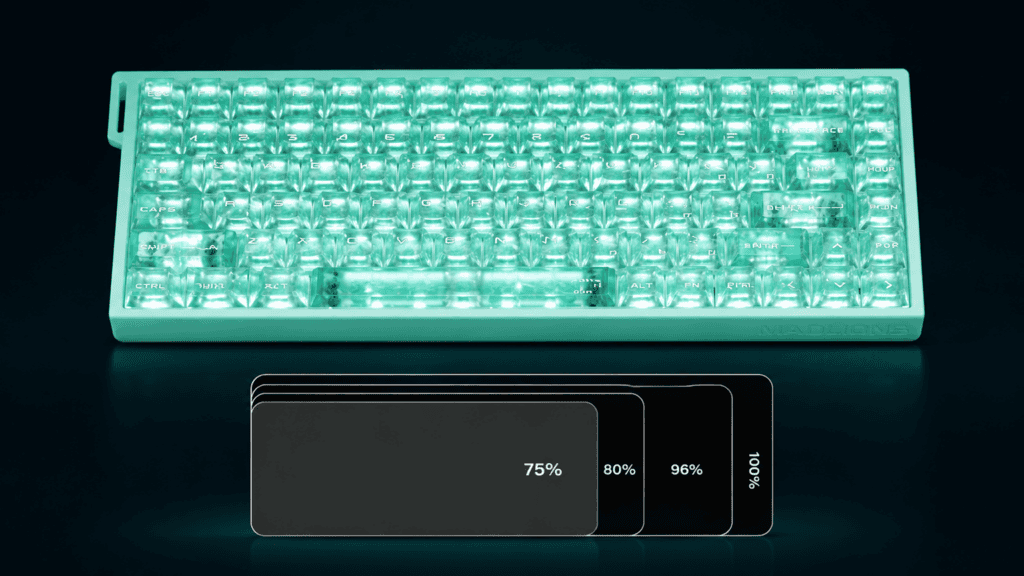
Three Switches Compared: Lime, White Horse, or Snow?
This is the heart of the MAD75’s appeal — three switches covering everything from entry-level to flagship. Here’s how they stack up.
Switch Spec Comparison
| Attribute | Lime | White Horse | Snow |
|---|---|---|---|
| Initial Force | 35±5gf | 35±5gf | 35±5gf |
| Total Travel | 3.5±0.2mm | 3.5±0.2mm | 3.2±0.1mm |
| Initial Flux | 90±15GS | 90±15GS | 90±15GS |
| Bottom Flux | 480±40GS | 480±40GS | 480±60GS |
| Latency | 0.125ms | 0.1ms | 0.08ms |
| Scan Rate | 128K | 128K | 256K |
| Keycaps | OEM profile | Frosted PC + accent caps | “Ice Carbon” carbon-fiber texture |
| Lighting | South-facing | South-facing | Dual-position |
| Stem Structure | Not specified | Not specified | Split-suspension + tumbler design |
Snow Switch: The Most Technically Advanced Option
The Snow switch is the only one using a split-suspension + tumbler structure with a ball-and-socket joint design. When pressed straight down, both modules descend together for precise triggering; under sideways pressure, the movable module self-adjusts through the ball-and-socket joint, while the suspended module stays perfectly vertical.
Why it matters: this eliminates magnetic drift and accidental triggers at the source, delivering a “zero-wobble, zero-deviation” input experience.
- Performance: 0.08ms latency + 256K scan rate — the strongest of the three
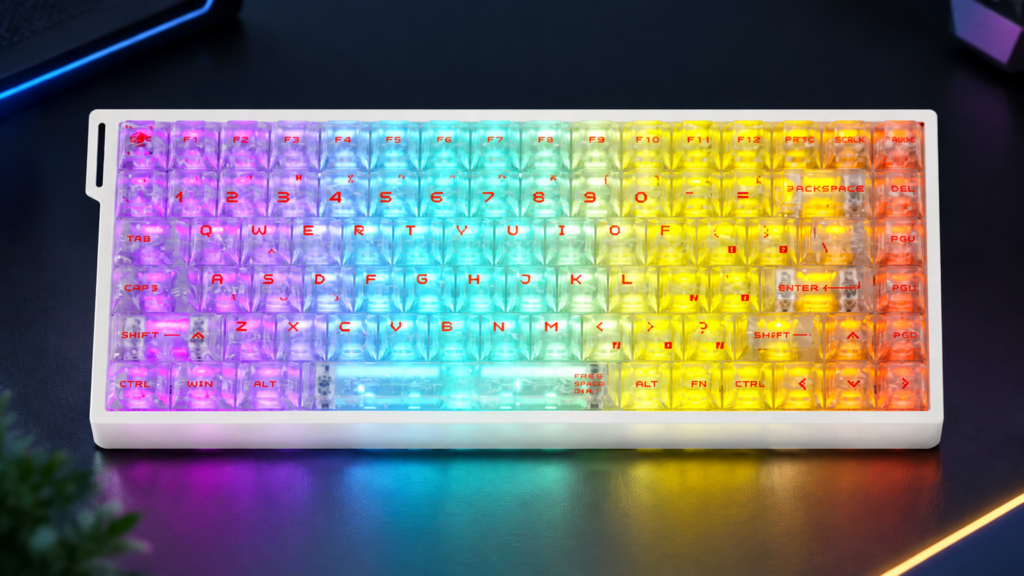
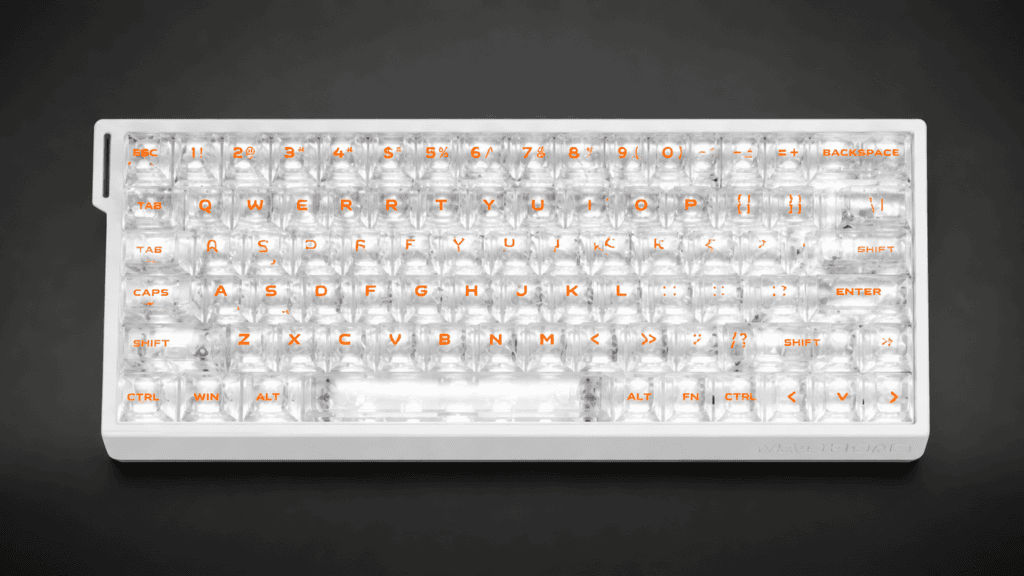
- Keycaps: “Ice Carbon” carbon-fiber texture, the most premium and recognizable
- Best for: hardcore FPS players chasing peak competitive performance, plus desk-setup enthusiasts who care about keycap texture and lighting
Lime Switch: Entry-Level with Classic Feel
- Travel: 3.5±0.2mm — 0.3mm longer than Snow, giving more “traditional” bottom-out feedback
- Performance: 0.125ms latency, 128K scan rate — the lowest specs, but plenty for daily use
- Keycaps: OEM-profile, classic feel
- Lighting: South-facing
- Best for: budget-conscious users, first-time magnetic keyboard buyers, or typists who prefer standard travel
White Horse Switch: The Balanced Pick
- Performance: 0.1ms latency, 3.5±0.2mm travel — sitting neatly between Lime and Snow
- Keycaps: frosted PC caps + three accent keycaps, with better light diffusion than Lime’s OEM caps
- Lighting: South-facing
- Best for: users balancing gaming and office work who want a sweet spot of performance, feel, and looks
Switch Selection Guide
| Use Case | Recommended | Why |
|---|---|---|
| Pure FPS competition | Snow | 0.08ms + 256K + split-suspension = strongest |
| Gaming + office | White Horse | 0.1ms + traditional 3.5mm travel + frosted caps = balanced |
| Budget / first try | Lime | Same core RT precision, more affordable |
| Desk-setup aesthetics | Snow | Ice Carbon caps + dual lighting = best visuals |
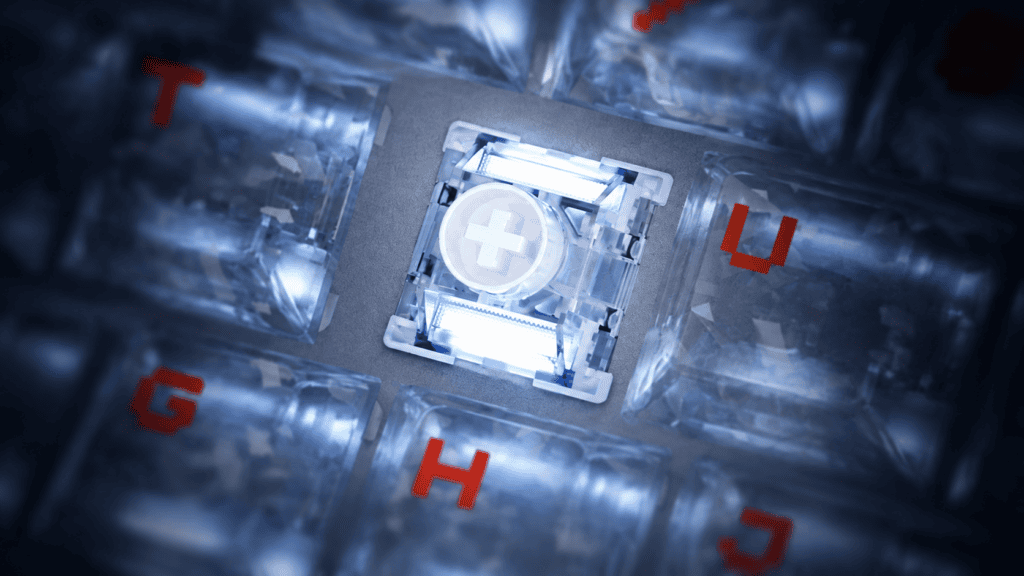
Design & Lighting: Dual Lighting, Ice Carbon Caps, and Custom Ribbons
Let’s look at how the MAD75 presents itself on the desk.
Dual-Position vs. South-Facing Lighting
- The Snow version uses dual-position lighting — light scatters evenly from both the keycap sides and the base, creating noticeably more depth than single-position setups.
- The Lime / White Horse versions use south-facing lighting, projecting from beneath the switch. Paired with frosted keycaps, diffusion still looks good — just more restrained.
In dim environments, dual-position lighting feels fuller, while south-facing stays understated.
The “Ice Carbon” Carbon-Fiber Keycaps
The Ice Carbon carbon-fiber texture keycaps on the Snow version are the MAD75’s most distinctive design element. The texture adds a unique visual quality that contrasts nicely with RGB lighting.
One honest note: the carbon-fiber texture feels different from traditional PBT/PC keycaps and takes some getting used to.
Colorways & Custom Ribbons
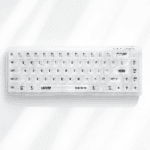
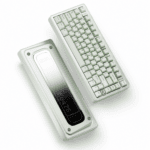
The MAD75 offers several colorways — White, Black, Ice Carbon White, Ice Carbon Black, Ice Carbon Pink, and Lake Green. The customizable ribbon continues the MADLIONS MAD-series design language and can be freely swapped. The palette spans from understated (black/white) to expressive (ice carbon pink, lake green).
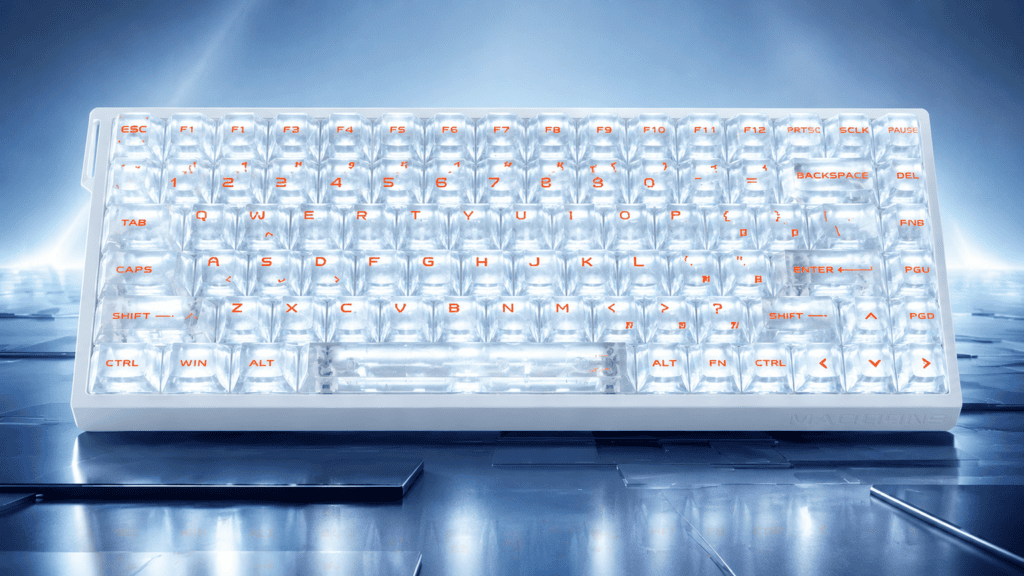
The Wired-Only Tradeoff: Why No Wireless?
Let’s be transparent about the MAD75’s wired-only connection and who it actually suits.
The Upside of Wired
- Latency stability: no wireless interference, so 0.08ms stays rock-solid
- No charging: zero battery anxiety — plug in and play
- Interference-free: unaffected by other wireless desk gear (mice, headsets)
The Cost of Wired
- Desk clutter: a cable always tethers the board to your PC
- Limited portability: you can’t carry it like a tri-mode board
- Versus rivals: some tri-mode competitors with large batteries win clearly in wireless scenarios
Who Fits Which?
| Connection | Best For |
|---|---|
| Wired (MAD75) | Fixed desk setups, competitive-gaming-first users |
| Tri-mode | Frequent device switching, clean-desk priorities, travel needs |
Software & Advanced Features: The Value of Dual-Platform Drivers
Here’s where the MAD75 earns points for flexibility.
Dual-Platform Software: Web + Client
The MAD75 supports in-house dual-platform software — both a web version and a desktop client. The web driver’s advantage is instant access: switch computers and you don’t need to reinstall. The web driver even includes a built-in keyboard testing tool, and users have noted the interface feels cleaner than some competing brands.
Advanced Key Functions
| Function | Purpose |
|---|---|
| RS (Rapid Trigger) | Auto-recognizes dual-key input for fast response |
| SOCD | Smart judgment when pressing opposite direction keys — core FPS stop tool |
| DKS (Dynamic Keystroke) | One key, multiple triggers for press and release |
| MT (Mod Tap) | Light and deep presses perform different functions |
| TGL (Toggle) | One-tap switch between operation states |
| END (Release Trigger) | Executes commands on key release |
Practical Setup Advice
- Beginners: start with RT and actuation tuning — don’t enable everything at once
- FPS players: SOCD + RS is the core combo; configure it on WASD
- Office users: MT and TGL can streamline repetitive tasks, but expect a short learning curve
The Honest Weaknesses & Controversies
No review is complete without the downsides. Here’s the candid part.
Quality Control Variance
User reviews of the MADLIONS MAD series are polarized: roughly 85% praise it as a value champion, while about 15% question its QC and practicality. Critics cite “low pricing at the cost of quality control” and “wired-only plus a learning curve, not ideal for casual users.” Some community reports mention issues like signal dropouts, uneven keys, and faulty cables.
This doesn’t mean your MAD75 will have problems — but the probability of QC variance is worth knowing before you buy.
The “Perception Barrier” for Casual Players
One user put it bluntly: “As a casual gamer, I genuinely can’t feel the difference between magnetic and mechanical switches.”
The 0.001mm RT precision and 0.08ms latency are real advantages for hardcore FPS players — but the experience boost for casual users is limited. This is the shared challenge of all entry-level magnetic keyboards: the specs leap ahead, but user perception doesn’t always keep pace.
Final Verdict: Is It the New King?
Let’s return to our opening question with a clear judgment.
Core Strengths
- Specs: 0.001mm RT + 8K polling + 256K scan rate (Snow) + 0.08ms latency — top tier for 75% magnetic boards
- Switches: three options from entry to flagship; Snow’s split-suspension structure is genuine technical differentiation
- Design: dual lighting + Ice Carbon caps + multiple colorways + custom ribbons = maximum desk presence
- Software: dual-platform drivers + six advanced key functions = ample tuning room
Core Weaknesses
- Wired-only: can’t compete with tri-mode rivals in wireless scenarios
- QC variance: brand-level consistency deserves attention
- Limited casual appeal: magnetic advantages matter less to non-competitive users
The Bottom Line
The MAD75 isn’t a no-brainer buy — its real strength is a combo punch: spec jump + three switch choices + dual-platform software + Ice Carbon keycaps.
- If you’re a hardcore FPS player, the Snow version is a serious contender in the 75% category.
- If you’re a desk-setup enthusiast, the Ice Carbon texture and dual lighting stand out at this price.
- If you need wireless or demand top QC consistency, weigh the competition carefully.
The “new king” title? It earns about half of it. The specs and design are pushed to a level rarely seen at this price, but inconsistent QC and the missing wireless option keep it from being a true all-rounder.
You can explore the full specs and current pricing on the MADLIONS MAD75 Hall Effect Gaming Keyboard product page.
 English
  German
  Portuguese
  Spanish
  Italian
  Finnish
  French
  Japanese
  Korean
  Swedish