
Mechanical keyboards have spent years climbing the same ladder: first the race for better typing feel, then the obsession with acoustics, and finally the arms race over internal structure. Once gasket mounts, tri-mode connectivity, and hot-swap sockets became baseline expectations, brands needed a new way to stand out. The LEOBOG Hi65 answers that question with a bold pivot — it turns the keyboard into a toy.
This isn’t just an input device. It’s a desktop play-station packing a sound-reactive light bar, a built-in buzzer, a phone stand slot, and swappable decorative modules. In this deep-dive review, we’ll evaluate the Hi65 across four dimensions: design, features, typing feel, and performance — and decide whether “fun” comes at the cost of fundamentals.

Unboxing & First Impressions
Right out of the box, the Hi65 signals that it isn’t a “serious” keyboard — and that’s the whole point.
What’s in the box
The package is generously equipped for a mass-production board:
- Hi65 keyboard body
- Type-C data cable
- 2.4G wireless receiver
- Keycap & switch puller
- User manual
- Three bonus swappable decorative modules: iceberg glitter light module, sound-light diffuser cap, and stand-slot accessory
That level of accessory density is honestly overkill by mass-market standards — in the best possible way.
The visual shock
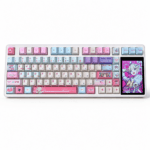
It’s a 65% compact layout, but with one twist: a wide “forehead” panel across the top. That extra strip is the soul of the entire keyboard.
The chassis leans heavily into curves — a sculpted front lip, rounded edges, and an inward-tapered “waist” on both sides. While most boards on the market are boxy aluminum slabs, the Hi65 builds its own visual language out of flowing lines.

Design: The “Half-Aluminum” Body & “Big Forehead” Aesthetic
The design is where the Hi65 truly separates itself from the crowd, and it comes down to two decisions: material philosophy and that signature top panel.
The “half-aluminum” trade-off
LEOBOG mixed two materials on purpose:
| Component | Material | Benefit |
|---|---|---|
| Top case | ABS plastic | Lightweight, easy to mold complex curves |
| Bottom case | CNC-machined aluminum (one-piece) | Durable, premium heft — not die-cast or extrusion |
The full board weighs roughly 1,295g, matching some fully aluminum keyboards. There’s an ongoing debate here — some users argue “half-aluminum feels plasticky and sits awkwardly on price.” But flipped around, it’s a smart balance of weight, cost, and design freedom that a full-metal build simply can’t offer at this price.
Surface finishing is a genuine highlight:
- Anodized version: 220+ grit, silky matte texture
- Electrophoretic version: stronger impact resistance, equally smooth and drag-free
Some reviewers have called it “the best matte anodizing in mass production.”
The “big forehead” function zone
This top panel is the Hi65’s most recognizable feature — and the reason it earns the “toy” label. It houses three core modules:
① Sound-reactive light bar Syncs lighting to ambient audio in real time — talk or play music and it responds instantly. Sensitivity is high, though brightness is a weak spot (more on that below).
② Device stand slot Holds a phone or tablet so you can operate a Bluetooth-connected device while typing. The catch: the screen angle is too vertical for comfortable input — removing your phone case helps.
③ Customizable decorative module Ships with a three-layer “iceberg glitter” module that looks bright and vibrant. Better yet, it supports 3D-printed or UV-printed custom designs, plus a receiver storage bay and a mode switch (2.4G / wired / Bluetooth).
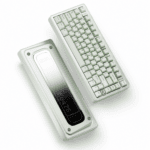
Backside & details
The plastic bottom cover sports an anime-inspired print that’s both decorative and functional. There’s an internal-locking screw structure and a rotary knob with satisfying detent clicks — though the knob does have slight lateral wobble and merely average feel.
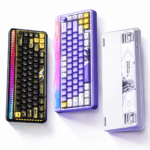
If the sculpted look appeals to you, the snow-white, stardust-purple, and obsidian-black variants each pair a distinct character theme with a matching switch option.
Features: Buzzer, Sound-Light & Sheer “Playability”
This is where the Hi65 stops being a keyboard and starts being a gadget. Let’s explore the fun parts.
The buzzer: keys that “sing”
A dedicated hardware component generates sound — no software emulation needed. It tracks keypresses precisely for a natural feel, and toggling FN + N cycles through 4–5 sound-effect modes. Typing feels like operating a retro electronic device. It’s genuinely fun — though not everyone will love the constant chirping.
The sound-light: lighting that “listens”
The light strip pulses along with ambient sound, offering 20+ lighting modes. The biggest drawback is insufficient brightness — in a well-lit room, the effect is nearly invisible. Reviewers suspect the internal light-blocking material wasn’t properly treated.
The multifunction knob
Sitting in the top-right corner, the knob adjusts brightness, lighting mode, and volume, with a 5-second long-press to switch function modes. The downside remains that slight wobble and underwhelming encoder quality.
Swappable decorative modules: growing a personality
Users can 3D-print their own decorative accessories — some owners have even placed POP MART mini-figures on top. That “forehead” essentially becomes a blank canvas for personal creativity.
Internal Structure & Typing Feel
Underneath the playful shell sits a surprisingly mature build that keeps the fundamentals solid.
Gasket mount & five-layer dampening
The board uses a small-arm leaf-spring gasket structure for consistent force distribution, backed by a five-layer sound-dampening stack:
- 3.5mm switch-pad foam (with light adhesive)
- IXPE film
- “Voice actor” pad
- Bottom insulation film
- POWER under-switch pad
Combined with a 1.2mm single-key flex-cut PCB and a frosted PC plate (with lateral slots), the result is eliminated hollow sound and a cleaner, HiFi-grade acoustic profile.

Typing characteristics
The internal assembly has a noticeable sink, with the compressed foam delivering soft, cushioned feedback. Reviewers describe the gasket as “soft and bouncy with a comfortable bottom-out” — overall a “soft-bounce but not collapsing” style.
Switch options
Both options are pre-lubed linear switches, and the hot-swap PCB supports 3-pin and 5-pin MX switches:
| Switch | Actuation Force | Type |
|---|---|---|
| Jasper (Jade) | 33gf | Pre-lubed linear |
| Light Feather | 29gf | Ultra-light silent linear |

Sound signature
Together, the five-layer fill and gasket mount produce a clean, noise-free tone that reviewers describe as a “muffled pebble sound.” The spacebar features character artwork for an extra visual touch.
Performance & Connectivity
The playful features never come at the expense of a competent core, and the connectivity spec sheet holds up well.
Tri-mode connectivity
- Wired USB-C — stable and reliable
- 2.4G wireless — high-speed connection
- Bluetooth 5.1 — multi-device pairing
Latency
| Mode | Latency |
|---|---|
| Wired | ~4ms |
| 2.4G | ~7ms |
| Bluetooth | ~13ms |
Wake-up is instant with no dropped keystrokes — input stays fluid across all modes.
Battery & polling
A 4,000mAh battery comfortably handles long wireless sessions while running RGB and the sound-light in sync. It also supports up to a 4,000Hz polling rate, keeping it competitive for gaming.
Pros & Cons: What Keeps It From “Perfect”?
Here’s an honest tally of where the Hi65 shines and where it stumbles.
Strengths
- Distinctive design: the most sculpted, streamlined look in LEOBOG’s aluminum lineup
- High fun factor: buzzer, sound-light, and custom modules max out playability
- Mature internals: inherits the proven HI75 dampening scheme for stable silencing
- Excellent build quality: high-grit surface finish + CNC bottom case
- Strong value: balances novelty and solid fundamentals
Shortcomings
- Dim sound-light: brightness undercuts the visual effect
- Awkward stand angle: the vertical screen makes typing harder
- Wobbly knob: average encoder feel with noticeable looseness
- Debatable front print: UV silkscreen art disrupts solid-color minimalism
- Protruding receiver: hurts the rear aesthetics
- “Half-aluminum” debate: some users find it plasticky
Verdict: Imperfect, But Plenty of Fun
The Hi65 was never chasing “perfection” — it’s chasing “maximum fun.” Through its sound-light, buzzer, and swappable modules, it transforms a keyboard from a pure input tool into a genuine desktop toy. Crucially, the internals are mature, the typing feel is comfortable, and the performance is more than sufficient — the fundamentals were not sacrificed for the sake of play.
That said, a few details still need polishing: the light-bar brightness, the phone-stand angle, and the knob wobble. As one reviewer neatly summed it up — “imperfect, but fun enough.”

Who it’s for
- Users who crave personalization and feature variety
- Players who care deeply about lighting effects and sculpted design
- Tinkerers who love DIY and desk-setup aesthetics
- Anyone who simply wants a keyboard that’s different
Who it’s not for
- Purists chasing minimalism and a “clean typing experience”
- Users with high demands for light brightness and knob feel
- Anyone who can’t accept a “half-aluminum” construction
Final Thoughts: Breaking the Mold
In a market saturated with identical aluminum slabs, the LEOBOG Hi65 dares to be different. It might not be the ultimate “endgame” board for purists, but it is undeniably one of the most engaging desktop companions available today. If you’re tired of the conventional and willing to embrace a little quirkiness for a lot of character, the Hi65 easily earns its spot on your desk. After all, who says a keyboard is only meant for typing?
 English
  German
  Portuguese
  Spanish
  Italian
  Finnish
  French
  Japanese
  Korean
  Swedish