
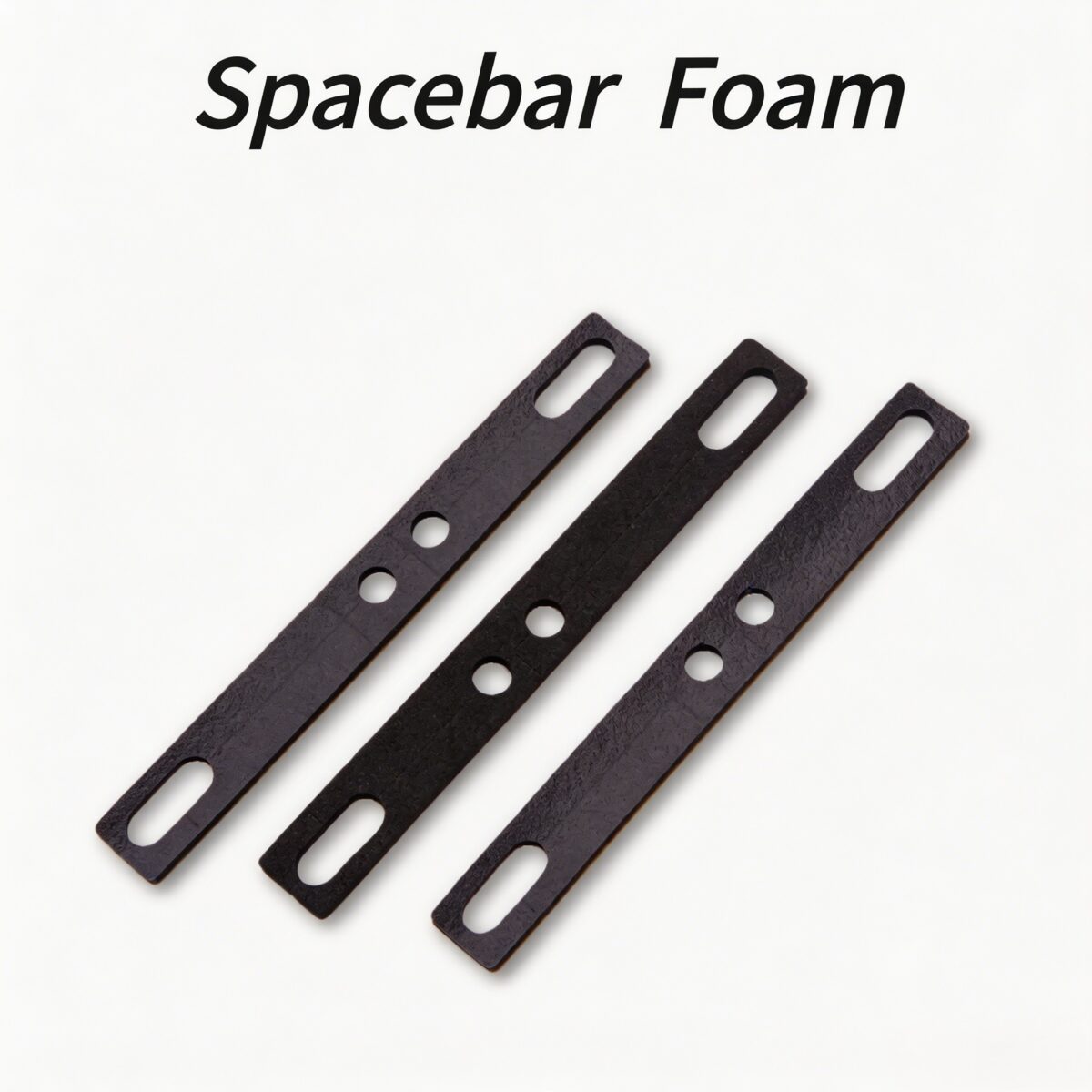
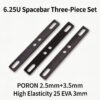
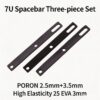
PAYSON Keyboard Spacebar Foam Dampener – The Ultimate Spacebar Rattle Fix
Méta-description : Upgrade your typing experience with the PAYSON Keyboard Spacebar Foam Dampener. Eliminate hollow sounds and stabilizer rattle with our premium PORON and EVA keyboard foam. Compatible with PCB and plate mount stabilizers.
Présentation du produit
Transform your typing experience with the Amortisseur de barre d'espace en mousse pour clavier PAYSON. If you are tired of annoying echoes, this premium keyboard sound dampening foam est l'ultime keyboard hollow sound fix. Designed to act as a highly effective spacebar ping fix foam, it eliminates the hollow “ping” and rattle from your spacebar and other large keys. Precision-cut for easy installation, this mechanical keyboard foam is compatible with both PCB stabilizer foam setups and plate mount stabilizer foam configurations, working seamlessly with all common keycap profiles.
Caractéristiques principales
- Atténuation acoustique instantanée : Acts as a powerful keyboard echo dampener et keyboard sound deadener, eliminating hollow echoes, spring ping, and stabilizer rattle for a deeper, more solid sound profile.
- Multi-Profile Compatibility: Ce modèle polyvalent spacebar dampener foam works with OEM, Cherry, SA, XDA, and other keycap heights with simple cutouts.
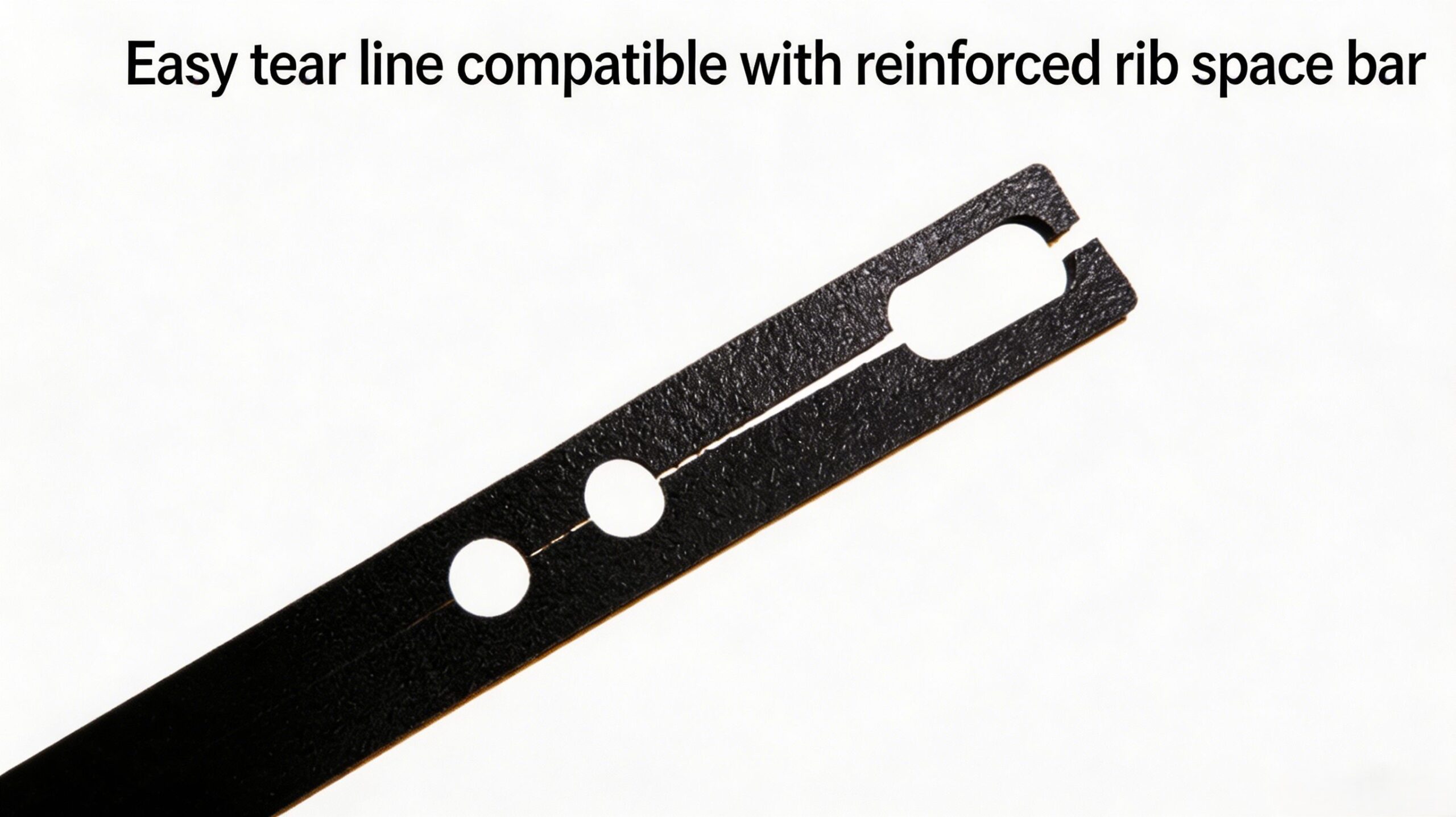
- Easy Modular Installation: The pre-scored design of this keyboard mod foam allows you to easily cut the keyboard spacebar cushion to fit any stabilizer type or keycap height.
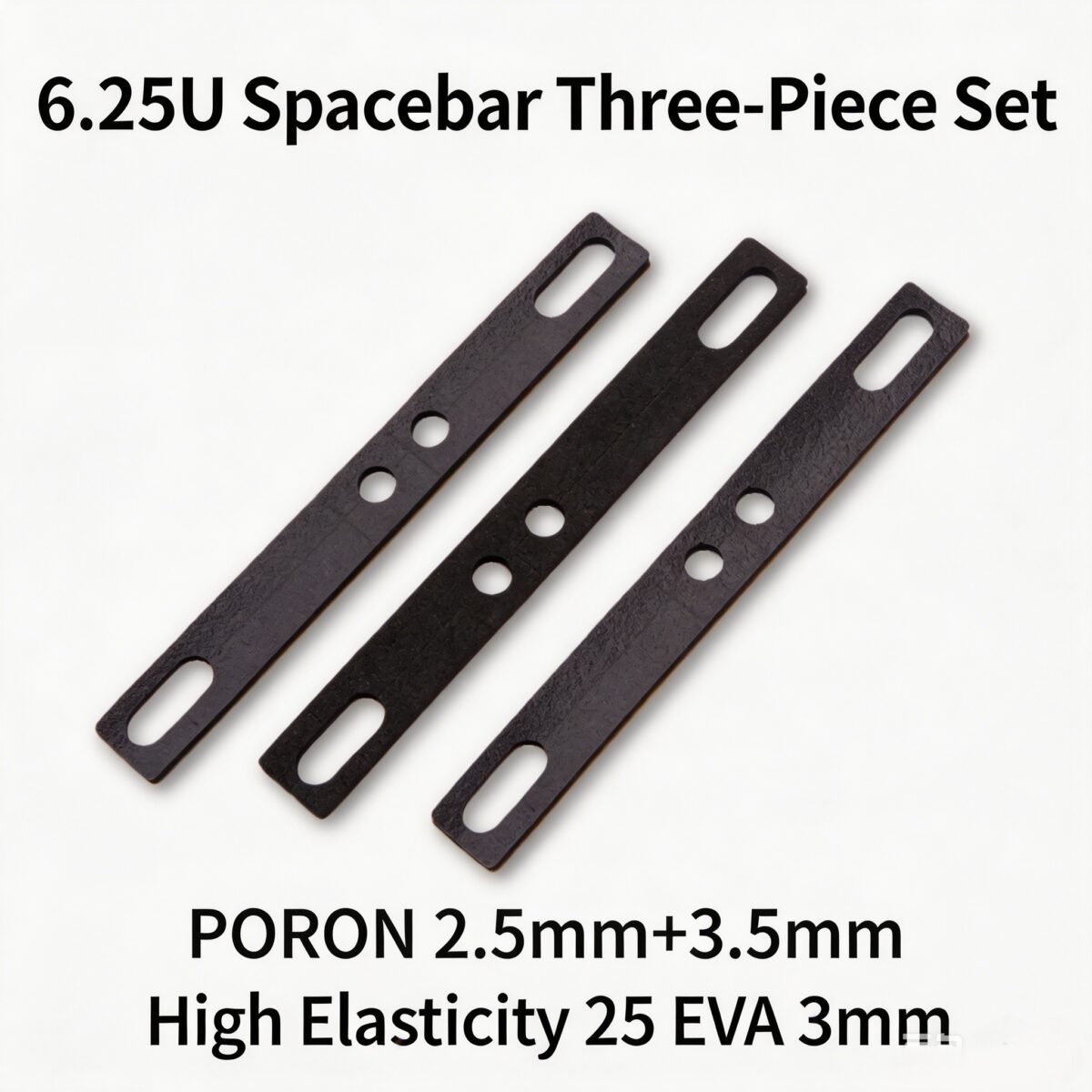
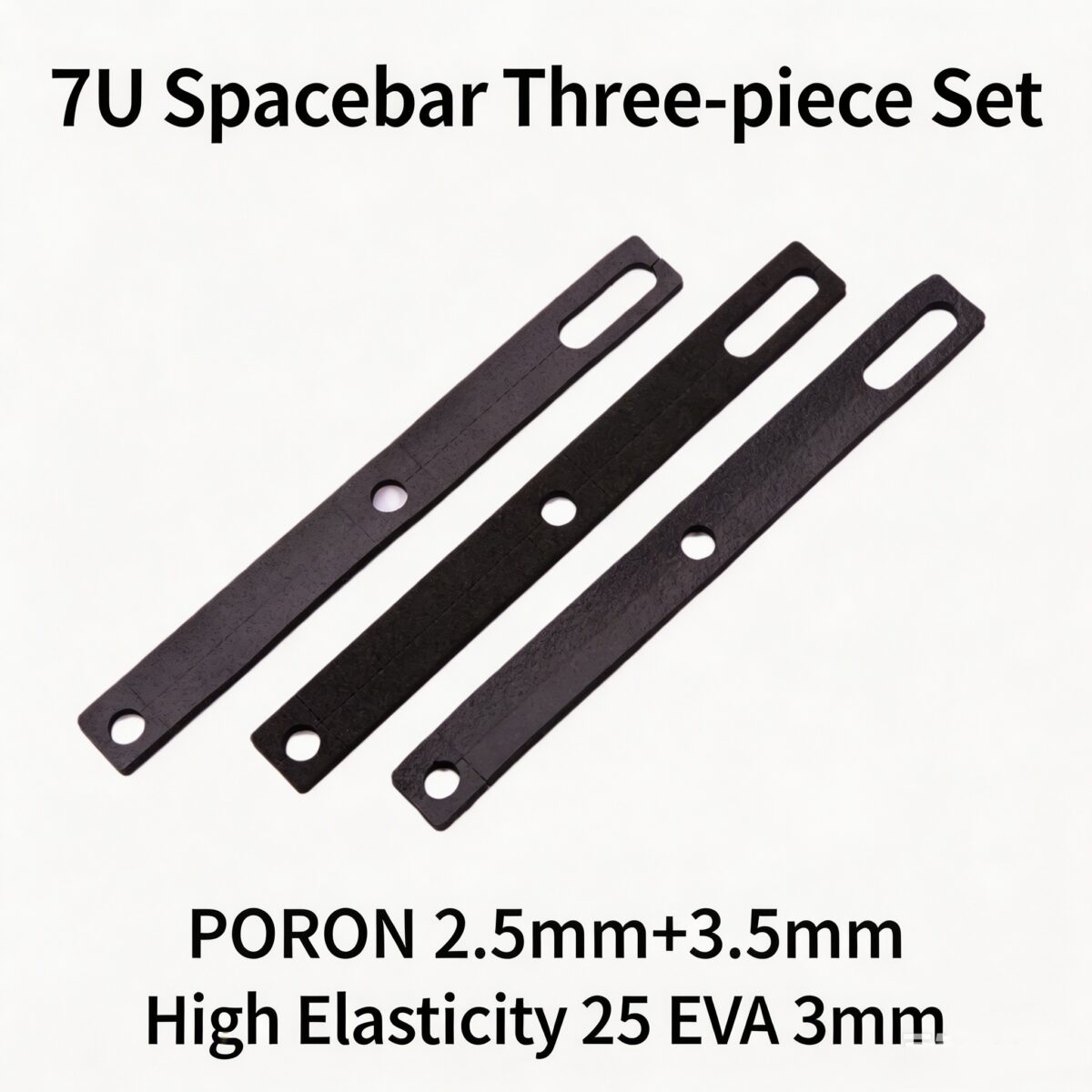
- High-Quality Materials: Available in premium PORON keyboard foam et EVA keyboard foam options to suit your specific sound dampening needs.
- Long-Lasting Durability: Our reliable keyboard foam insert retains its shape and performance even after thousands of keystrokes.

Installation Guide by Keycap Profile
Customize your keycap sound dampener setup based on your specific profile to achieve the best results:
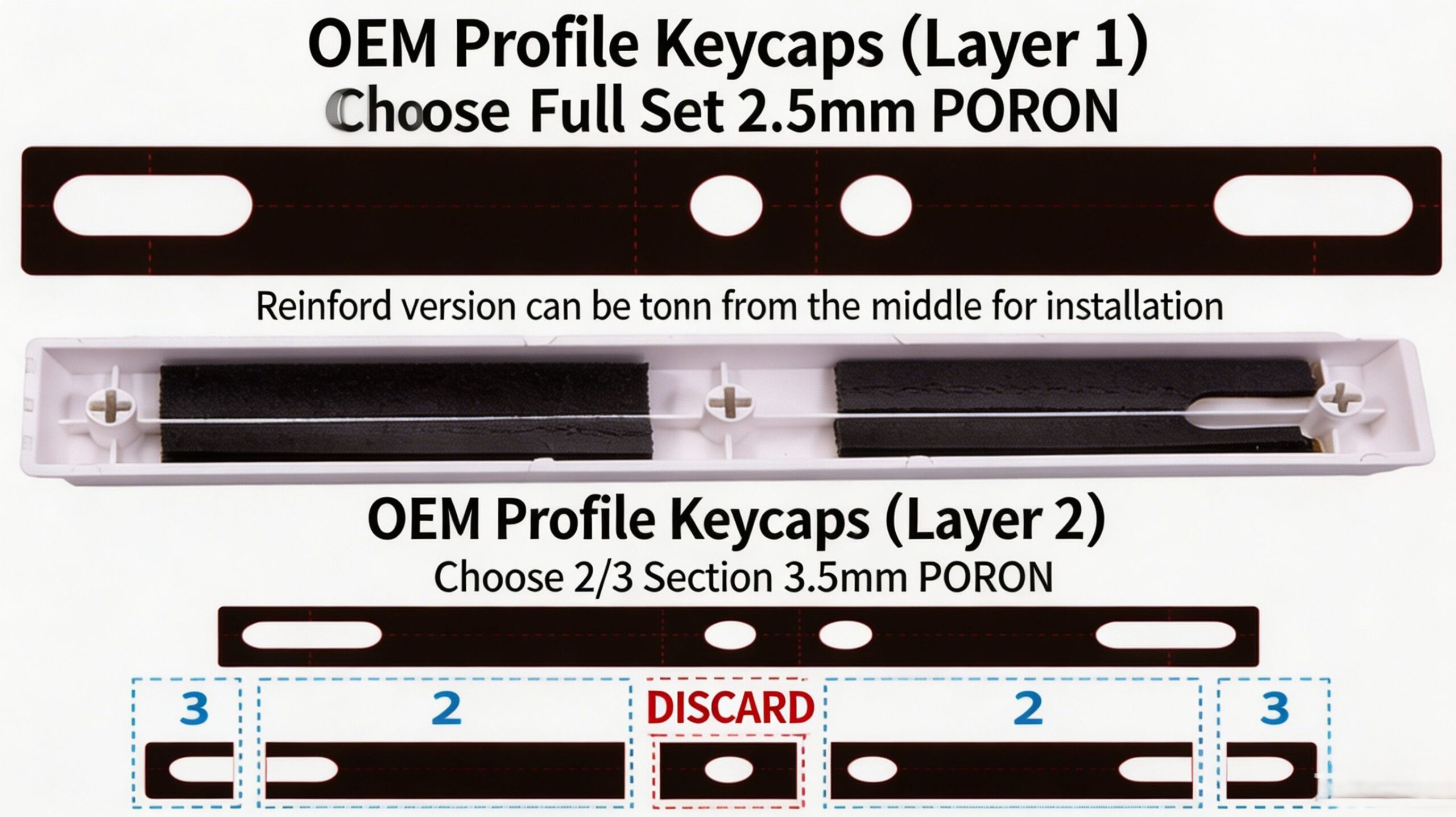
1. OEM / Cherry / Default Keycaps
- Layer 1: Use the full-length 2.5mm PORON foam (full coverage).
- Layer 2: Use the 2/3 section of the 3.5mm PORON foam (discard the center part).
- Note for stabilizers with ribs: The foam can be split in half for easier installation.
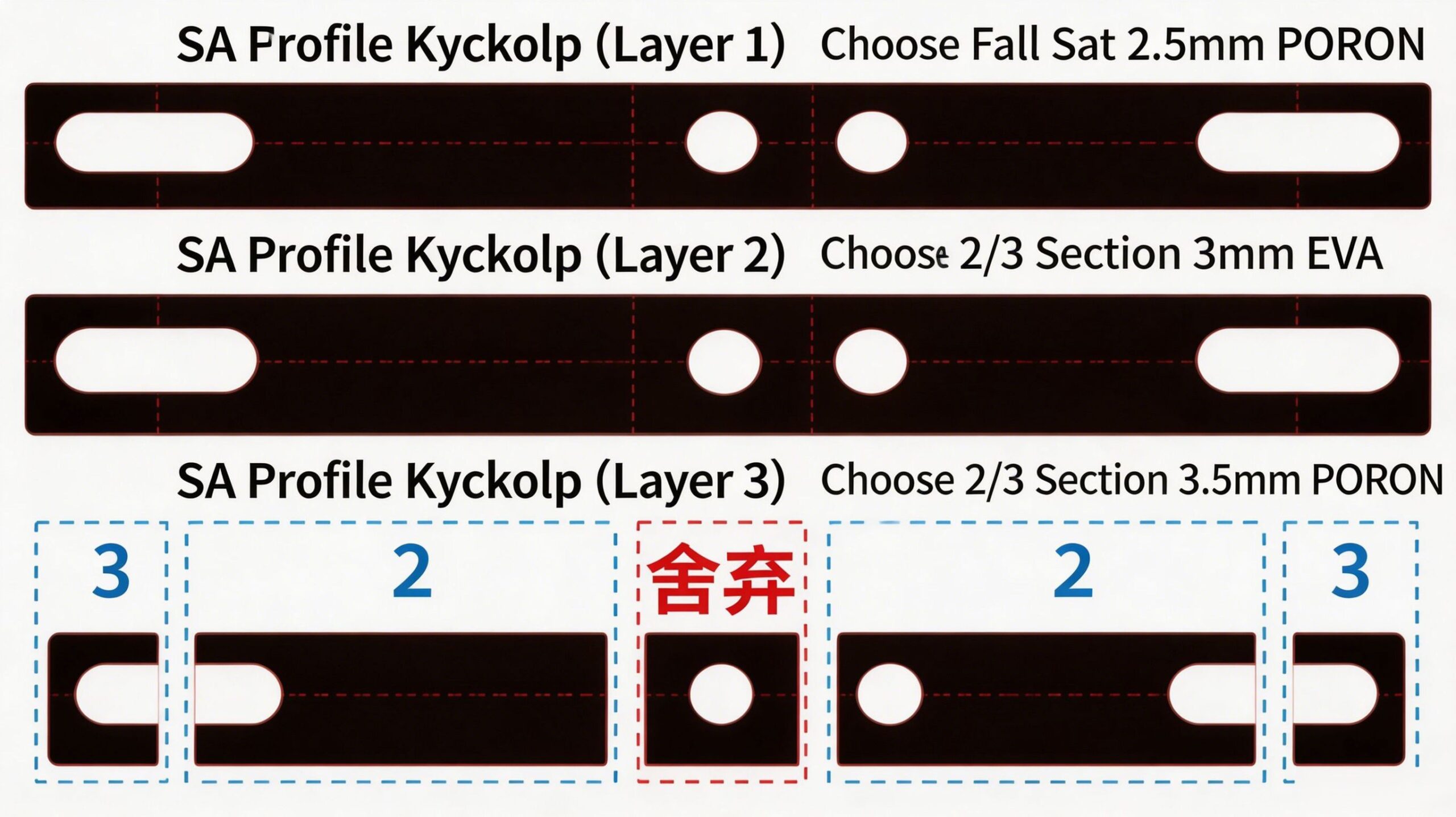
2. SA Profile Keycaps
- Layer 1: Use the full-length 2.5mm PORON foam (full coverage).
- Layer 2: Use the 2/3 section of the 3mm EVA foam (discard the center part).
- Layer 3: Use the 2/3 section of the 3.5mm PORON foam (discard the center part).
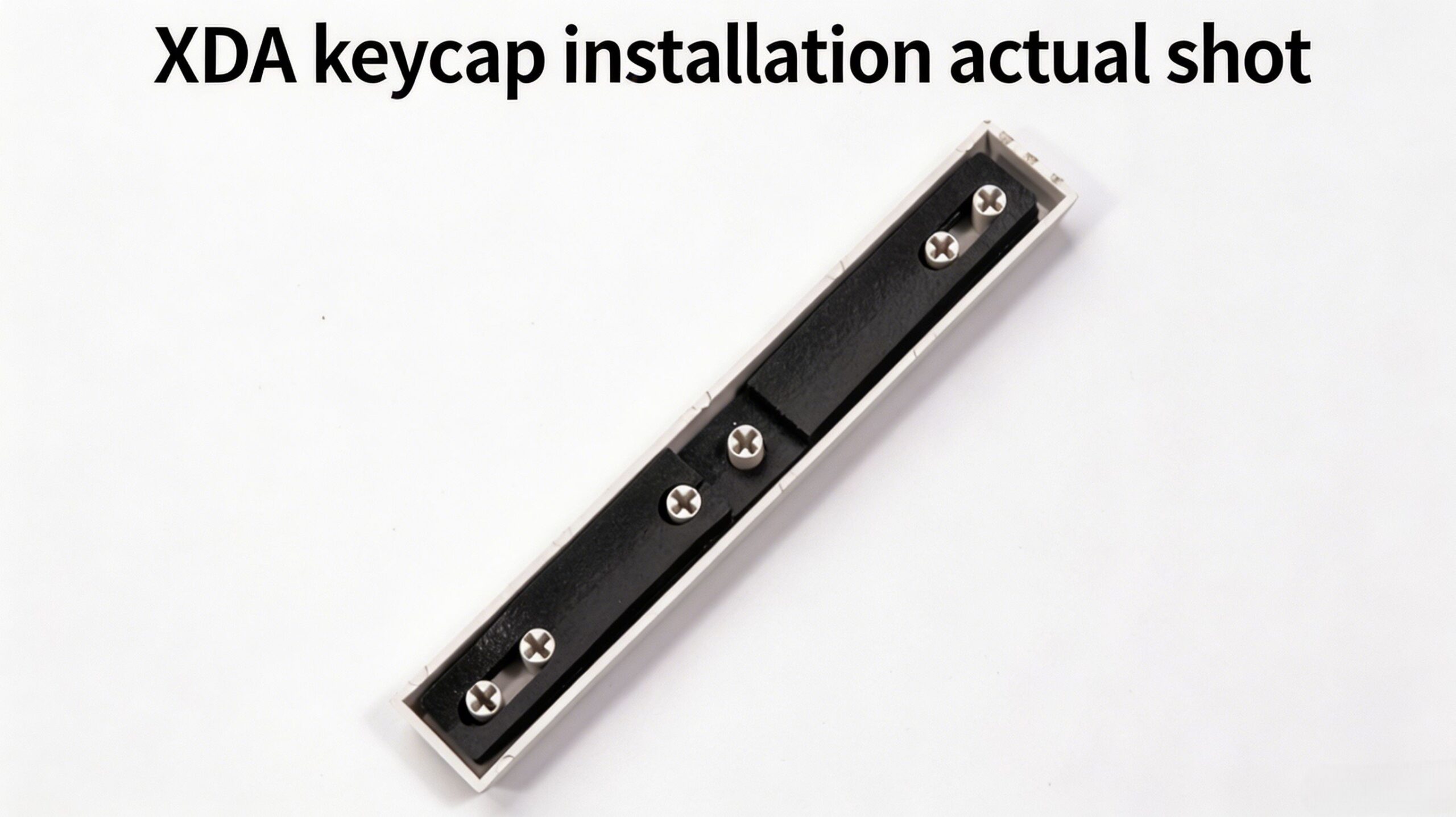
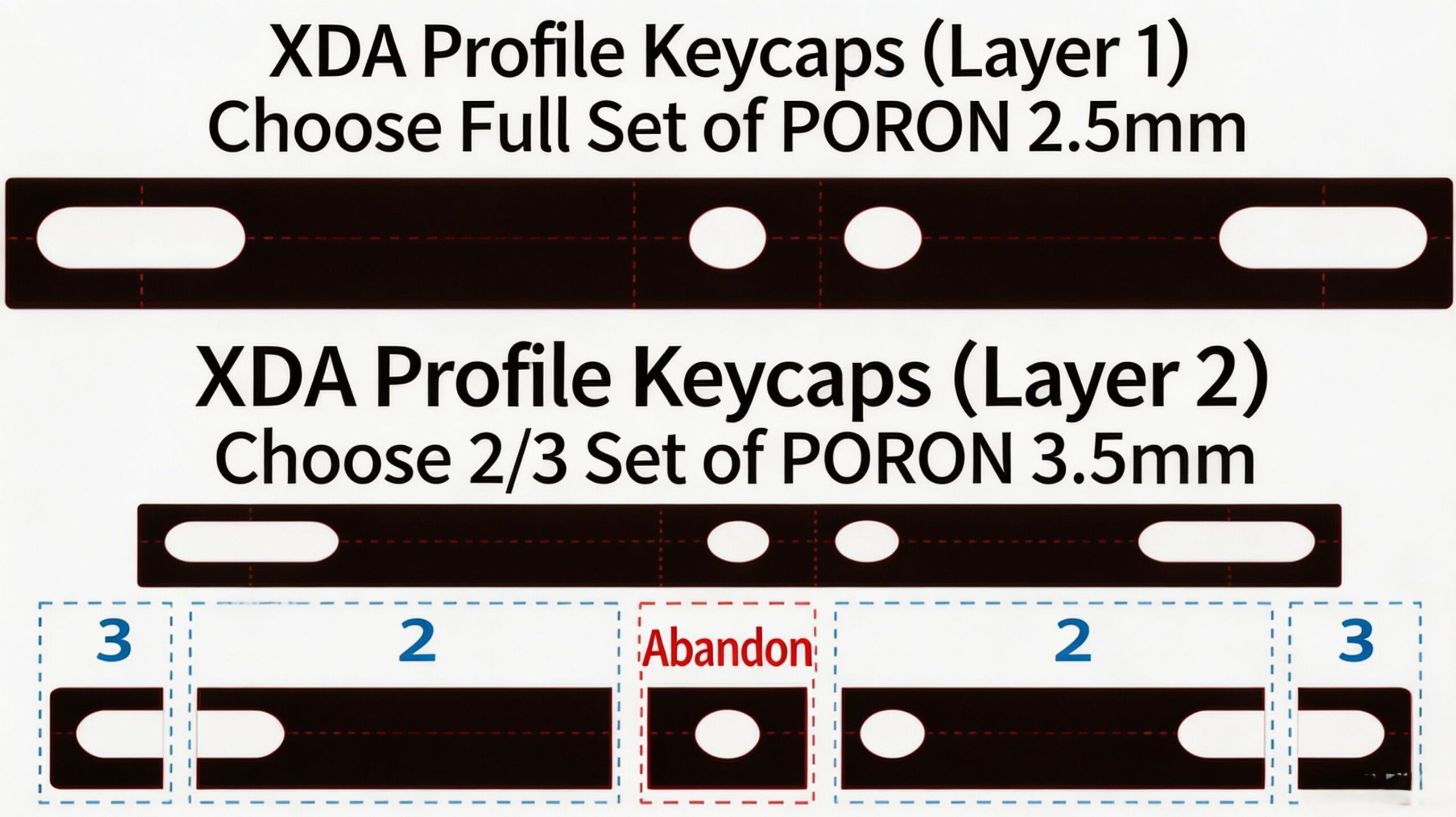
3. XDA / Low-Profile Keycaps
- Layer 1: Use the full-length 2.5mm PORON foam (full coverage).
- Layer 2: Use the 2/3 section of the 3.5mm PORON foam (discard the center part).
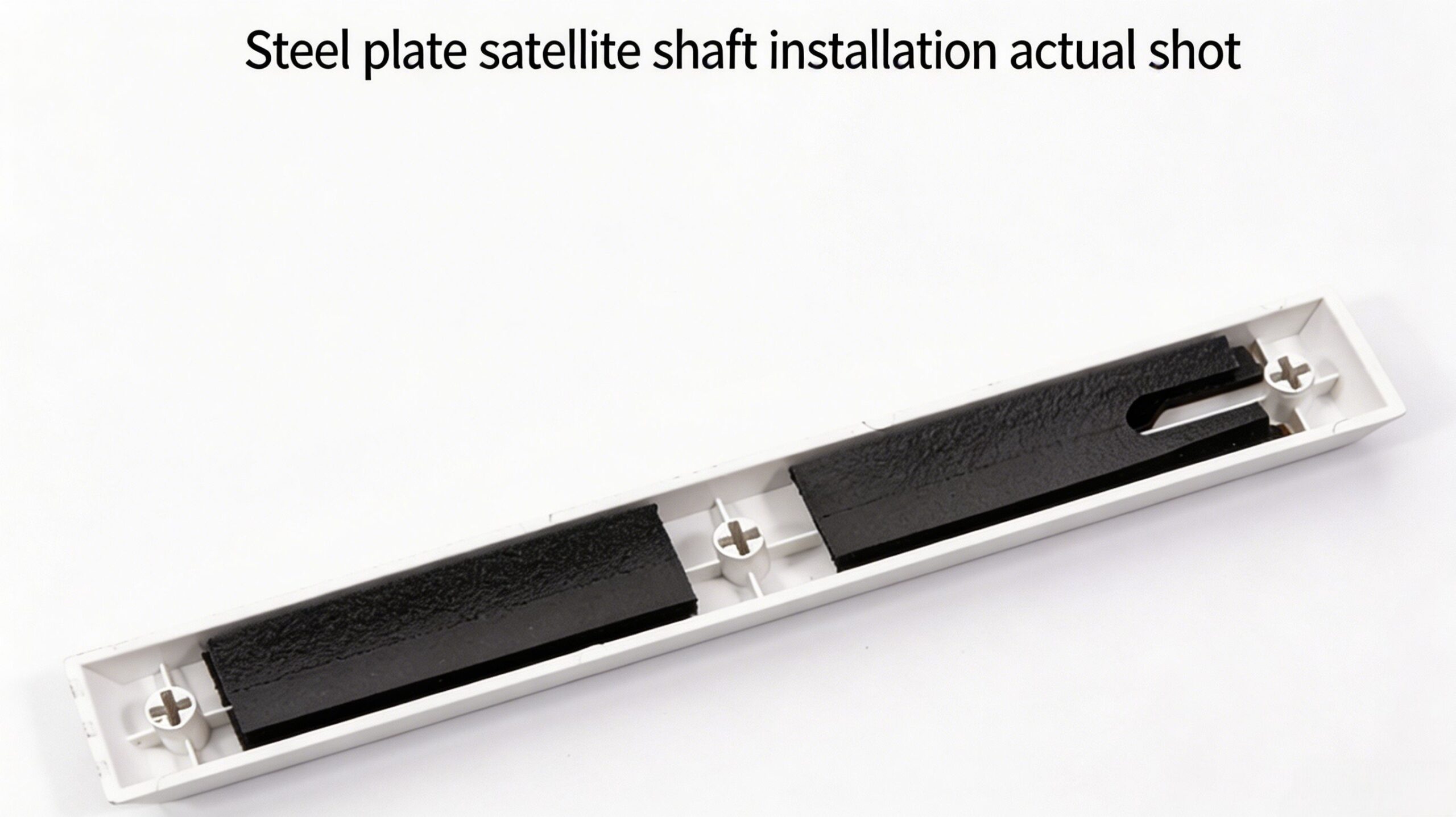
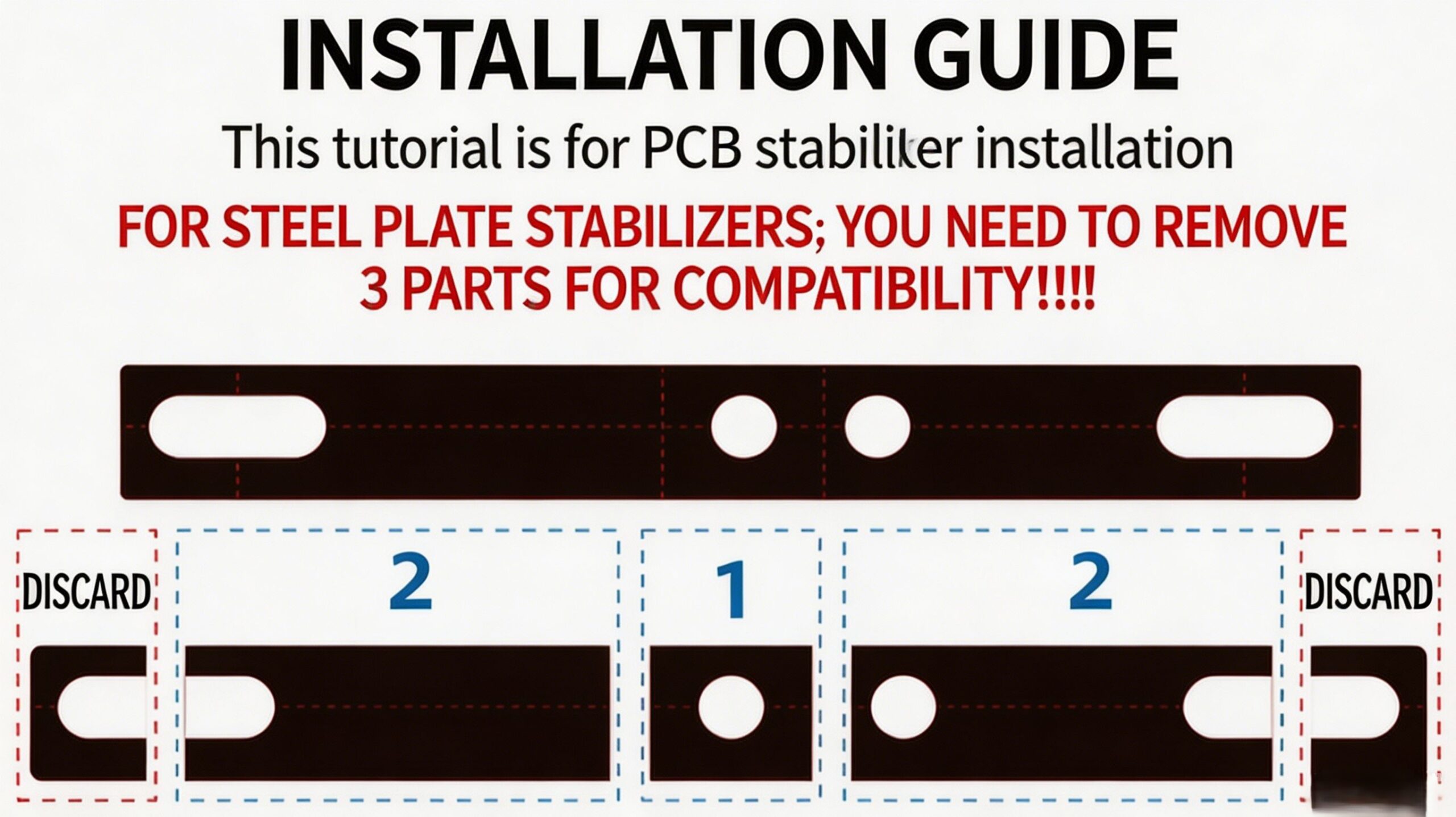
Critical Note for Plate-Mount Stabilizers
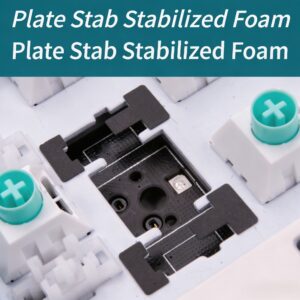
When using this stabilizer foam pad with plate-mount stabilizers, you must remove the outer “3” sections from both ends of the foam strip to ensure perfect compatibility and function of your keyboard stabilizer pad.
Comment installer
Atteignez le summum spacebar rattle fix in minutes with these simple steps:
- Remove the spacebar keycap and disassemble the stabilizer if needed.
- Select the appropriate custom keyboard foam layer(s) based on your keycap profile guide above.
- Cut or tear the foam strip at the pre-scored lines as per the guide.
- Peel the adhesive backing and carefully apply the keyboard spacebar foam inside the spacebar housing, aligning it with the stabilizer structure.
- Reassemble the stabilizer and reattach the keycap.
Le forfait comprend
- Pre-cut Amortisseur de barre d'espace en mousse pour clavier PAYSON strips
- Detailed Installation Guide
 English
  German
  Portuguese
  Spanish
  Italian
  Finnish
  French
  Japanese
  Korean
  Swedish
Avis
Il n'y a pas encore d'avis.