
From keycap compatibility to typing habits — a complete guide to the core differences between American and European layouts
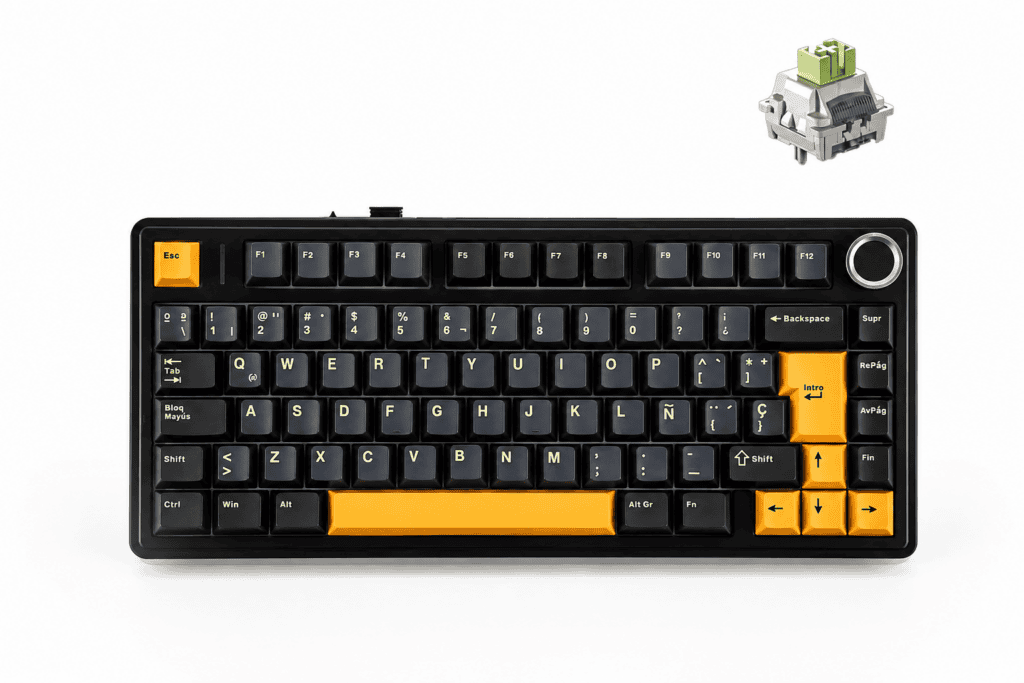
Choosing a 75% mechanical keyboard is exciting, but there’s one decision that quietly shapes your entire experience: ANSI or ISO? This isn’t just about aesthetics — it affects your muscle memory, your keycap upgrade path, and even your gaming precision. In this guide, we’ll unpack every core difference and help you confidently pick the right version of the Clavier mécanique AULA F75 75%, which ships in ANSI, ISO-DE, and ISO-ES variants.
Let’s break it down step by step.
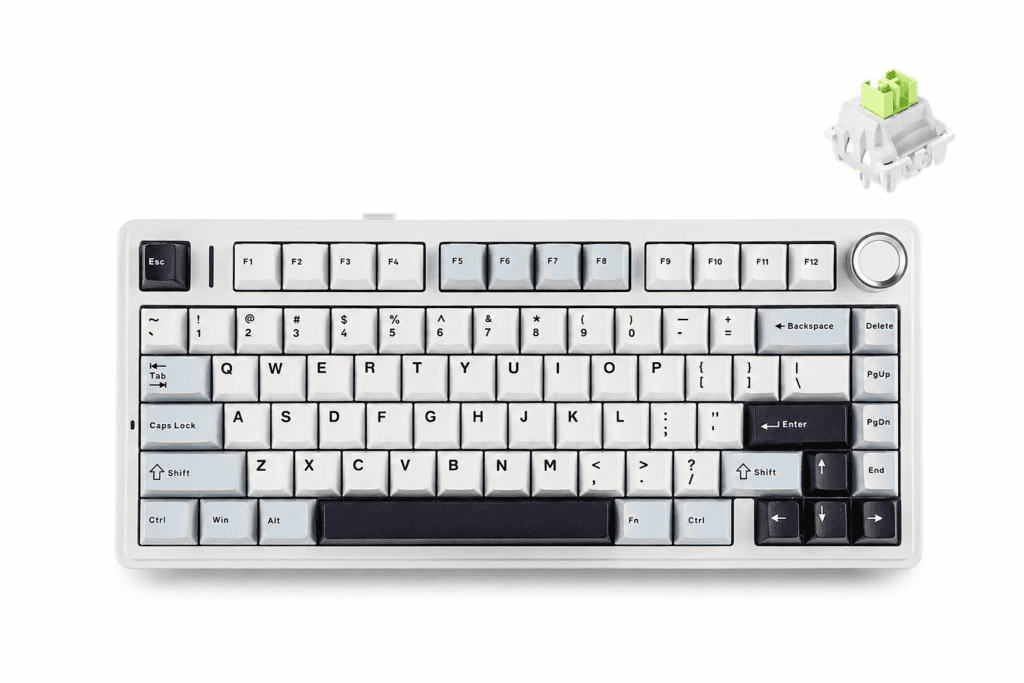
Why the 75% Keyboard Is the “Golden Size”
Before we dive into layouts, it’s worth understanding why the 75% form factor has become such a favorite among enthusiasts and everyday users alike.
The 75% layout hits a sweet spot: it keeps the essentials while trimming the excess.
Core Advantages of a 75% Layout
- Saves desk space — By removing the number pad, your mouse sits closer to your body’s center, improving posture and reducing shoulder strain.
- Keeps the keys that matter — You retain the full F1–F12 function row, dedicated arrow keys, and key navigation buttons (Home, End, PgUp, PgDn).
- Gentle learning curve — Unlike 60% keyboards that force you to memorize dozens of key combinations, the 75% layout feels familiar right away.
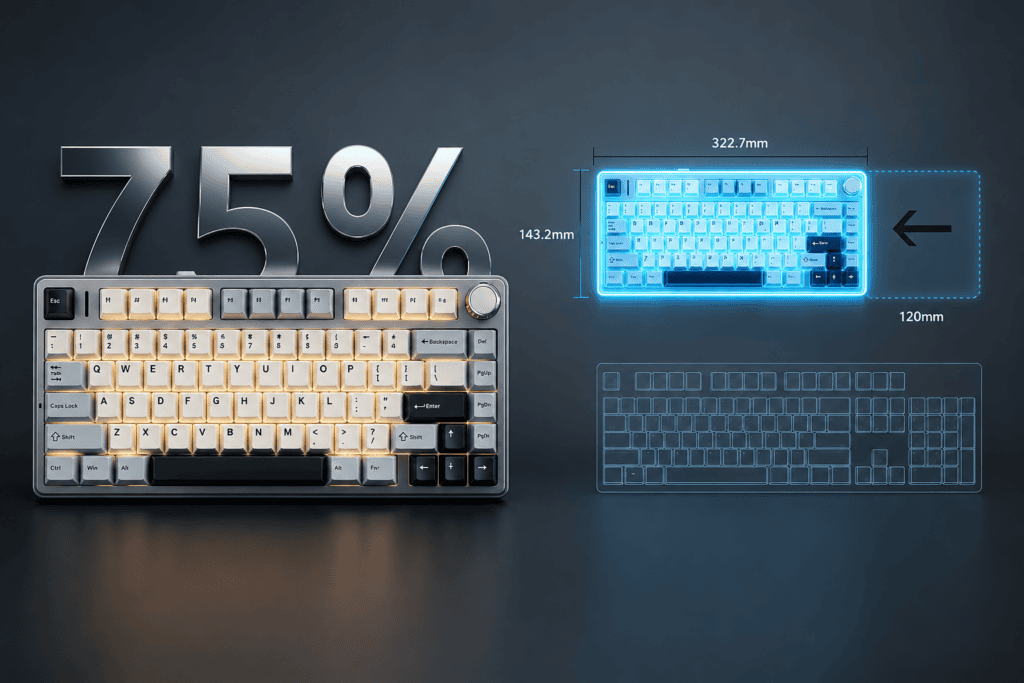
Where the AULA F75 Fits In
The AULA F75 is a standout example of this size done right. Its highlights include:
- Connectivité trimode — Bluetooth 5.0, 2.4GHz wireless, and USB-C wired
- Large-capacity battery for long-lasting endurance
- Five-layer sound-dampening structure + gasket mount for that satisfying “thocky” sound right out of the box
- Circuit imprimé remplaçable à chaud supporting both 3-pin and 5-pin switches
It’s a genuinely well-rounded board — which makes the layout decision the last major choice standing between you and your perfect setup.
ANSI vs ISO: The Core Differences at a Glance
Now for the main event. ANSI and ISO are the two dominant physical layout standards, and their differences come down to the shape and position of a few critical keys.
Quick Definitions
- ANSI — The physical layout standard set by the American National Standards Institute. It’s the most common layout in North America.
- ISO — The standard defined by the International Organization for Standardization. It’s the dominant layout across Europe.
The Three Biggest Physical Differences
Here’s a side-by-side comparison of what actually changes between the two:
| Fonctionnalité | ANSI | ISO |
|---|---|---|
| Enter Key | Wide horizontal bar (rectangular) | Tall, inverted “L” shape |
| Left Shift | Long and wide | Shorter, with an extra key on its right |
| Total Keys | 104 (full-size) / 87 (TKL) | 105 (full-size) / 88 (TKL) |
A Few Extra Details Worth Knowing
- Le extra ISO key sits to the right of the left Shift, mainly for typing specific European characters.
- ISO layouts typically use the AltGr key (right Alt) to access a third character layer.
- Le backslash () key moves too — it’s above Enter on ANSI, but next to the left Shift on ISO.
- Language variant note: ISO-DE uses the QWERTZ layout (Y and Z are swapped), while ISO-ES keeps the standard QWERTY arrangement.
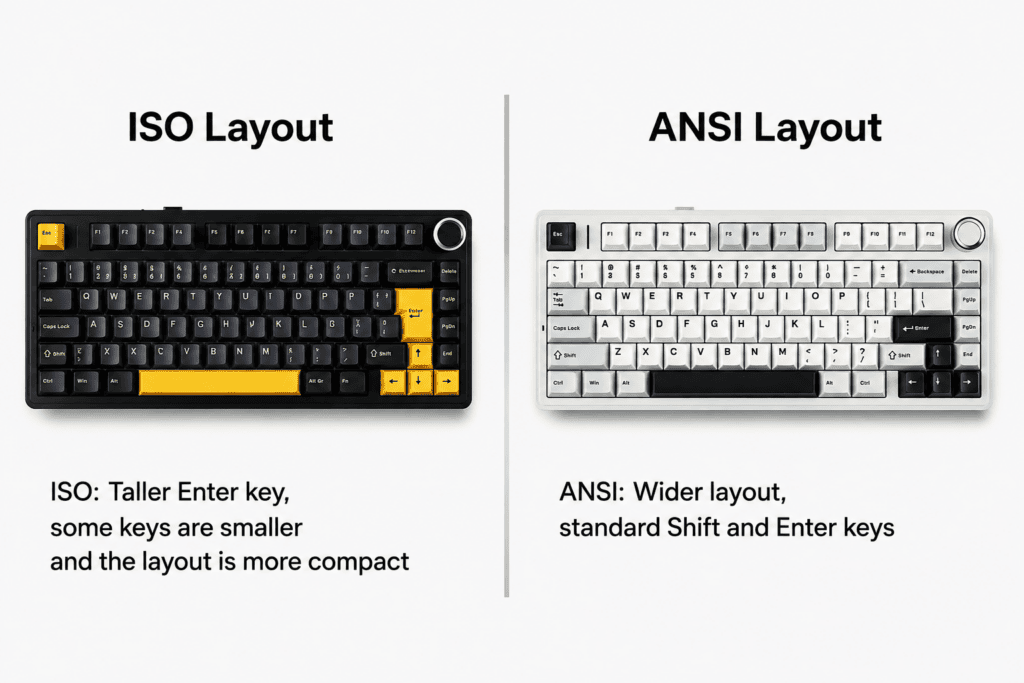
How Layout Choice Affects Your Real-World Experience
The physical differences translate into three practical areas: typing habits, keycap compatibility, and gaming feel. Let’s look at each.
1. Typing Habits & Muscle Memory
Your fingers develop deep muscle memory over years, and the Enter and Shift keys are prime territory.
- Enter key — The ANSI wide bar sits further left; the ISO inverted-L extends taller and leftward. Switching between the two means your pinky needs to relearn its target.
- Left Shift — ANSI’s long Shift welcomes a natural pinky stretch, while ISO’s shorter Shift demands more precise finger placement.
Rule of thumb: If you grew up on American keyboards, ANSI feels instinctive. If you’re a European user, ISO-DE or ISO-ES will match your daily input habits better.
2. Keycap Compatibility — The Most Important Factor
This is where many buyers get caught off guard, so pay close attention.
- ANSI is the “universal language” of keycaps. The vast majority of third-party keycap sets support ANSI by default.
- ISO keycaps require deliberate hunting. You must confirm a set is explicitly labeled “ISO Compatible” or includes the inverted-L Enter and short left Shift.
- The risk: Buy the wrong set, and your keycaps simply won’t fit — the ISO inverted-L Enter needs specific cutouts and stabilizer positions.
For AULA F75 owners specifically: even though the board is hot-swappable for switches, your keycap upgrade options are dramatically wider with the ANSI version.
3. Does It Affect Gaming?
Here’s the reassuring part — and the nuance.
- Zero difference in physical performance. Latency, polling rate, and actuation precision are identical between ANSI and ISO.
- A subtle feel difference exists, though:
- In FPS games, left Shift is your sprint key. ANSI’s long Shift makes blind pinky placement easier.
- ISO’s short Shift + extra adjacent key can occasionally cause mis-presses until you adapt.
- The Enter key difference barely matters in-game, but it’s noticeable while typing.
Conclusion: If competitive gaming is your priority, ANSI is generally the safer bet.
AULA F75: Which Version Should You Actually Pick?
Let’s tie this directly to the AULA F75’s available options so you can make a confident choice.
The Three Layout Options
- ANSI — Standard American layout
- ISO-DE — German / German-speaking region layout (QWERTZ)
- ISO-ES — Spanish layout (QWERTY)
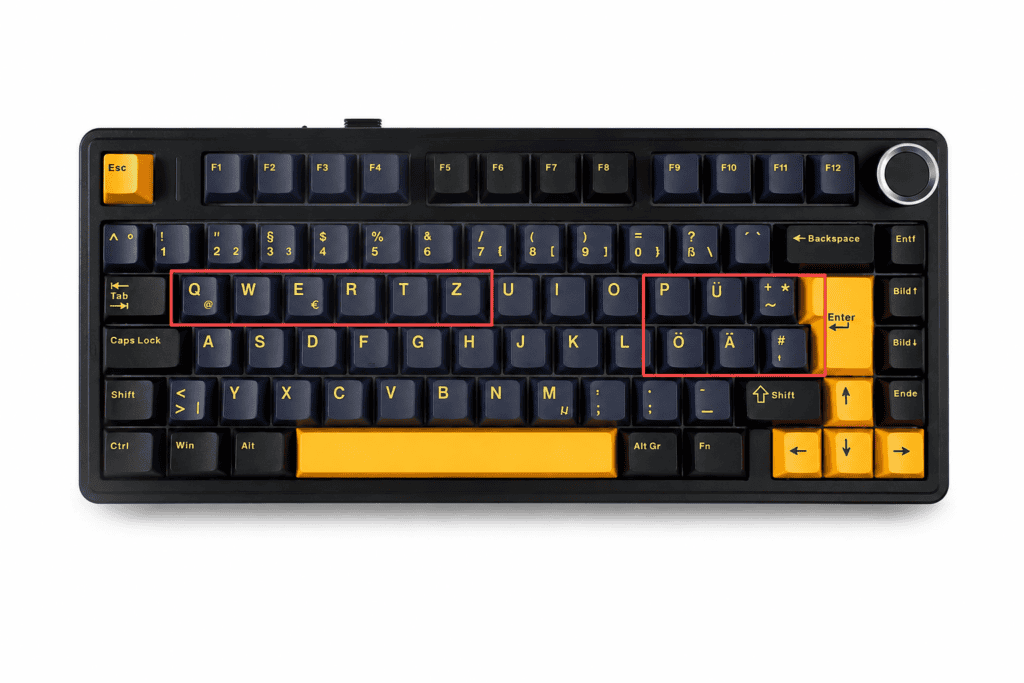
Decision Guide by Use Case
Match your situation to the recommendation below:
| Votre situation | Recommended Layout | Pourquoi |
|---|---|---|
| Living in the US / North America | ANSI | Matches daily habits; widest keycap selection |
| Living in the UK / Europe (non-DE/ES) | ANSI or ISO-UK | ANSI for more keycaps; ISO if you need £, € symbols |
| German-speaking regions (DE, AT, CH) | ISO-DE | QWERTZ matches local typing habits |
| Spanish speakers | ISO-ES | Keeps QWERTY; easy ñ input |
| Primarily FPS gaming | ANSI | Long left Shift favors pinky control |
| Planning to swap in third-party keycaps | ANSI | Nearly unlimited keycap choices |
| Typing multiple European languages | ISO | Extra key + AltGr layer are more convenient |
The Overlooked Detail: Keycap Upgrades
The AULA F75 ships with quality Touches PBT à double injection, but let’s be honest — most enthusiasts eventually want to swap them.
- Choose ANSI: Almost every keycap set on the market will fit.
- Choose ISO: You’ll need to verify “ISO support” before every purchase, and your options shrink considerably.
Frequently Asked Questions
Here are the questions buyers ask most before committing.
Q: Can I convert an ISO keyboard to ANSI? A: Physically, no. The PCB cutouts differ, and the Enter and left Shift positions are fixed. Decide before you buy.
Q: Is there a price difference between ANSI and ISO on the AULA F75? A: None. All three layouts are priced identically — layout has no cost impact.
Q: Are there software or driver differences? A: None. The differences are purely physical; software functionality is completely identical.
Q: I live in Europe but prefer ANSI — will I face problems? A: Only minor ones. Typing local characters (ä, ö, ü, é, ñ, etc.) may require switching input methods at the system level. Physically, ANSI works perfectly fine.
Final Verdict: No “Better,” Only “Right for You”
There’s no absolute winner between ANSI and ISO — the right choice depends on three personal factors:
- Which layout your muscle memory grew up with
- Which language you primarily type
- Whether you plan to upgrade your keycaps
Whichever you choose, the AULA F75 delivers the same premium experience across every version — five-layer sound dampening, gasket-mount structure, tri-mode connectivity, and a hot-swappable PCB.
Our final recommendations:
- North American users, gamers, and keycap tinkerers → ANSI
- German-speaking users → ISO-DE
- Spanish speakers → ISO-ES
- Other European users → Weigh your typing habits against your keycap needs
Pick the layout that fits ton hands and ton language — and the AULA F75 will handle the rest beautifully.

 English
  German
  Portuguese
  Spanish
  Italian
  Finnish
  French
  Japanese
  Korean
  Swedish