
In the mechanical keyboard world, CHERRY occupies a position much like Volkswagen in the car industry—you may never buy one, but you can’t ignore it. The MX switch was the “first mechanical switch” for countless enthusiasts, and the Made in Germany badge has long been shorthand for “quality you can trust.”
But the 2026 keyboard market looks nothing like it used to. Hall-effect and magnetic switches have swept the FPS scene with 0.001mm Rapid Trigger precision, domestic custom builds have pushed full-aluminum CNC bodies to jaw-dropping prices, and 8kHz polling has gone from a flagship exclusive to a baseline expectation.
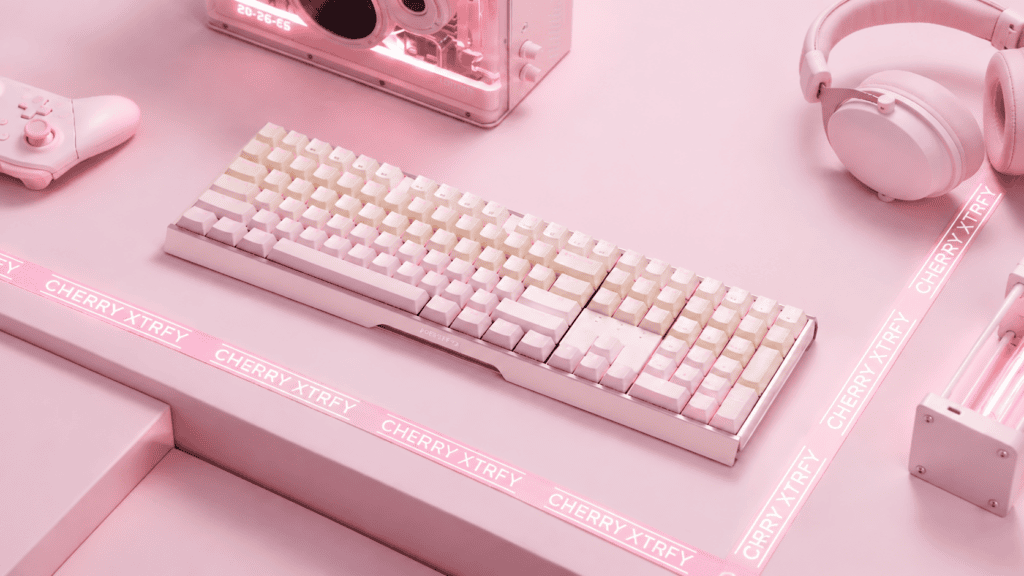
Against that backdrop, CHERRY launched the MX 3.0S PRO—with a full-aluminum CNC chassis, 8kHz polling, SOCD support, and a plateless (gasket-free, steel-plate-free) architecture. It looks like a keyboard racing to catch up with the times. The real question this review answers: did it actually catch up—and how long can the “German original” faith hold?
You can see the full lineup and switch variants on the CHERRY MX 3.0S PRO product page.
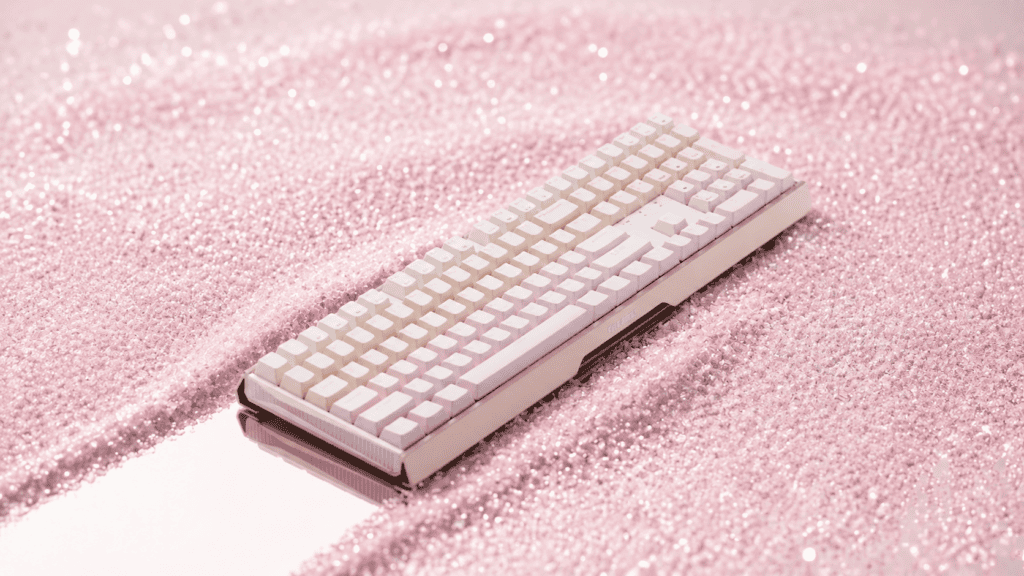
Technical Upgrades: CHERRY Finally Listened
The biggest story here is that CHERRY, often criticized for playing it safe, finally brought its specs into 2026 territory. Let’s break down what changed.
8kHz Polling: From “Good Enough” to “Flagship”
The MX 3.0S PRO supports 8kHz polling and an 8kHz scan rate, with average USB latency under 0.2ms and 2.4GHz latency under 0.4ms. This marks CHERRY’s first keyboard to enter the 8kHz era—a generational leap over earlier MX 3.0S models that largely topped out at 1000Hz.
The wireless version carries the same dual-8kHz capability and adds AFH (Adaptive Frequency Hopping). Battery life is a genuine standout: roughly 730 hours over Bluetooth (backlight off) and about 420 hours on 2.4GHz.
The honest verdict: on paper, CHERRY has finally matched mainstream 2026 flagship numbers. But matching and leading are two very different things.
SOCD: Mechanical Switches Can “Snap Stop” Too
The MX 3.0S PRO adds SOCD (Simultaneous Opposite Cardinal Direction) handling, letting players press opposing direction keys at once without input conflict. For FPS players, this is a core tool for clean counter-strafing—previously an almost exclusive magnetic-switch feature.
Configuration happens through a web-based driver, no client install required. One nuance worth understanding: SOCD on a mechanical switch is handled by firmware-level key logic, not the analog physical signal of a Hall-effect switch. The underlying principle differs, but in actual gameplay, the cleanliness of the snap stop feels nearly identical.
The Overlooked Variable: Debounce
Here’s a technical detail that marketing rarely mentions. An 8kHz polling rate is fast—but for a physical-contact mechanical switch, there’s another critical factor: debounce logic.
When a metal contact closes, it produces electrical signal “bounce.” Firmware must filter this noise before outputting a clean keystroke. CHERRY hasn’t published the MX 3.0S PRO’s debounce strategy, debounce duration, or whether press and release are handled differently.
The takeaway: the quoted 0.2ms is a USB report latency, but between physical contact and a valid signal, there’s still debounce processing time. That window can be short (eager mode) or non-trivial (deferred mode). This isn’t a flaw unique to CHERRY—every mechanical keyboard faces the same physics. But as a buyer, understand that a mechanical switch’s “0.2ms” and a magnetic switch’s “0.2ms” are not the same thing.
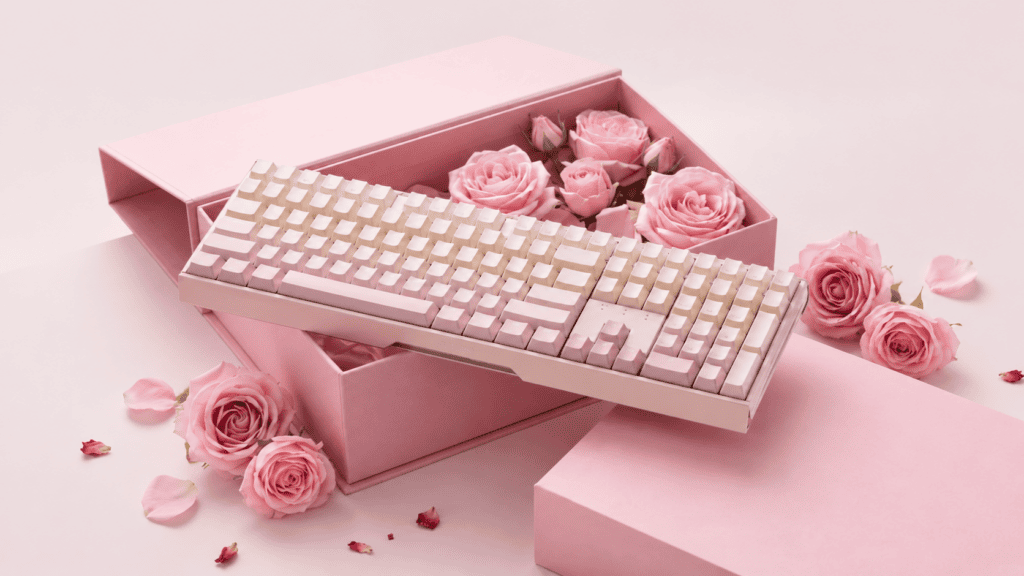
Typing Feel: The Plateless Design Is CHERRY’s Last Great Flex
If specs are where CHERRY is merely catching up, feel is where it still has a signature.
Plateless Isn’t Cost-Cutting—It’s Design Confidence
The MX 3.0S PRO uses a “specially tuned” plateless structure with two layers of dampening foam. The logic: switches mount directly into the PCB, with no steel plate acting as a hard ceiling. On bottom-out, you feel the switch’s own elastic rebound rather than an abrupt metallic stop.
Users describe the result as “softer and more authentic,” and long-term owners note that typing “feels responsive, never dragging.” CHERRY’s plateless expertise traces back to the MX BOARD 3.0S line, and reviewers have summed it up as experiencing “the purest MX switch feel.”
Switch Options: Balancing Classic and New
The MX 3.0S PRO offers four switch choices:
| Switch | Type | Available Variants |
|---|---|---|
| MX Illumina Red | Linear | Wired (non-lit & RGB) |
| MX Illumina Brown | Light tactile | Wired (non-lit & RGB) |
| MX Illumina Sakura | Special linear tuning | Wired (non-lit & RGB) |
| MX2A Blue | Clicky | Wired RGB & Wireless RGB |
The Illumina series is CHERRY’s newer family, continuing the classic MX feel philosophy. But here’s the frank reality: in 2026, “classic” sometimes reads as “not exciting.” Domestic magnetic and custom switches have pulled far ahead on tactile variety and tunability.
The Keycap Letdown
The MX 3.0S PRO still ships with ABS keycaps—a longtime CHERRY tradition. ABS feels smooth, but shine (greasing) is only a matter of time. In this price bracket, many competitors already include PBT keycaps as standard. It’s not a dealbreaker, but in 2026 the presence of ABS is itself a “why?” that demands explaining.
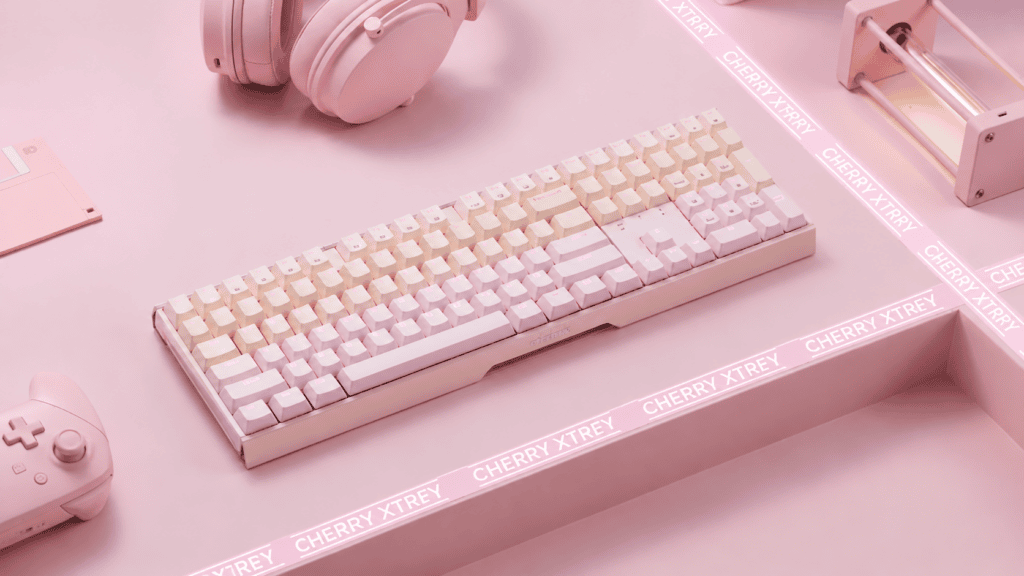
The Quality-Control Controversy: The Most Awkward Part
This is the section the MX 3.0S PRO can’t dodge, and the one every prospective buyer should read carefully.
Recurring Issues in User Feedback
Searching owner reports surfaces a cluster of repeating failure descriptions:
- Phantom double-clicking (chatter): multiple users report single presses registering as repeats—”W, D, 1, 2, 4, S chattering.”
- Bluetooth dropouts: “Bluetooth sometimes disconnects and is hard to reconnect,” or “either no response or a long string of repeated characters.”
- Key confusion: one user reported “pressing only D suddenly shows the desktop.”
- Sluggish response: “switching Caps Lock took three presses to register.”
- No home for the 2.4GHz dongle: “there’s nowhere inside the keyboard to store the receiver—it’s easy to lose. A real design failure.”
A User’s “Faith-Breaking” Moment
One owner, after several months, wrote a summary that cuts deeper than any benchmark: “After a few months, it broke my rose-tinted view of CHERRY… it’s just not for me. I hear domestic keyboards have gotten good—next time I’ll prioritize a domestic (magnetic) board.”
That sentiment captures exactly what CHERRY least wants to confront: a shift from faith to shattered illusion.
A Systemic Pattern, Not an Isolated Case
These failures aren’t unique to the PRO; the broader MX 3.0S line draws similar complaints across forums. The critical question: the MX 3.0S PRO is CHERRY’s 2026 upgrade. If recurring problems from the previous generation remain unsolved, what does “upgrade” even mean? Buyers pay a premium for German-original quality assurance—and QC consistency is the exact pillar that pricing logic rests on. When the pillar wobbles, the brand premium loses its foundation.
Software and Details: Progress, but Not Enough
CHERRY made real strides on usability, yet a handful of rough edges keep the experience from feeling polished.
Web Driver: On Trend
The MX 3.0S PRO supports a web-based driver—no client install needed—covering key remapping, SOCD configuration, and lighting customization. For users who switch computers often, that convenience is a genuine plus.
But the Details Are Still Very “CHERRY”
- Caps indicator can’t be turned off: “the red Caps light stays on whenever the keyboard is on, and I couldn’t find a way to disable it.”
- Wobbly arrow-key shroud: “the cover above the arrow keys has play… it rattles a bit.” More resignation than anger in that tone.
- Dim lighting: several users report the RGB backlight runs low on brightness.
None of these is fatal alone, but together they form a “not quite refined” experience. In 2026, buyer expectations have moved from works to works well—and every small oversight chips away at brand trust.
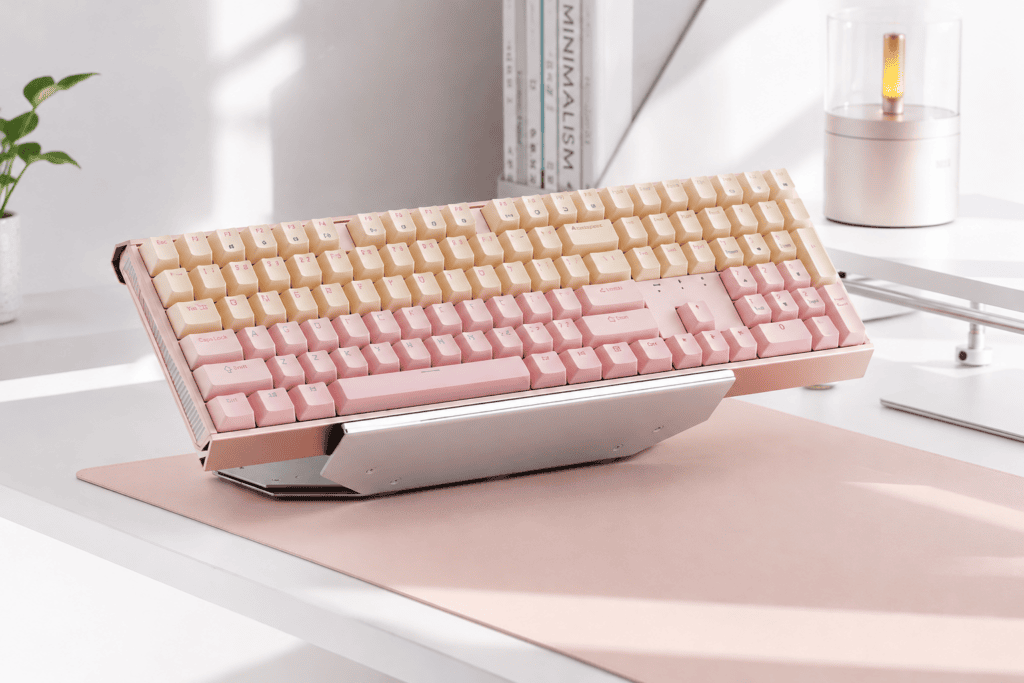
The Competitive Landscape: Where Does CHERRY Stand?
To judge the MX 3.0S PRO fairly, you have to place it against both rivals and CHERRY’s own catalog.
Versus Domestic Magnetic Keyboards
Domestic magnetic (Hall-effect) keyboards already deliver 0.001mm RT precision, adjustable actuation, Rapid Trigger, SOCD, full-aluminum CNC bodies, and tri-mode connectivity.
The MX 3.0S PRO’s strengths: the physical feedback of a mechanical switch (that soft plateless bottom-out), 730-hour Bluetooth endurance, and the CHERRY brand pedigree. Its weaknesses: no adjustable actuation, no Rapid Trigger, the QC controversy, and ABS keycaps.
The core tension: for competitive FPS players, mechanical switches have been comprehensively surpassed on adjustability. SOCD closes part of the gap, but magnetic switches do far more than SOCD.
CHERRY’s Own Two-Track Strategy
Notably, CHERRY does have magnetic products. Its gaming brand CHERRY XTRFY unveiled a TMR-based magnetic keyboard at CES 2026—the MX 8.2 Pro TMR Wireless—with 0.01mm actuation precision, 8000Hz polling, at $249.99.
So the strategy runs on two tracks: the MX 3.0S PRO defends the traditional full-size office/general market, while XTRFY TMR attacks high-end esports. The risk? Whether buyers see a clear line between “CHERRY” and “CHERRY XTRFY.” When shoppers realize CHERRY’s magnetic board outperforms CHERRY’s mechanical one, the MX 3.0S PRO’s reason to exist gets re-examined.
Final Verdict: The Shelf Life of Faith
Here’s the balanced bottom line after weighing specs, feel, and real-world reports.
What It Gets Right
- 8kHz polling + dual-mode low latency: finally on par with the times.
- SOCD support: mechanical switches can “snap stop,” filling an FPS gap.
- Plateless architecture: preserves CHERRY’s signature “authentic MX feel.”
- 730-hour Bluetooth life: a decisive edge for wireless office use.
What It Gets Wrong
- QC consistency: chatter, dropouts, and key confusion are eroding trust.
- Fit and finish: indicator lights, shroud wobble, dongle storage—small issues that sting in 2026.
- Technology direction: mechanical adjustability trails magnetic; SOCD is catch-up, not leadership.
How Long Can “German Original” Faith Last?
The answer likely depends on how fast CHERRY fixes its quality control.
If QC stabilizes, the MX 3.0S PRO is a characterful mechanical keyboard—its plateless feel stands apart, 8kHz and SOCD keep it current, and 730-hour battery life is a gift to desk workers. You can check current configurations and pricing on the CHERRY MX 3.0S PRO listing.
If QC keeps wobbling, the Made in Germany label flips from a belief into a burden—and buyers will ask: why pay extra for four words instead of a domestic board with better specs and steadier quality?
As one owner put it, in the most honest footnote imaginable: “It’s just not for me. I hear domestic keyboards have gotten good—next time I’ll prioritize domestic (magnetic).” The pride of the “original” rests on the certainty of quality. When that certainty wavers, pride turns into awkwardness.
CHERRY MX 3.0S PRO FAQ
Is the CHERRY MX 3.0S PRO good for gaming? It handles FPS better than past CHERRY boards thanks to 8kHz polling and SOCD, but it lacks the adjustable actuation and Rapid Trigger that magnetic keyboards offer.
Does it support wireless? Yes—tri-mode wireless variants offer Bluetooth and 2.4GHz with dual-8kHz, plus ~730 hours of Bluetooth battery life.
What switches are available? MX Illumina Red (linear), Brown (tactile), Sakura, and MX2A Blue (clicky), across wired and wireless configurations.
Does it use PBT or ABS keycaps? ABS keycaps, which may develop shine over time—a notable drawback versus PBT-equipped competitors.

 English
  German
  Portuguese
  Spanish
  Italian
  Finnish
  French
  Japanese
  Korean
  Swedish