
A data-driven look at the most talked-about keycap profile in the mechanical keyboard community — what’s true, what’s hype, and who it’s actually for.
There’s a claim that has floated around the mechanical keyboard community for years: “MDA is the best-feeling keycap height there is.”
Some people swear by it — “typing feels amazing, and my fingers never get tired even after hours.” Others go further: “once you’ve used MDA, you can’t tolerate any other keycap height.” A few describe it lovingly — “the edges are so rounded and smooth, and the sculpted rows practically eliminate mis-presses.”
But not everyone is a convert. Some testers are blunt: “my fingertips hurt after half a day, so I switched right back to Cherry.”
So which is it? Is the MDA profile a genuine typing-comfort ceiling, or an over-hyped marketing line? This review skips the mysticism and leans on measured heights and real user feedback to break down where MDA shines, where it falls short, and who it’s truly built for.
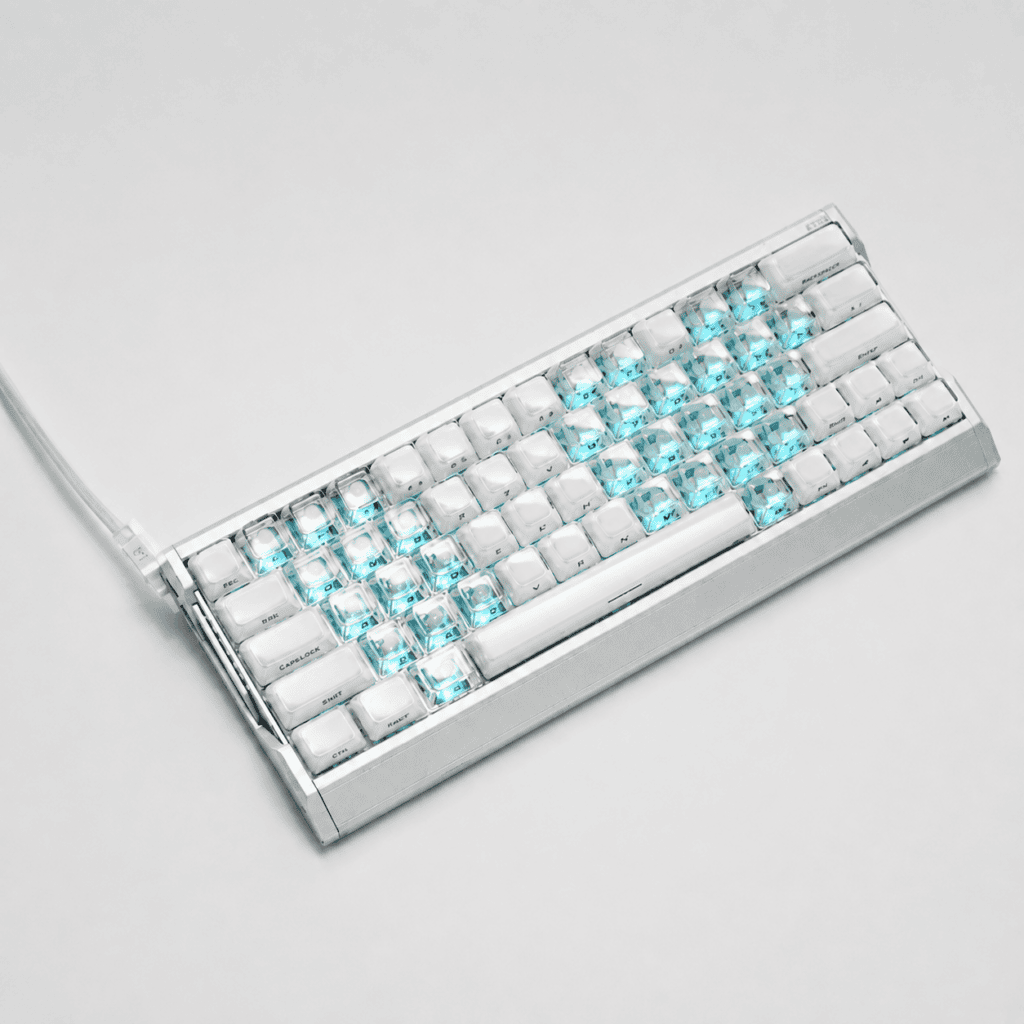
What Exactly Is the MDA Keycap Profile?
Let’s start with the basics, because the name itself tells you a lot about the design intent.
Definition & Origin
MDA stands for Medium-Height, Doubleshot, and Sculpted All Rows. In plain terms: a medium-tall profile, produced with doubleshot molding, with a sculpted (curved) shape across every row. It was first designed and introduced by Melgeek, and later reproduced and refined by a range of keycap manufacturers.
Core Characteristics
MDA is a spherical (dished) profile that sits in the medium-height category — comfortably between the flat, uniform XDA and the tall, sculpted SA. Its design philosophy comes down to three ideas:
- Slightly taller than Cherry, but far shorter than SA — a balanced overall height
- A larger contact surface — giving your fingertip a more stable landing point
- Softer, rounder edges — so your fingers never feel “dug into”
The Three Pillars of MDA Typing Feel
If you want to understand why people react so differently to MDA, you have to look at three things working together: height, contact surface, and edge curvature.
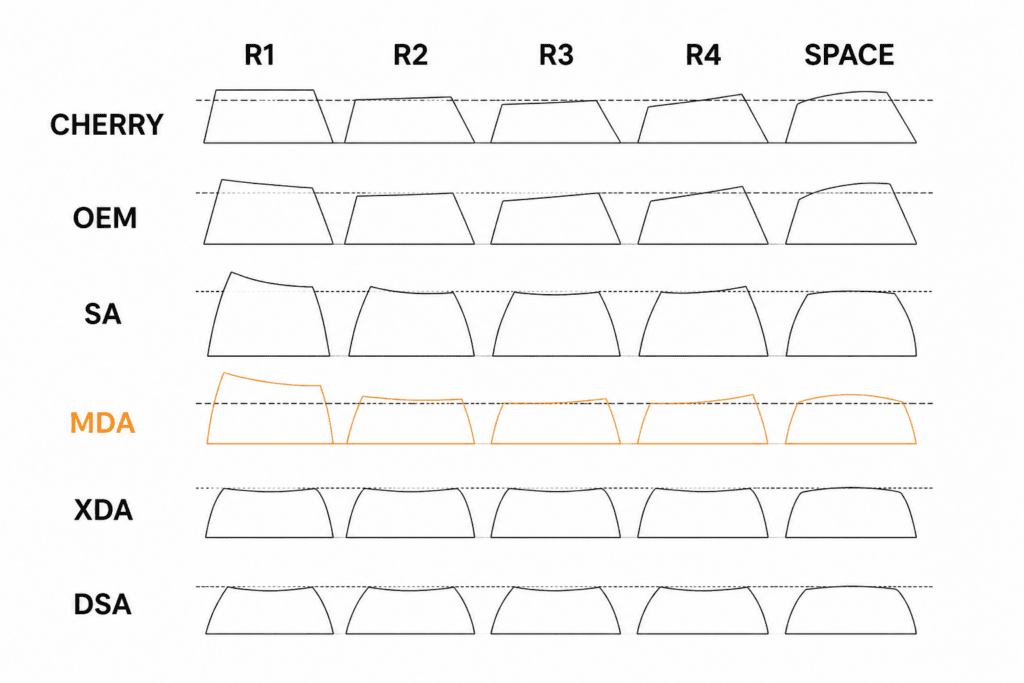
Pillar 1 — Height: Taller Than Cherry, But Not by Much
The MDA profile stands a touch taller than the classic Cherry profile. How much taller? Measured data shows the MDA R4 row is roughly 12.1mm, while the Cherry R4 row is around 9.8mm — a difference of about 2.3mm.
That “little bit taller” is a subtle thing. It’s not SA-level tall (which practically demands a wrist rest), yet it adds a slight sense of enclosure that Cherry doesn’t have. As one user put it: “when my fingertips press down naturally, my wrists don’t have to float at all.”
Pillar 2 — Contact Surface: Tailored to Your Fingertip
One of MDA’s biggest selling points is a larger contact area than both Cherry and OEM profiles. Your finger doesn’t so much tap the key as it sinks into a broader, more welcoming surface.
This matters most for two groups:
- Users with thicker fingers — a bigger landing zone means more accurate key strikes
- Long-session typists — more surface area spreads out the pressure per unit, so fingers fatigue more slowly
Pillar 3 — Edges: Roundness Is the Soul
If height and contact surface are the hardware of MDA, the edge curvature is the software.
MDA edges are noticeably rounder and smoother than Cherry’s. Classic Cherry edges are relatively crisp and firm, and over long typing sessions your fingers can pick up a faint “cutting” sensation. MDA’s rounded edges instead make your fingers feel gently cradled.
Users describe it as “round and plump at the edges, really nice to the touch,” and others say pressing down isn’t a tap — it’s your finger sinking into a soft curve.
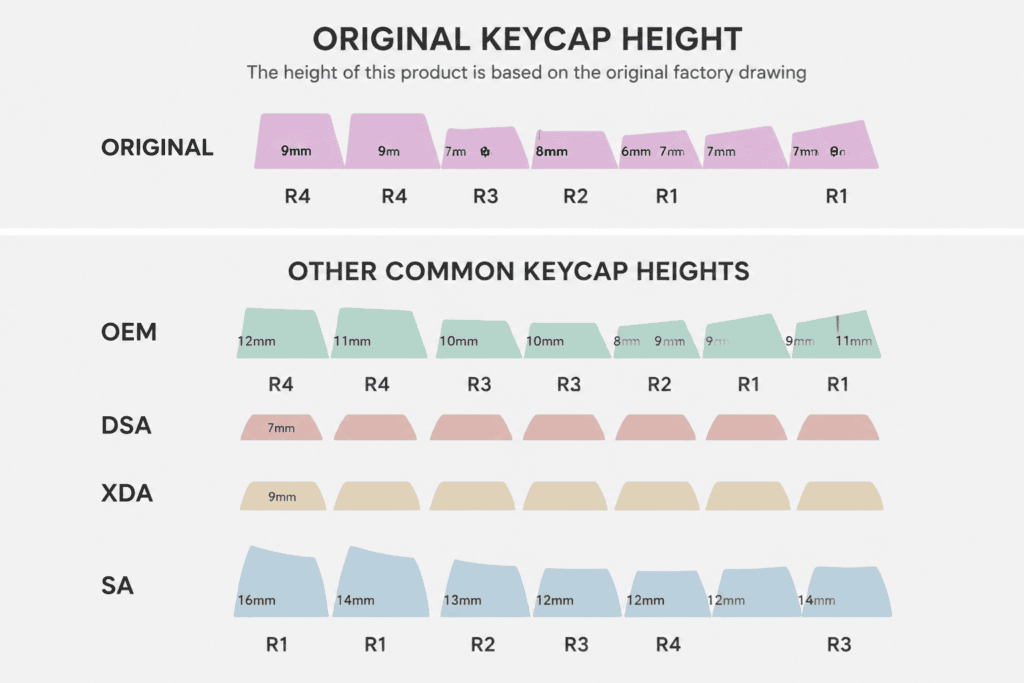
MDA vs. Cherry vs. OEM: Let the Data Speak
Numbers cut through the hype better than adjectives. Here’s how the major profiles stack up on measured height and character.
| Profile | R4 Row Height | R1 Row Height | Key Trait |
|---|---|---|---|
| SA | ~16mm | ~12.7mm | Tallest; usually needs a wrist rest |
| MDA | ~12.1mm | ~8.5mm | Medium; slightly taller than Cherry |
| OEM | ~10.5mm | ~7.1mm | Most common; a bit taller than Cherry |
| Cherry | ~9.8mm | ~8.6mm | Classic stepped/sculpted feel |
| XDA | ~9.56mm (uniform) | Flat, same-height design | Low, uniform, non-sculpted |
The Real Difference in Feel
Here’s the key insight: the biggest gap between MDA and Cherry/OEM isn’t how tall it is — it’s the design philosophy behind the curvature and contact surface.
- Cherry: distinctly stepped, compact, tight feel — the safe blind-buy for most people
- OEM: slightly taller than Cherry with a bit more curve — the most common profile in China
- MDA: the roundness of a spherical cap + a moderate height — striking a balance between comfort and mis-press resistance
Several review outlets classify MDA as a medium-height profile, praising the balance it strikes between comfort and versatility.
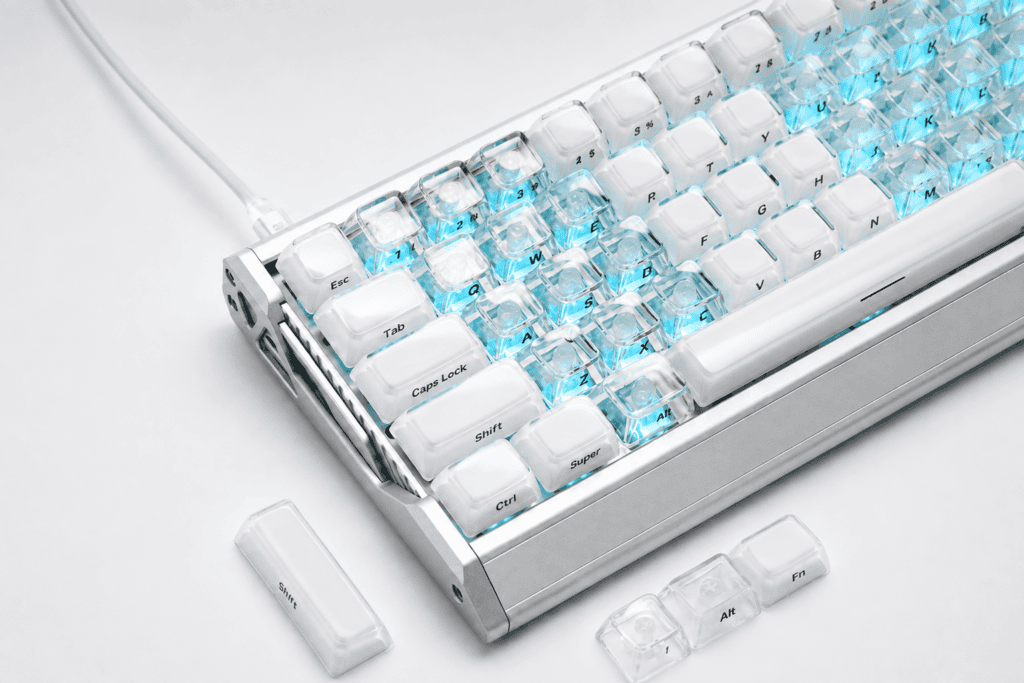
Case Study: The HEK West Lake Water 2.0 MDA Jelly — MDA in “Jelly” Form
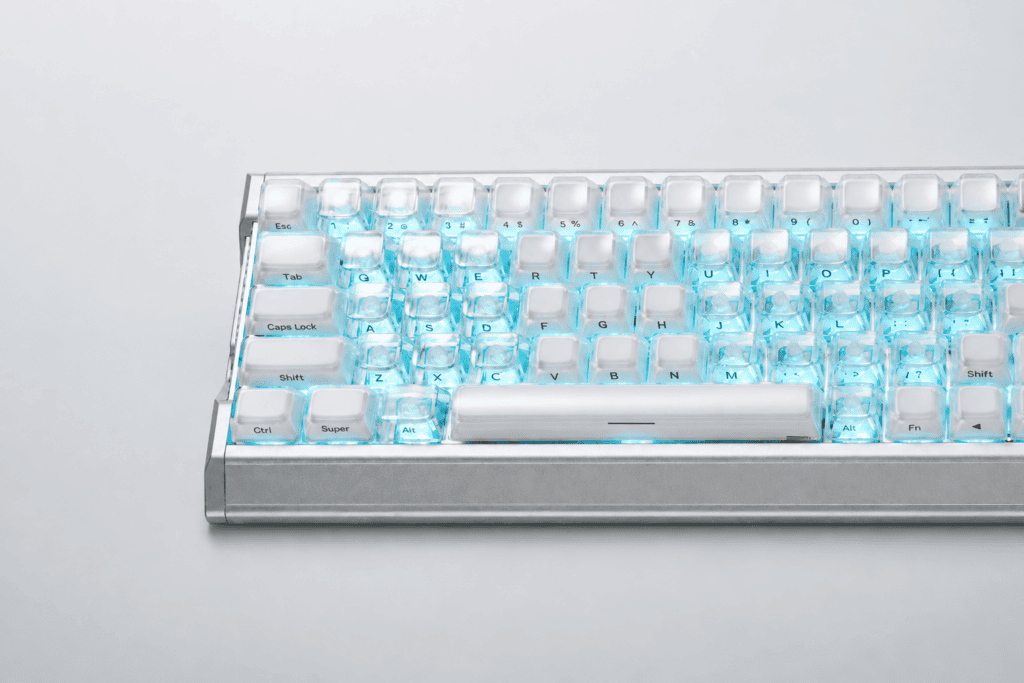
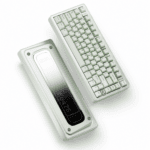
To move from theory to a real product, the HEK West Lake Water 2.0 MDA Jelly keycap set is a great example of the MDA profile reimagined in the jelly keycap category.
Material & Craftsmanship
This set uses thickened PC material — not the “paper-thin, collapses-on-first-press” flimsy caps you sometimes find. The keycap base is thickened by 0.3mm compared to standard caps, so each press feels more stable — no wobble, no looseness. PC also offers stronger UV resistance than ABS, effectively preventing yellowing and aging over time.
Structurally, it uses a double-layer PC design that dramatically improves light transmission, making RGB effects brighter and cleaner. The legends use an inner-layer printing process — printed inside the keycap rather than on the surface — so they’ll never wear off or fade from finger friction.
How the MDA Profile Performs Here
User feedback captures the appeal well. One reviewer said the MDA height is “dialed in just right — no lifted edges, no clashing, no jabbing your elbow; three hours of typing with floating wrists feels like tap-dancing on clouds.” Another noted: “when my fingertips press down naturally my wrists don’t need to float at all — two hours of Excel and not a single ache.”
Magnetic-Switch (Hall Effect) Friendliness
A standout worth calling out is its compatibility with magnetic-switch keyboards. Users report it “actually grips the magnetic switch — not with glue, but through structural interlock plus a slightly recessed bottom groove; swapping caps is like snapping Lego together, click into place, no wobble, no tilt, no looseness.” For Wooting, EV63, and similar Hall Effect keyboard owners, that’s a genuinely practical bonus — though real-world fit always depends on your keyboard’s stem type, layout, and stabilizer sizes.
Compatibility & Kit Options
The set comes in both a compact 78-key kit (aimed at 60%, 63, 64, and 68-key layouts) and a full 122-key kit covering many boards up to 108 keys, with add-on and diamond-heart novelty keys in select bundles. Whether you’re running a tight 60% or a full-size board, you can generally find the caps you need. You can check the current kit variants and pricing directly on the product page.
So Who Is the MDA Profile Actually For?
MDA isn’t a universal upgrade — it’s a fit-based one. Here’s the honest breakdown.
MDA Is a Great Match For:
- Long-session content creators — the large contact surface and rounded edges keep fingers from fatiguing
- Fans of spherical feel who find SA too tall and tiring — MDA offers the roundness of a sphere cap with a moderate height
- Users with thicker fingers who mis-press often — a bigger landing zone means more accurate strikes
- Desk-aesthetics enthusiasts — the spherical sculpt simply looks more designed than Cherry/OEM
MDA May Not Suit:
- People deeply adapted to Cherry who don’t want to re-learn a new height
- Fans of an ultra-low feel — MDA is taller than both Cherry and XDA
- Typists sensitive to feel changes who’d rather not spend time adjusting
Final Verdict: There’s No “Best,” Only “Best for You”
So, back to the opening question — is the MDA profile really the best height for typing?
The honest answer: for many people, yes — but not for everyone.
MDA genuinely scores high across several dimensions: a moderate height that doesn’t tire your hands, a large contact surface that reduces mis-presses, and rounded edges that never feel sharp. But typing feel is, at its core, subjective. Some people switch from Cherry to MDA and “never look back” — others try it for half a day and return to their old caps.
Rather than trusting anyone’s claim of “the best,” trust your own fingertips.
And that’s where the HEK West Lake Water 2.0 MDA Jelly set offers a low-risk way in — a thickened-PC, inner-printed, magnetic-switch-friendly jelly keycap set that lets you feel firsthand whether the MDA height is truly your cup of tea.
 English
  German
  Portuguese
  Spanish
  Italian
  Finnish
  French
  Japanese
  Korean
  Swedish