
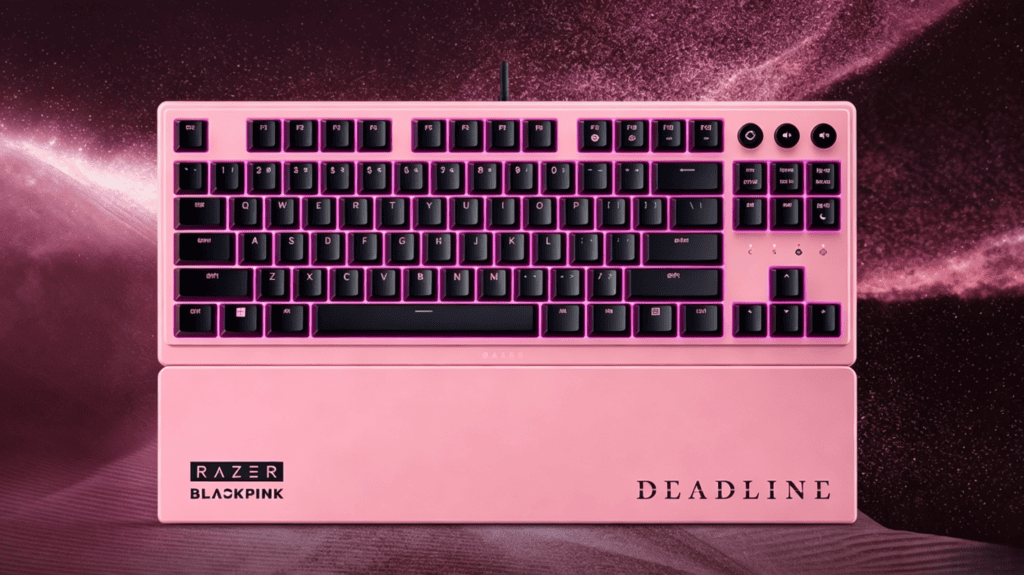
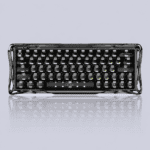
Here’s the honest truth most reviews skip: everyone’s arguing about whether the pink looks good or which photocard they pulled — but almost nobody is talking about how this keyboard actually sentimentos under your fingers. So let’s peel off the collab hype and get to what matters. This is a deep-dive into the Razer Mecha-Membrane switch, the real engine inside the Razer Ornata V3 BLACKPINK Edition.
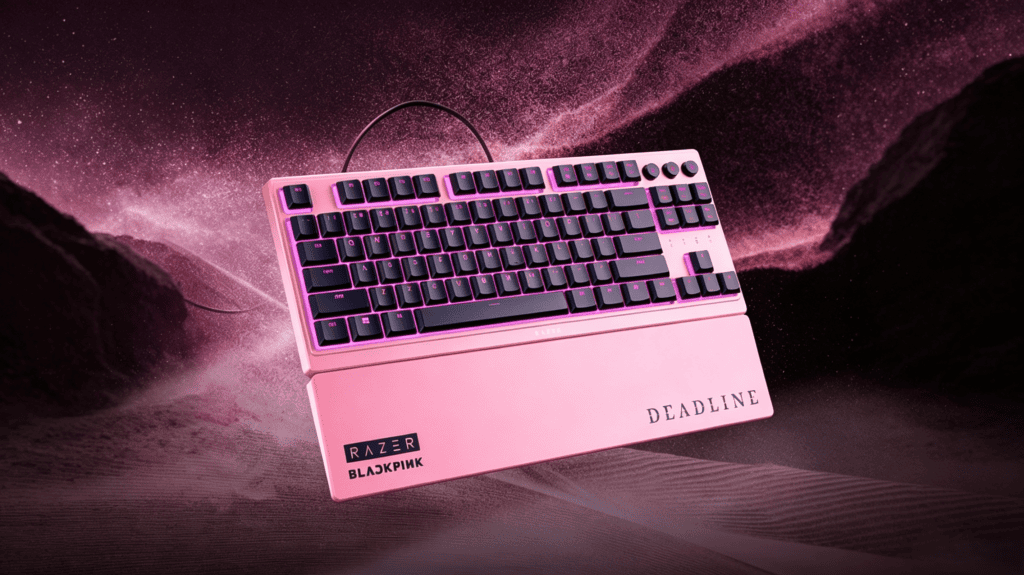
Introduction: When “Pink-and-Black Aesthetics” Meet “Mecha-Membrane”
Since the Razer BLACKPINK collaboration dropped, most of the conversation has revolved around three things: Is the pink pretty? Which member’s card did I get? Is the markup worth it?
But underneath the pink filter sits a proven foundation — Razer’s classic entry-level model, the Ornata V3 TKL (Tenkeyless). It’s a hybrid board built on Razer Mecha-Membrane technology, and Razer refuses to call it either a mechanical or a membrane keyboard. Instead, they coined a category all its own: “mecha-membrane.”
This review has one simple goal — remove the pink filter and talk only about feel. Three questions, answered one by one:
- What does a mecha-membrane switch actually feel like?
- How do the low-profile switches and floating design affect the RGB lighting?
- How serious is the ABS keycap “shine” (oiling) problem?
What Exactly Is a Mecha-Membrane Switch? Breaking Down the Membrane + Mechanical Hybrid
Let’s start at the technical layer, because this is where the whole experience begins.
It’s Not Membrane, and It’s Not Traditional Mechanical
Razer’s official definition is refreshingly clear: the technology “combines the crisp, tactile feedback of a mechanical switch with the soft cushioned touch of a membrane keyboard.”
Here’s how it works mechanically:
- Signal actuation relies on a membrane structure (rubber dome + conductive film).
- But each key integrates a metal contact leaf inside to simulate a mechanical feel.
One overseas teardown put it perfectly: “The principle is entirely membrane-based. The stem travels within a rail, and a metal leaf gets compressed roughly halfway through the keystroke, producing a click that mimics a blue switch.”
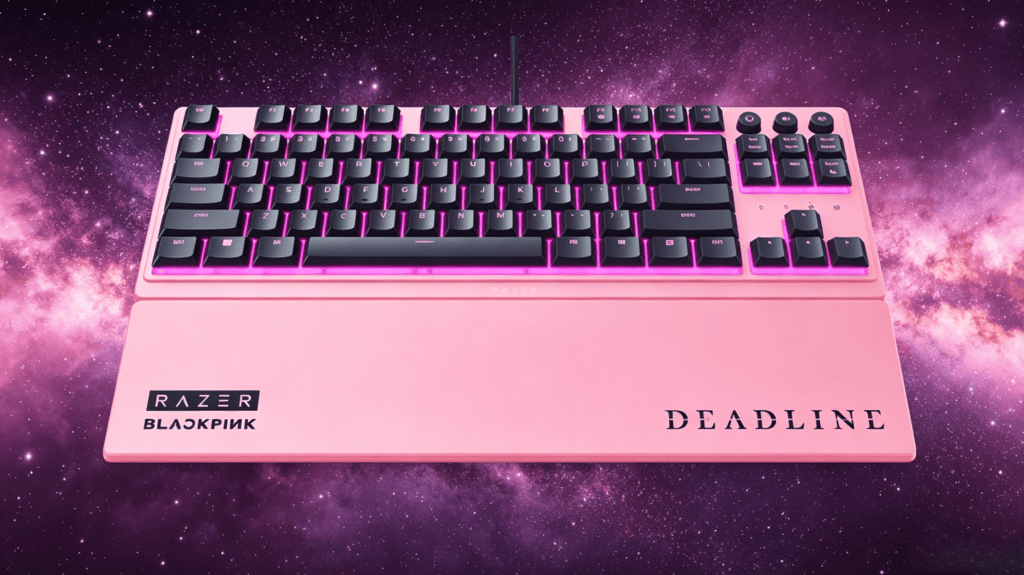
The Press Experience: Soft Yet Springy, Crisp Without the Noise
Here’s a quick breakdown of the three sensations that define this switch:
| Aspecto | What You Feel | User Description |
|---|---|---|
| Bottom-out | Soft cushioned landing, not harsh | “Like stepping on a springy cloud” |
| Tactile bump | Distinct click from the metal leaf | “Close to a blue switch, slightly less crisp” |
| Actuation speed | Very fast, short travel | “~0.2mm actuation, 40% faster than traditional mechanical”* |
| Barulho | Muted click, not clattery | “Like someone cracking sunflower seeds far away — precise but pleasant” |
The 0.2mm figure is user-reported and unconfirmed by Razer — take it with a grain of salt. That said, the actuation genuinely is snappy.
Who Is the Mecha-Membrane Switch For?
- Upgraders from membrane keyboards — you keep the familiar soft feel but gain tactile feedback and faster triggering.
- Long-session typists and office users — the cushioned bottom-out reduces fingertip fatigue, and the low-profile short travel keeps your wrists relaxed.
- Purists chasing true mechanical feel (Cherry MX Red/Brown fans) — at its core, this is still a membrane foundation.
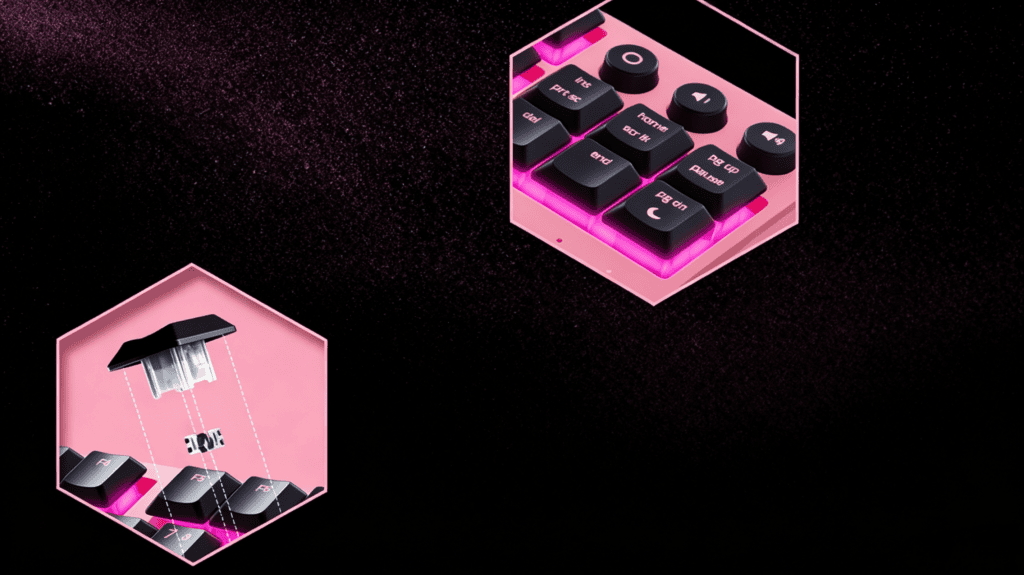
Low-Profile Switches + Floating Design: A Physical Amplifier for RGB
The lighting on this board isn’t just marketing — it’s a direct result of physics. Let’s unpack why.
What the Low-Profile Switches Bring
The Ornata V3 measures just 27.05mm thick, with keycaps only 4.4mm tall. That thinness matters more than you’d expect:
- Shorter light path — thinner keycaps mean less distance between the keycap base and the PCB, so light travels a shorter route from LED to the translucent zone, with less loss.
- More exposed surface — the low switch height leaves more of the keycap’s sides exposed, letting light spill out from more angles.
The Floating-Key “Lighting Bonus”
The Ornata V3 uses a floating-key design — the keycaps sit above the plate with the switch stems partially exposed.
The physics is simple:
On traditional keyboards, keycaps sink into the housing, and the shell blocks the light. With a floating design, light scatters freely around the exposed switch stems.
As one reviewer put it bluntly: the floating design “makes the keyboard’s light diffusion far more visible.”
Real-World Lighting on the Collab Edition
O BLACKPINK Edition navios com um preset pink backlight to match the collab theme — but the board supports the full Razer Chroma RGB suite, fully customizable in Razer Synapse.
Two user impressions in low light stood out:
- “Breathing mode with the deep-space-grey shell instantly turns your desk into a cyber battlefield — and it doesn’t blind you, so staring at it at night isn’t tiring.”
- “The RGB spreads like a swarm of fireflies in a rainforest, rippling outward layer by layer.”
ABS Keycaps: Great Feel, But Shine Is a Matter of “When,” Not “If”
Time to face the one honest shortcoming head-on. This is the part most collab reviews conveniently ignore.
Out-of-the-Box Feel: Skin-Like Coating, Warm and Refined
The Ornata V3 ships with UV-cured ABS keycaps featuring a surface coating. Razer emphasizes better fade resistance and scratch resistance — the UV coating keeps the legends from wearing off.
The tactile result is often described as “almost skin-like, warm and smooth.” One long-term user reported: “Three months in, thousands of keystrokes a day, and not a single legend has faded.”
But ABS Shine Is a Law of Physics
Here’s the uncomfortable reality: ABS will eventually develop shine — this has nothing to do with manufacturing quality.
- A V2 review noted plainly: “Over long-term use, it easily shows fingerprints and sweat, and it’s not resistant to oiling.”
- A V3 review echoed: “Unfortunately, there’s a risk of shine developing.”
This isn’t a Razer flaw — it’s a universal trait of ABS. The UV coating delays it as much as possible, but can’t change the material’s fundamental nature.
How Big Is the Impact?
- Visually — an oily sheen appears on the surface, and on pink keycaps it shows more obviously than on black.
- Tactilely — the surface turns slick, and consistency drops.
- The fix — swapping to Teclas PBT is the only permanent cure, but you must confirm keycap height compatibility (low-profile boards are picky here).
A Counter-Intuitive Bonus
Here’s a pleasant surprise: some users report that pink keycaps are better for blind typing than black ones, because pink offers stronger contrast in low light, making key positions easier to find by touch.
In other words, the collab’s pink colorway accidentally delivers a small ergonomic win.
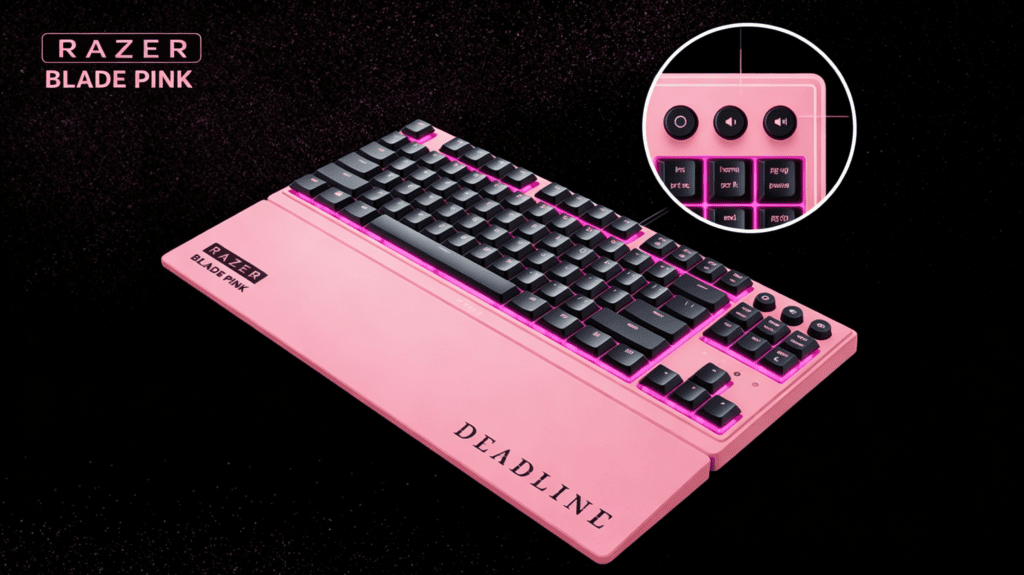
Performance & Features: Entry-Level Positioning, But It Has What Matters
Don’t let “entry-level” fool you — this board covers the essentials well. Let’s look at the practical performance.
Desempenho em jogos
The mecha-membrane’s fast actuation suits quick-response MOBA e FPS titles. One user summed it up: “Casting abilities in MOBAs feels near-zero latency, and recoil control in FPS is rock-solid — like it’s welded in place.”
But let’s be precise about what it isn’t:
- Not a magnetic/Hall-effect keyboard — no adjustable actuation, no Gatilho Rápido.
- The 0.2mm actuation figure deserves caution.
- Its true positioning is a solid entry-level gaming keyboard — plenty for most players, but not a rival to high-end competitive Hall-effect boards.
Multimedia Controls
- Dedicated backlit media keys for pause, play, skip, and volume.
- Suportes Razer Snap Tap — prioritizes the last input between two chosen keys, ideal for instant counter-strafing in FPS games.
Wrist Rest & Ergonomics
- Includes a magnetic plush wrist rest that snaps seamlessly onto the board.
- The low-profile short-travel design keeps wrists at a natural angle for fatigue-free long sessions.
Conclusion: The Two Faces of Feel and Looks
Let’s return to the core question — how does this keyboard actually feel, and does the BLACKPINK collab compromise performance?
The mecha-membrane is a hybrid feel: a soft membrane base + tactile feedback from a metal leaf + fast low-profile actuation. It’s não built for mechanical enthusiasts — it’s built for membrane upgraders who want comfort and quick triggering.
Here are the key takeaways:
- Low-profile + floating design genuinely amplifies RGB — that’s physics, not marketing spin.
- ABS keycap shine is a real, objective shortcoming — collab or not, it’s a reality to accept before buying.
- The collab changes zero core performance - o BLACKPINK Edition é identical to the standard version in switches, structure, and features. Your premium buys the pink colorway, tour logo, and limited photocards — não a better feel.
The bottom line:
- If you’re here for the feel → the standard version is the more rational pick.
- If you’re here for the pink and BLACKPINK → the collab edition delivers the exact same hands-on experience, with everything you’d expect fully intact.
Either way, you’re getting a genuinely comfortable, fast-triggering hybrid board — the only question is whether that pink-and-black aesthetic is worth the extra to você.
 English
  German
  Portuguese
  Spanish
  Italian
  Finnish
  French
  Japanese
  Korean
  Swedish