
Escolher um teclado mecânico Em 2026, não se trata apenas de switches — trata-se de layout. O tamanho certo pode oferecer mais espaço para o mouse em jogos de FPS, uma ergonomia melhor para longas sessões de digitação e menos concessões quando você realmente precisa de teclas de navegação ou um teclado numérico.
Este guia detalha os layouts mais comuns—60%, 65%, 75%, 80% (TKL) e 96%/100%—para que você possa adequar o espaço da sua mesa e o seu fluxo de trabalho ao teclado que melhor se encaixa. (Se você não está familiarizado com tamanhos de teclado, o guia de tamanhos de teclado da RTINGS é uma ótima referência rápida.)
Layout de teclado 60%: O sonho do minimalista
Explicação do layout
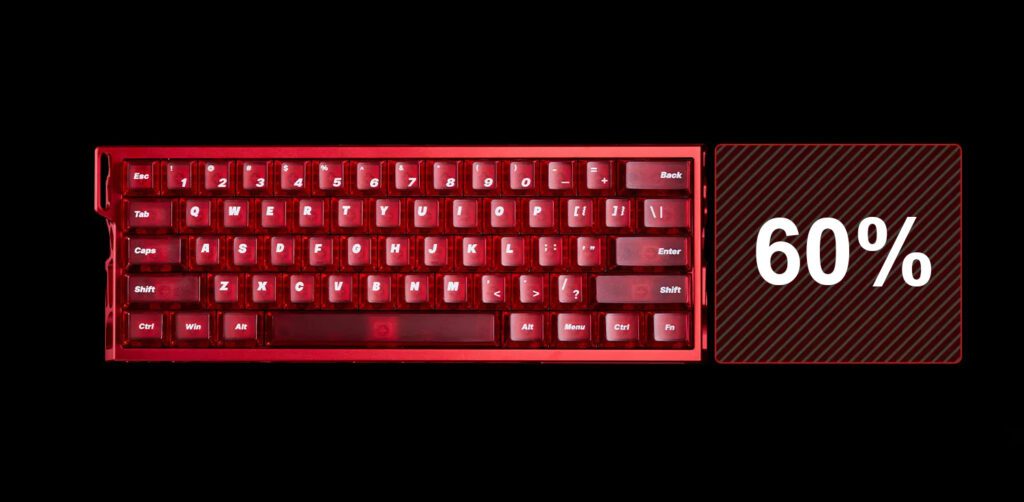
A Layout de teclado de 60% é construído em torno do bloco de digitação principal: letras, linha de números e modificadores. O que ele remove é o que o torna tão pequeno: normalmente a linha de teclas de função (F1 a F2), o conjunto de teclas de navegação (Insert/Home/Page) e as teclas de seta dedicadas.
Então, para onde vão essas funções? Na maioria dos casos, 60 teclados, As teclas ausentes ficam armazenadas em uma camada Fn (um segundo "mapa" acessado ao pressionar e segurar a tecla Fn), semelhante a como a tecla Shift transforma um número em um símbolo.
Se você já se perguntou sobre o Tecla inicial padrão para teclado de 60 teclas Em relação às configurações, a resposta é: geralmente é um atalho da camada Fn (frequentemente Fn + uma tecla próxima), e o mapeamento exato depende do teclado/firmware. Os teclados 60% mantêm o essencial e dependem de camadas para todo o resto — ótimo para economizar espaço, mas requer um pouco de prática.
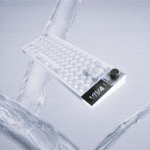
Melhor escolha: MADLIONS MAD Light 60HE
Para uma configuração minimalista definitiva, recomendamos vivamente o MADLIONS MAD Light 60HE.
Principais características e funções
- Tecnologia de comutação: Apresenta um recurso premium interruptor de efeito Hall (magnético)—um sério teclado com efeito Hall Configuração projetada para velocidade.
- Desempenho: Taxa de polling de 8 kHz e taxa de varredura de 128 kHz, com latência ultrabaixa (0,1 ms). Uma ótima opção se você estiver procurando por um Teclado gamer de 60 teclas ou teclado magnético.
- Personalização: Gatilho rápido (RT) ajustável com alcance de 0,01 a 3,5 mm (precisão de 0,01 mm), além de recursos avançados como DKS / MT / TGL / SOCD. Um verdadeiro... teclado personalizado experiência.
- Construir: Caixa robusta em liga de alumínio CNC; teclas transparentes em policarbonato com perfil Cherry; iluminação RGB individual por tecla.
Compatibilidade e ideal para
- Sistemas: Windows / Mac.
- Ideal para: Jogadores competitivos que desejam o máximo de espaço para o mouse e não se importam com camadas — pense em jogos de tiro com movimentos rápidos e configurações de mesa minimalistas.
Layout de teclado 65%: O ponto ideal para jogadores
Explicação do layout
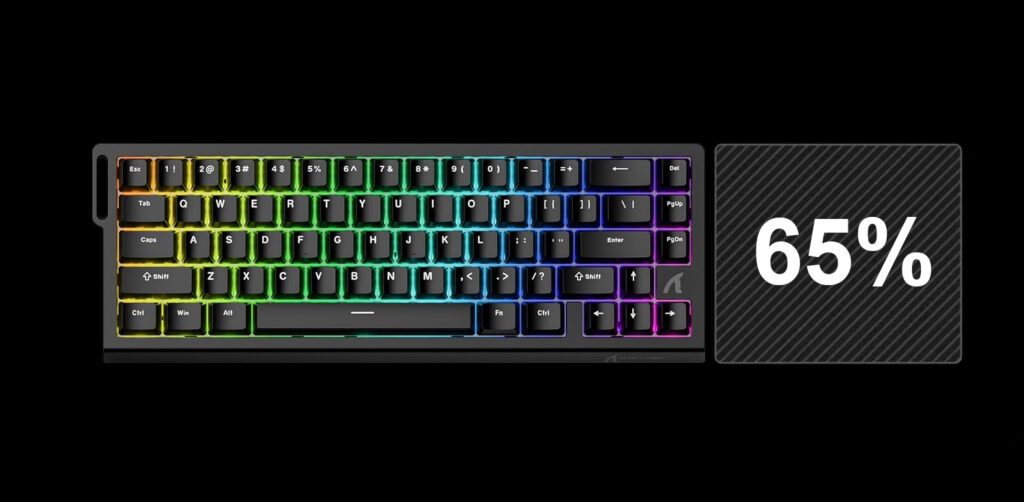
O layout 65% é a atualização que muitas pessoas desejam após experimentarem o 60%: ele mantém a sensação de tamanho compacto, mas adiciona o que a maioria dos jogadores e editores sente falta imediatamente: teclas de seta dedicadas.
Se você gosta da pegada de 60 teclados Mas se você precisa de setas para movimentação, rolagem de código ou navegação rápida na interface do usuário, um layout 65% costuma ser a opção mais limpa. Ele ainda dispensa o teclado numérico e, geralmente, a linha de teclas de função (F1 a F2), então algumas funções permanecem em uma camada separada.
Melhor escolha: TUBARÃO DE ATAQUE X68 ELE
Nossa principal escolha para jogos competitivos é o TUBARÃO DE ATAQUE X68 ELE.
Principais características e funções
- Velocidade e votação: taxa de amostragem de 8000 Hz Com uma taxa de varredura de 128kHz e baixa latência (0,125ms).
- Acionamento ajustável: Um Teclado com ponto de atuação ajustável Intervalo de 0,1 a 3,4 mm (precisão RT listada como 0,01 mm).
- Gatilho rápido: Construído em torno de teclado Attack Shark X68 com acionamento rápido e interruptor magnético Comportamento para reinicializações rápidas — útil para movimentos de parada e arranque e entradas rápidas.
- Construir: teclado magnético com montagem superior estrutura; espuma PORON de dupla camada; Teclas PBT com perfil Cherry e impressão lateral.
- Interruptores: Projeto de interruptor magnético de efeito Hall (interruptores magnéticos hot-swappable).
Compatibilidade e ideal para
- Sistemas: Windows, macOS e Linux; totalmente Teclado gamer compatível com Mac e Windows.
- Ideal para: Um Teclado para jogos FPS perfil (contra-estrada no estilo Valorant), além de jogos de entrada rápida como um teclado osu! ou outro Teclado para jogo de ritmo configurações.
Layout do teclado 75%: O equilíbrio perfeito
Explicação do layout
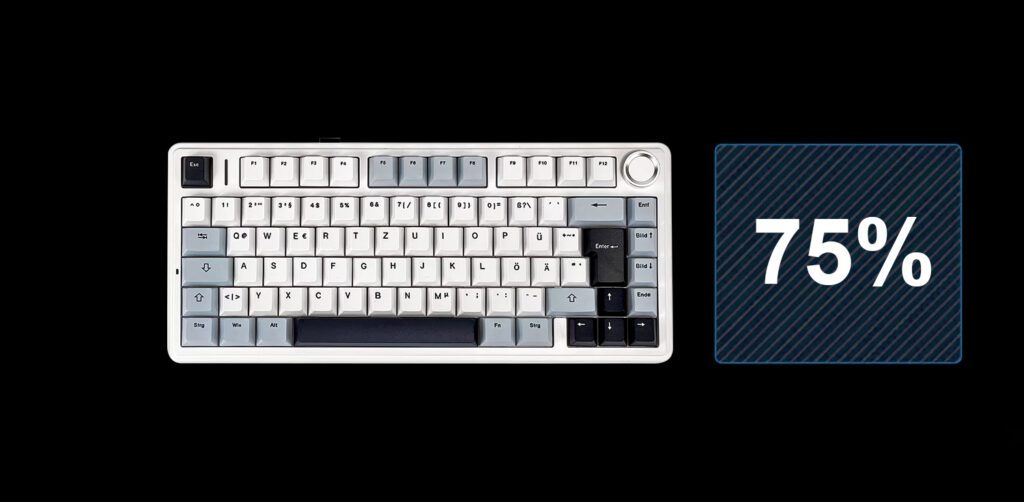
O Layout de teclado 75 É popular porque restaura a funcionalidade da fileira de armários sem aumentar indevidamente o espaço ocupado na sua mesa. Normalmente, você obtém:
- Uma fileira F completa (F1–F12)
- Teclas de seta
- Um painel de navegação compacto (geralmente condensado)
Em outras palavras, a sensação é mais próxima de um teclado "normal" do que de um teclado de 60/65 teclas, mas mantém a precisão e a eficiência. Muitas pessoas o consideram o ponto ideal para trabalho e lazer.
Melhor escolha: AULA F75
Amplamente considerado o melhor teclado mecânico custo-benefício, confira o AULA F75.
Principais características e funções
- Conectividade: Triplo modo: Bluetooth 5.0 + 2,4 GHz + USB-C com fio. Ótimo se você quiser um teclado mecânico sem fio 75 que pode alternar entre dispositivos.
- Desempenho sem fio: O modo de 2,4 GHz indica uma taxa de polling de 1000 Hz — útil para um teclado gamer sem fio configurar.
- Substituição a quente: Um verdadeiro teclado mecânico hot-swappable (Compatível com conectores de 3 e 5 pinos). Fácil de testar diferentes opções. switches de teclado hot-swappable ou um padrão teclado cherry trocar.
- Opções de layout: Diversas opções internacionais, incluindo teclado qwerty e qwertz tastatur variantes (modelos ANSI e ISO listados).
- Notas de montagem: Design com encaixe de junta; botão giratório; teclas PBT de dupla injeção.
Compatibilidade e ideal para
- Sistemas: Windows, macOS, Linux, iOS, Android.
- Ideal para: Para quem divide o tempo entre escrita/trabalho de escritório e jogos — e quer teclas de função (F1 a F2) sem precisar de um teclado de tamanho normal.
Layout de teclado 80% (TKL): O padrão clássico
Explicação do layout
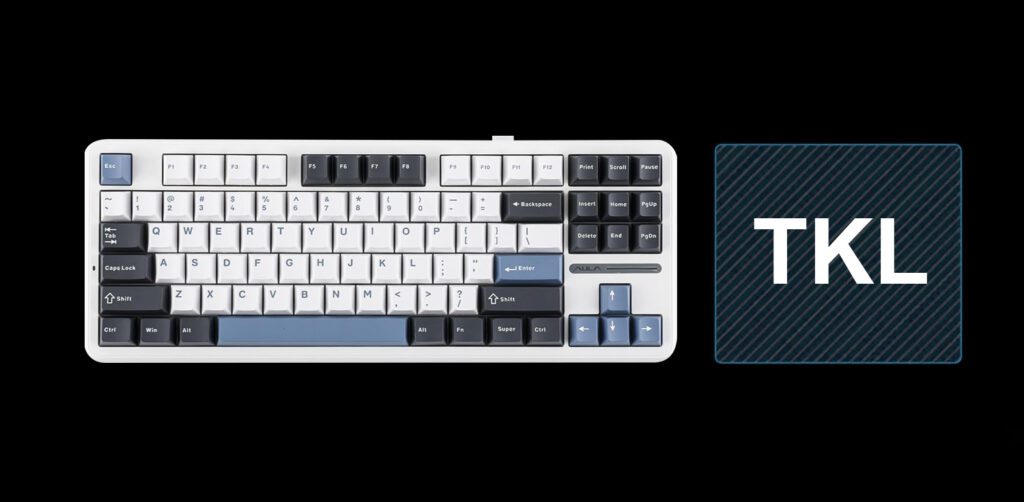
Um Teclado com 80% de aproveitamento geralmente é um layout de teclado TKL (“tenkeyless”): você tem o bloco de digitação completo, as setas, as teclas de navegação e a linha F — só que sem o teclado numérico.
Para muitas mesas, essa é a vantagem ergonômica mais notável: o mouse fica mais perto, enquanto você mantém as teclas que usa constantemente (setas, Delete, teclas de função) ao alcance. É um padrão consagrado nos e-sports.
Melhor escolha: AULA F87 Pro
Se você preferir um clássico teclado gamer TKL, não procure mais, o AULA F87 Pro.
Principais características e funções
- Conectividade: Conexão sem fio tripla (2.4G + Bluetooth 5.0) mais conexão com fio USB-C.
- Substituição a quente: Teclado substituível a quente Base compatível com interruptores de 3 e 5 pinos.
- Bateria: Bateria de 8000mAh, com autonomia para longas sessões sem fio.
- Sensação ao digitar: Montagem com junta de vedação + amortecimento de som multicamadas; interruptores e estabilizadores pré-lubrificados.
- Personalização: teclado mecânico Software de driver para macros e RGB.
Compatibilidade e ideal para
- Sistemas: Android, Windows, Mac, iOS (com alternâncias por tecla Fn).
- Ideal para: Jogadores que desejam a "memória muscular de um teclado padrão" sem o teclado numérico — ótimo para jogos de tiro em primeira pessoa e para uso diário em geral.
Layouts de teclado 96% e 100%: Máxima produtividade
Explicação do layout
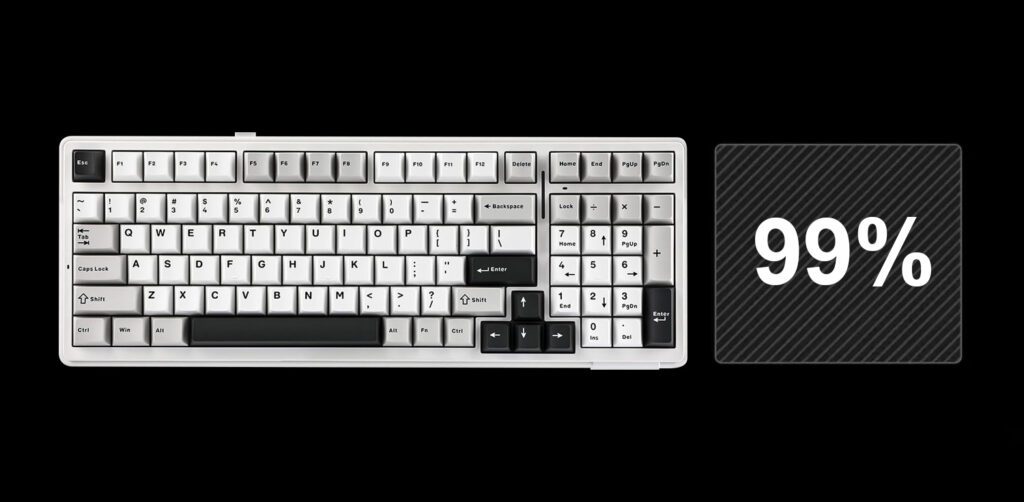
Se você trabalha com planilhas, ferramentas de contabilidade ou qualquer atividade que dependa da entrada rápida de números, o teclado numérico é difícil de substituir — é aí que os layouts 96% e 100% se destacam.
- 100% (tamanho normal) Mantém tudo: linha de funções, cluster de navegação, setas e teclado numérico.
- 96% / 1800-compact Mantém quase tudo, mas elimina os espaços entre os clusters, resultando em um tamanho menor sem comprometer o teclado numérico.
A principal desvantagem do modelo 96% é o espaçamento mais denso: menos "ar" entre as seções significa um período de adaptação mais curto, mas você economiza espaço valioso na mesa.
Melhor escolha: AULA F99
Para quem precisa de um teclado numérico, um Teclado mecânico de 96 teclas como o AULA F99 É uma solução eficaz.
Principais características e funções
- Funcionalidade completa: O teclado f99 Utiliza um layout compacto quase completo (99 teclas listadas), mantendo o teclado numérico.
- Personalização profunda: O suporte para drivers de macro está listado, além do remapeamento de teclas e personalização RGB através do aplicativo dedicado. software profissional f99.
- Substituição a quente: Soquetes hot-swap de 5 pinos para troca fácil de switches (personalize o seu) interruptores f99 e teclados aula f99).
- Versatilidade sem fio: Com três modos (Bluetooth 5.0 / 2.4G / USB-C), é viável tanto como uma placa para produtividade quanto como um... teclado gamer sem fio.
- Teclas e sensação ao toque: Teclas PBT de dupla injeção; estrutura com junta e múltiplas camadas de amortecimento de som.
Compatibilidade e ideal para
- Sistemas: Windows / Mac.
- Ideal para: Ideal para entrada de dados, finanças e qualquer pessoa que use o teclado numérico diariamente para cálculos, mas que ainda prefira uma configuração de mesa mais compacta do que uma de tamanho normal.
Conclusão: Teclados compactos vs. teclados de tamanho normal — Como escolher o layout ideal para você
Uma boa regra: escolha o layout mais compacto que ainda ofereça as teclas que você usa instintivamente.
- Escolha 60% Se o espaço para o mouse e a portabilidade forem o mais importante para você, e você não tiver problemas em aprender a usar camadas.
- Escolha 65% Se você deseja um tamanho compacto com setas dedicadas para jogos e navegação.
- Escolha 75% Se você quiser as teclas de função de volta sem precisar usar teclas de largura ampla.
- Escolha TKL (80%) Se você deseja a sensação clássica e o painel de navegação, menos o teclado numérico.
- Escolha 96%/100% Se planilhas e fluxos de trabalho com teclado numérico forem indispensáveis.
Se você busca um ponto de partida seguro que equilibre espaço na mesa e usabilidade diária, o AULA F75 É um bom ponto de partida.
 English
  German
  Portuguese
  Spanish
  Italian
  Finnish
  French
  Japanese
  Korean
  Swedish