
When AULA released the NOVA75, the community affectionately nicknamed it the “Little Nightmare” — a compact keyboard that punched above its weight thanks to its signature screen-and-knob combo. Now, AULA has scaled that formula up into the NOVA98, the “Big Nightmare.” Same soul, bigger body, full 98-key layout.
The strategy is crystal clear: cram flagship-tier features into a budget-friendly price and build a competitive moat through sheer spec-stacking. But here’s the real question this review answers — when does “more specs” stop being a benefit and start becoming a burden?
Let’s unpack the Teclado mecânico AULA NOVA98 across six dimensions: specs, design, structure, feel, performance, and software — and decide whether AULA hit the sweet spot or overpacked the box.
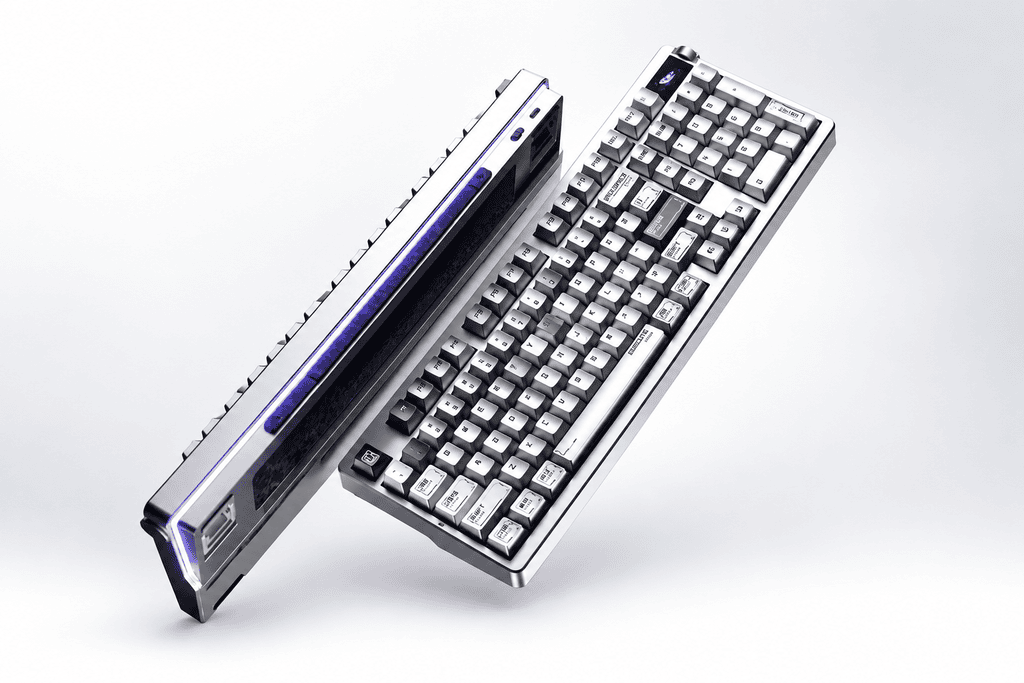
The Spec Sheet: Just How Much Did AULA Pack In?
Before judging, let’s look at what’s actually inside. The NOVA98 reads like a wishlist for enthusiasts on a budget.
Full Hardware Rundown
| Componente | Especificação |
|---|---|
| Layout | 98% (99 keys) — full numpad, dedicated arrows, F-row |
| Display | 1.14″ full-color screen with custom GIF support (wired only) |
| Knob | Side-mounted metal scroll wheel (volume + press-to-mute) |
| Taxa de votação | Dual 8000Hz (wired & 2.4GHz), 0.125ms latency |
| Bateria | 10,000mAh (~166h backlight off, ~50h default lighting) |
| Estrutura | Gasket mount + PC grooved plate |
| Damping | 6-layer sound dampening system |
| Caso | Thick-wall injection molding, ~6.8mm max, ~1.2kg |
| Interruptores | Haitang / Lingxi / Meteor Ice Cream, full hot-swap |
| Motorista | Web driver (Fn+N) + client |
| Jogos | SOCD / MT / TGL / CB support |
The “Spec Monster” in Perspective
In this price bracket, finding a keyboard with dual 8K + color screen + knob + 10,000mAh + six-layer foam + gasket mount all at once is nearly impossible. As one reviewer put it: “Dual 8K, big battery, color screen, knob, web driver — basically everything you’d want at this price, it gives you.”
But “gives you” e “good to use” are two different things. The next sections separate the two.

Design: The 6.8mm “Thick-Wall” Case and Its Trade-offs
The NOVA98’s most divisive design choice is its chunky, ultra-rigid shell. It’s a bold move that pays off in some ways and costs in others.
What Is “Thick-Wall Injection Molding”?
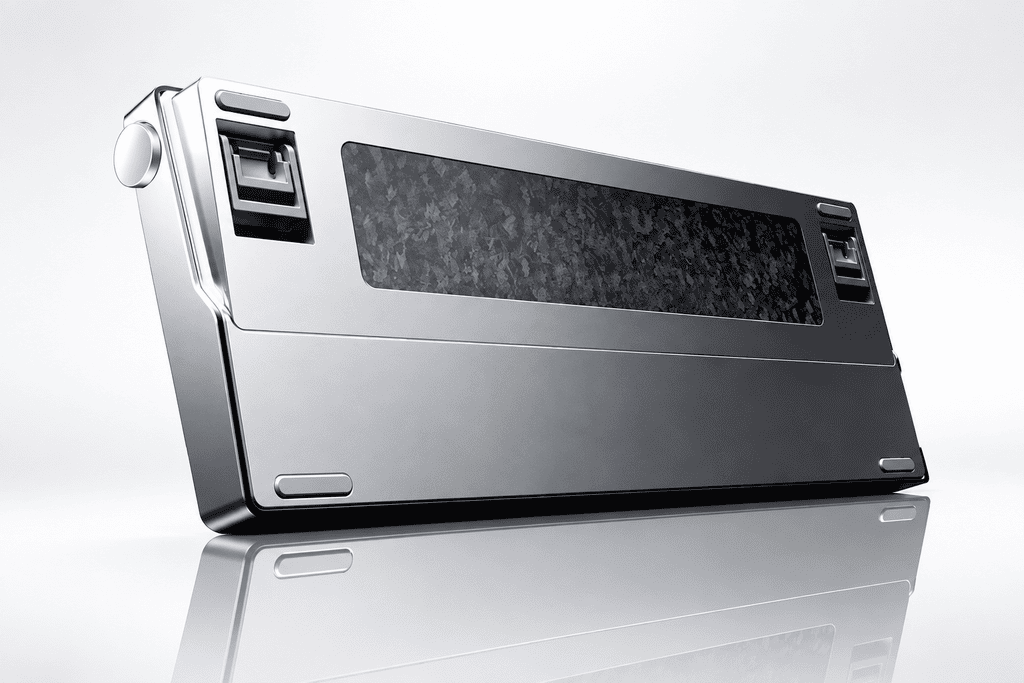
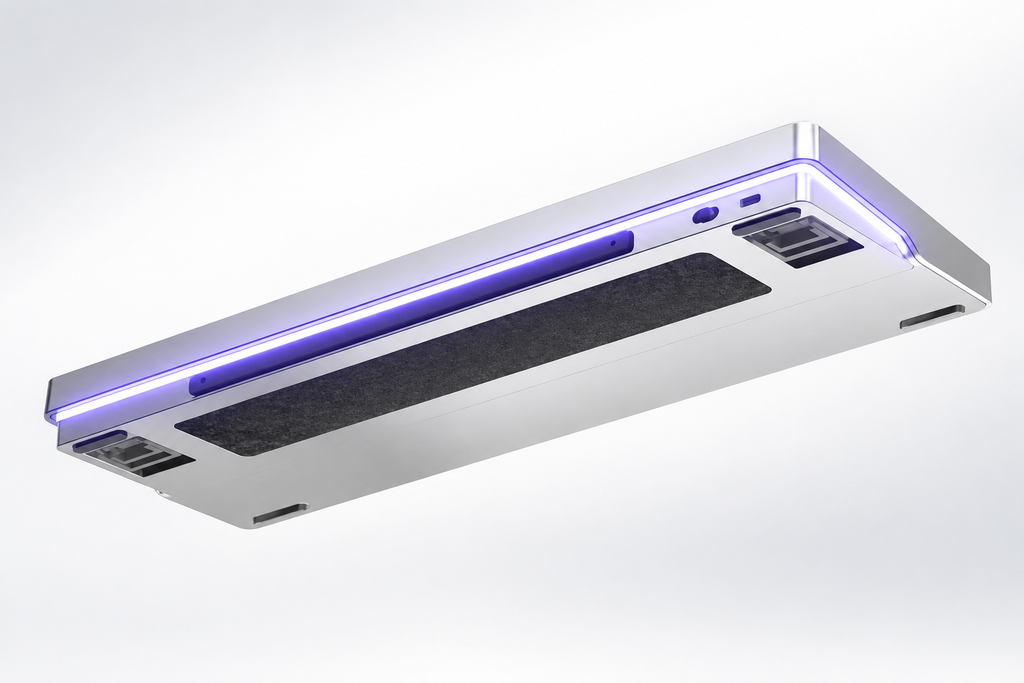
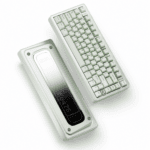
The case measures up to 6.8mm at its thickest — roughly triple a standard keyboard shell. AULA uses thicker plastic walls to boost rigidity, and it works: the board feels as stiff as an aluminum case, with virtually no flex. At 1.2kg, it’s a heavyweight among plastic keyboards.
Metallic Paint Finish: Premium or Gimmick?
Three of the five colorways — Silver Blade, Ink Shadow, and Flame Armor — feature a metallic paint coating. One enthusiast joked: “I’ve seen metallic keycaps, but never a metallic-painted case.” O Moon Rock Gray (white/gray two-tone) skips the finish and feels comparatively plain.
The trade-off? The thick-wall-plus-metallic combo makes the NOVA98 noticeably thicker and heavier than similarly sized boards.
Echoes of the “Nightmare” DNA
The top-right multimedia layout carries clear visual ties to the ROG Nightmare series. The standout, though, is the side-mounted scroll wheel — unlike top-placed wheels, it doesn’t eat into space above the numpad, and one-finger volume control feels effortless. The wraparound light strip also stretches longer on the 98 layout, giving it stronger ambiance in dim settings than the 75.
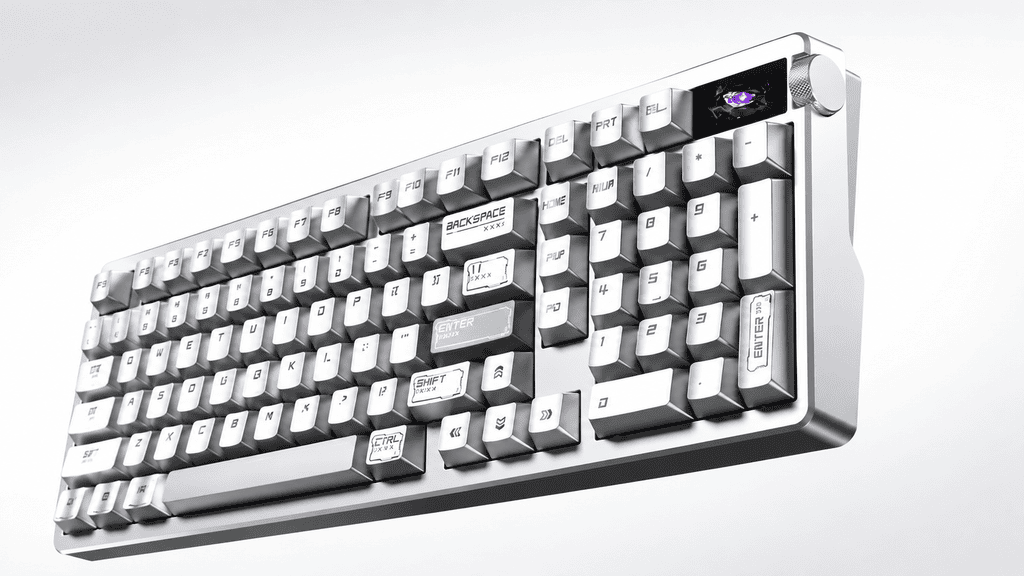
Screen & Knob: Convenience With a Few Regrets
These two interactive elements are the NOVA98’s most recognizable features — and they deliver genuine daily value, with a couple of caveats.
The 1.14″ Color Screen — Useful, But Too Dim
The display shows battery, connection mode, and lighting status at a glance. Its biggest practical win: you can adjust lighting visually instead of blind-toggling or opening a driver.
The biggest gripe? Brightness. “Hard to read under strong light” comes up across multiple reviews. Worse, GIF customization only works in wired mode — a limitation the manual never mentions.
Side Metal Scroll Wheel — Small Design, Big Convenience
Well-positioned and intuitive, the wheel handles volume with a single finger and mutes on press. By staying off the top of the numpad, it keeps the front face clean. User verdict: “The volume wheel is super intuitive — big thumbs up.”
One-Touch Calculator Key — The Underrated Office Hero
Above the numpad sits a dedicated calculator key, independent of system mapping. One press launches the calculator instantly. For number-heavy workflows, it’s an easily overlooked but genuinely handy touch.
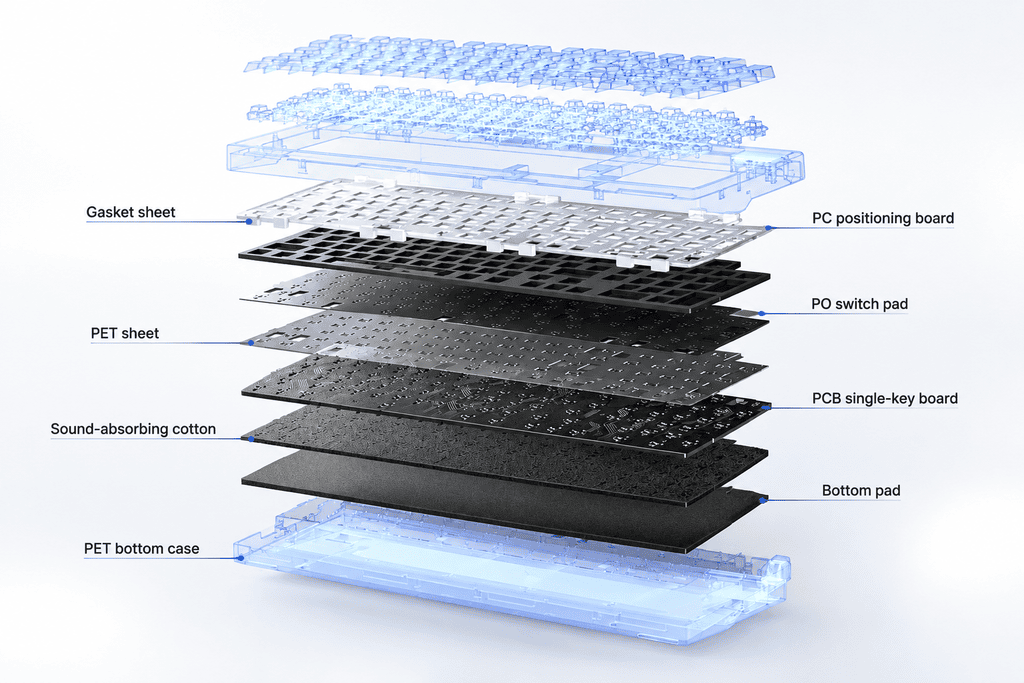
Internal Structure: Six Layers of Foam and the “Thocky” Payoff
The NOVA98’s sound signature comes from a deliberate combination of dense foam and a resonance-suppressing shell.
Breaking Down the 6-Layer Damping
- Espuma de sanduíche PO — fills the plate-to-PCB cavity
- Teclado de interruptor PO — reduces bottom-out noise
- PET spacer — blocks sound transmission
- Switch-base foam — absorbs socket-area vibration
- Bottom foam — dampens the base cavity
- almofada inferior de PET — final isolation layer
The result: clean, hollow-noise-free acoustics com um deep, muted “thocky” (mahjong-tile) sound.
Stabilizer Performance
Stabs come well-lubed from the factory, giving large keys good consistency. That said, some community feedback notes mushy large-key feel and inconsistent return force across individual units.
How the Thick Case Shapes the Sound
The 6.8mm walls naturally suppress resonance — a hidden acoustic advantage of the chunky design. Combined with the six-layer foam, the NOVA98 sounds anything but cheap. Even buyers who criticized the switches admit: “The sound? I really love it.”
Performance & Battery: What “Dual 8K” Actually Means
Not every headline spec translates to real-world benefit. Here’s where the NOVA98’s numbers get a reality check.
Dual 8K Polling Rate
Both wired and 2.4GHz hit 8000Hz with 0.125ms latency. The catch: for anyone outside top-tier FPS play, the perceptual gain is minimal. It’s a “nice to have, not a reason to buy” recurso.
10,000mAh Battery — The Genuine Standout
This is the NOVA98’s most undisputed win. Backlight off, it lasts ~166 hours; even with default lighting, ~50 hours. For pure office use, “a month-plus of runtime is no problem.” Big-battery convenience is real and tangible.
Tri-Mode Connectivity
Type-C wired, 2.4GHz, and Bluetooth cover all bases. The one small letdown: no storage slot for the 2.4GHz receiver, making it easy to lose during travel.
Software: The Lightweight Web-Driver Experience
AULA takes a refreshingly low-friction approach to customization — a real advantage for locked-down work machines.
Web Driver — Install-Free Convenience
Imprensa Fn + N to launch the web driver instantly — no client install needed. For users on company PCs that block software, this is a killer feature: “No app download required — big plus.” It supports key remapping, lighting, and SOCD / MT / TGL / CB functions.
Screen Customization Limits
- GIF uploads work only in wired mode
- Máximo 141 frames supported
- The manual omits the wired-only limitation, leaving users to figure it out
Toward a Brand Ecosystem
AULA’s driver now integrates keyboards, mice, headsets, and speakers — clearly evolving toward a unified “brand ecosystem.”
The Cost of Stacking: Where the Specs Bite Back
Every spec has a price. Here’s where the NOVA98’s ambition runs into its ceiling.
Typing Feel — “Never Lost on Looks, Never Won on Feel”
This is the community’s sharpest critique. The switches aren’t a highlight — at this price point, you’re “essentially paying for looks and the screen.” O Lingxi switch draws complaints for being “too light,” with limited switch variety and somewhat extreme tuning.
Screen Brightness — The Spec Blind Spot
Multiple reviews agree: the screen is too dim under bright light. Some speculate the issue lies with untreated internal light-blocking material. It’s one of the rare cases where AULA “stacked the spec but didn’t finish the job.”
Thickness & Weight
O 6.8mm shell + 1.2kg heft can feel cumbersome on smaller desks. And with no receiver storage, the 2.4GHz dongle is easy to misplace.
The Verdict: The Limit of Spec-Stacking Is Choice, Not More
So how far did AULA push it? In its price tier, the AULA NOVA98 faces almost no rivals on paper — dual 8K, color screen, knob, 10,000mAh, six-layer foam, and gasket mount, all in one board.
But the ceiling appears the moment specs start hurting the core experience: the screen went in but isn’t bright enough; the thick shell adds rigidity but also bulk; the foam is maxed out, yet switch feel remains the weak link.
What Actually Matters — A Feature-Value Breakdown
| Recurso | Real Value |
|---|---|
| 10,000mAh Battery | Genuine improvement |
| Side Scroll Wheel | Genuine convenience |
| One-Touch Calculator | Genuinely practical |
| Six-Layer Damping | Real acoustic upgrade |
| Dual 8K Polling | Limited perception |
| Color Screen | Too dim |
The takeaway: The NOVA98’s spec-stacking isn’t a blind numbers race — it’s a thoughtful set of trade-offs. AULA spent the budget where you can see, touch, and actually use it: the screen, the knob, the battery, and the acoustics. The price paid is compromised switch tuning and disappointing screen brightness.
If you value looks, sound, and endurance over pure switch feel, the NOVA98 is one of the most complete packages at its price. If your priority is a refined typing experience above all, that’s where its limit shows.
 English
  German
  Portuguese
  Spanish
  Italian
  Finnish
  French
  Japanese
  Korean
  Swedish