
はじめに:「スピード」と「汎用性」のどちらを選ぶか“
キーボード市場は静かな革命期を迎えている。ホール効果キーボードはプロのeスポーツ競技会場から一般のデスクトップへと普及し、愛好家たちは「優れたキーボード」とは何かを改めて考え直すことを余儀なくされている。.
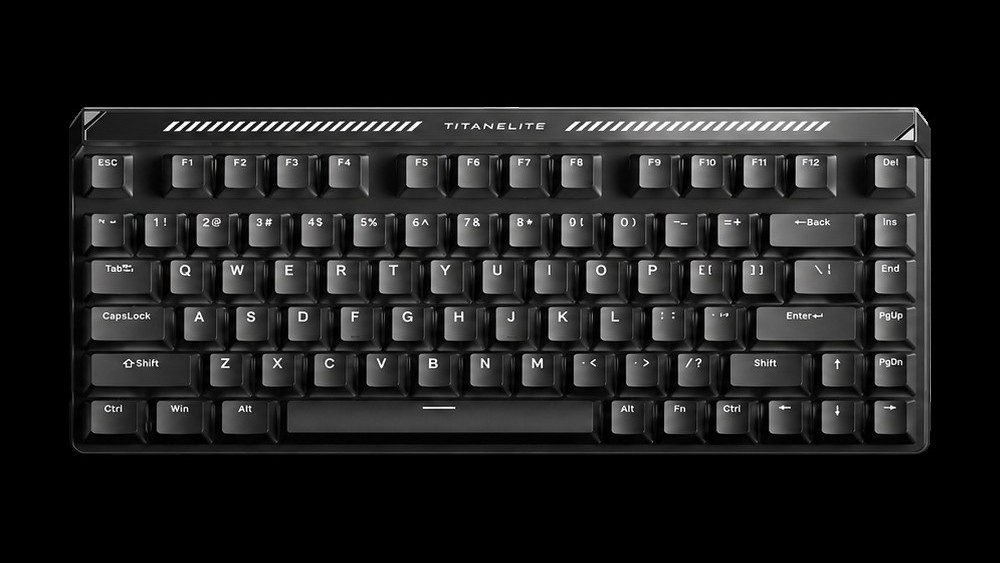
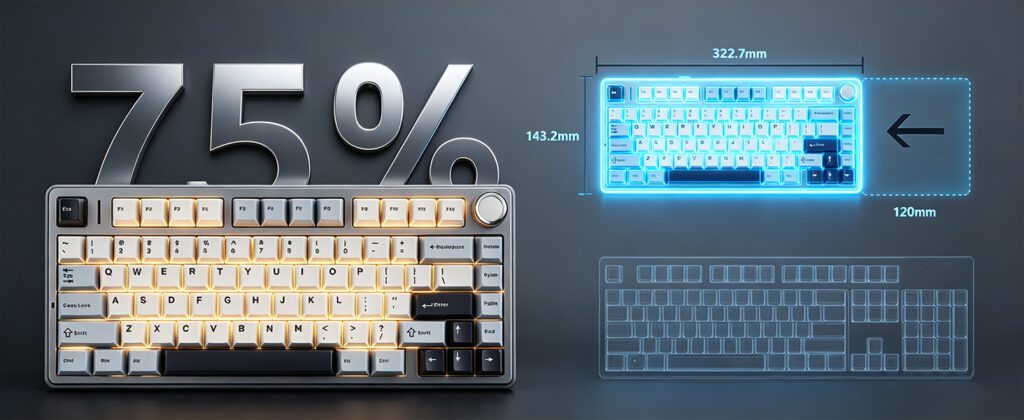
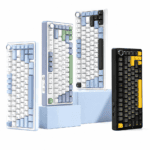
この変化を理解するために、人気の高い75%レイアウトのキーボード2つを比較してみましょう。 AULA F75, 成熟した洗練された機械式ボード、そして マドライオンズ タイタン75 ターボ, フラッグシップ級のホール効果スイッチを搭載した高性能スイッチ。.
両者は同じコンパクトなサイズだが、中身は全く異なる。そこで本当の疑問は次のようになる。 これら2つのキーボードの違いはどこにあるのか、そしてどちらがあなたのニーズに実際に合っているのか?
このガイドでは、以下の4つの主要な側面から比較を詳しく解説します。 技術原理、性能、タイピング感、そして実際の使用事例。.
パート1:技術的な核心 ― 根本的に異なる2つのトリガーロジック
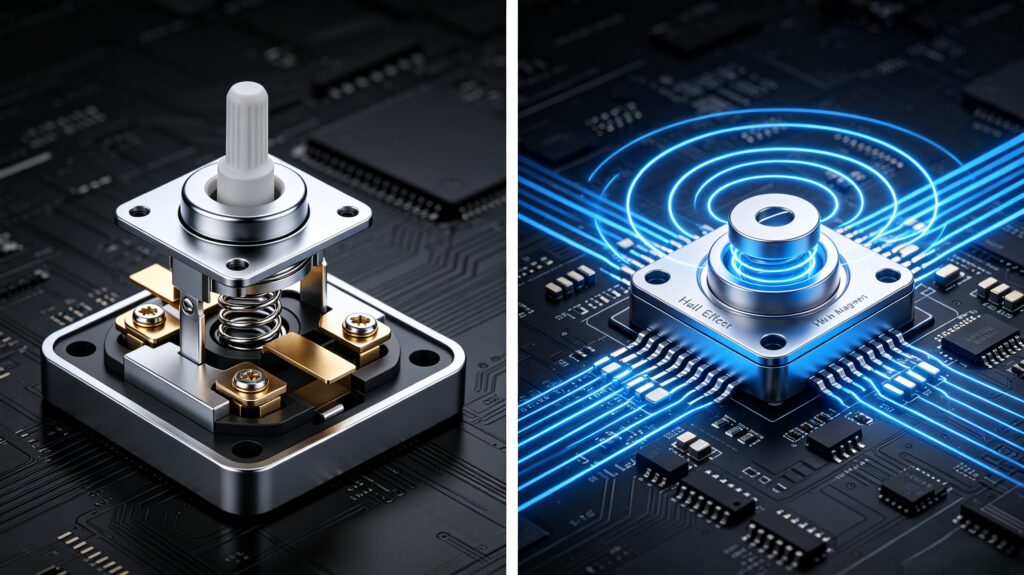
1.1 従来の機械式スイッチ:金属接点による「物理的な対話」
古典的な機械式スイッチは、直接的な物理的接触によって作動します。キーを押すと、金属の接点が接触して回路が閉じます。 押す → 接点が閉じる → 信号が発せられる。.
- 身体的な反発力: この接触によって電気ノイズが発生するため、それを除去するために「デバウンス遅延」(通常5~20ms)が必要となる。.
- 固定作動: トリガーポイントはスイッチの物理的な設計によって固定されています(例えば、赤軸スイッチは約2.0mmで作動します)。感触を変えるには、スイッチ全体を交換する必要があります。.
1.2 ホール効果スイッチ:「非接触」革命
ホール効果スイッチは、物理的な接触ではなく磁場感知を利用します。スイッチの軸に埋め込まれた磁石が押すと移動し、ホールセンサーがその変化を検知して電気信号に変換します。.
- 物理的接触ゼロ: 摩耗なし、酸化なし、接触時の跳ね返りなし。.
- アナログ制御: このセンサーは移動深度をリアルタイムで正確に追跡するため、単純な「オン/オフ」スイッチではなく、真の「アナログ」入力が可能になります。.
1.3 2つの製品のポジショニング
- AULA F75: 潤滑剤が塗布済みのスイッチとホットスワップ対応のPCBAを備えた、成熟した完成度の高い機械的ソリューション。.
- マドライオンズ タイタン75 ターボ: 最高級のFuguang製ホール効果スイッチをベースに構築された、フラッグシップ級のホール効果ソリューション。.
パート2:パフォーマンス対決 ― 勝敗はミリ秒単位で決まる
2.1 応答速度
- AULA F75: ポーリングレートは1000Hz、有線接続時のレイテンシは約4.6ms。.
- TITAN75ターボ: 8000Hzのポーリングレート、256Kのスキャンレート、そして低レイテンシー 0.08ms.
- 分析: 数値上は些細な差に見えるかもしれないが、カウンターストレイフやフリックショットといった、ミリ秒単位で勝敗が決まるFPSのシナリオでは、その差は非常に大きな意味を持つ。.
2.2 作動精度と調整可能性
- AULA F75: 作動点は固定されています。操作感を変更するには、スイッチを物理的に交換する必要があります。.
- TITAN75ターボ: 0.001mm RT精度, 完全に調整可能な作動範囲 0.001~3.0mm 全てのキーにおいて。.
- ハイライト: の ラピッドトリガー(RT) 指を離した瞬間に機能がリセットされるため、「高速トリガー+高速リセット」により、超高速な連打入力が可能になります。.
2.3 接続性
- AULA F75: 4000mAhの大容量バッテリーを搭載し、3つのワイヤレスモード(Bluetooth 5.0 / 2.4GHz / 有線)に対応しています。.
- TITAN75ターボ: デュアルUSB-Cポート(両側に1つずつ)、最高のパフォーマンスを実現するため、有線接続を優先。.
- 分析: これは、ワイヤレスの利便性と妥協のない性能という、設計思想における明確な違いを示している。.
2.4 寿命と耐久性
- 機械式スイッチ: 約5000万~1億回の押下が可能だが、時間の経過とともに摩耗やダブルクリックの問題が発生するリスクがある。.
- ホール効果スイッチ: 1億回以上のプレス加工実績があり、物理的な接触による摩耗がなく、優れた長期的な安定性を実現しています。.
パート3:感触と音 ― すべてのキーストロークが重要
3.1 タイピング感
- AULA F75: リニア、タクタイル、クリッキーなど、あらゆる好みに合わせて選べる様々なスイッチタイプをご用意しています。.
- TITAN75ターボ: 純粋なリニア感(Fuguang社製ホール効果スイッチ、37±5gf)で、タクタイル感は一切ありません。.
- ホール効果スイッチの「操作感の限界」: 現在市販されているホール効果スイッチはほぼ全てリニアタイプであり、青軸スイッチのような触覚的な確認感や茶軸スイッチのような柔らかなフィードバックが得られない。.
3.2 サウンドプロファイル
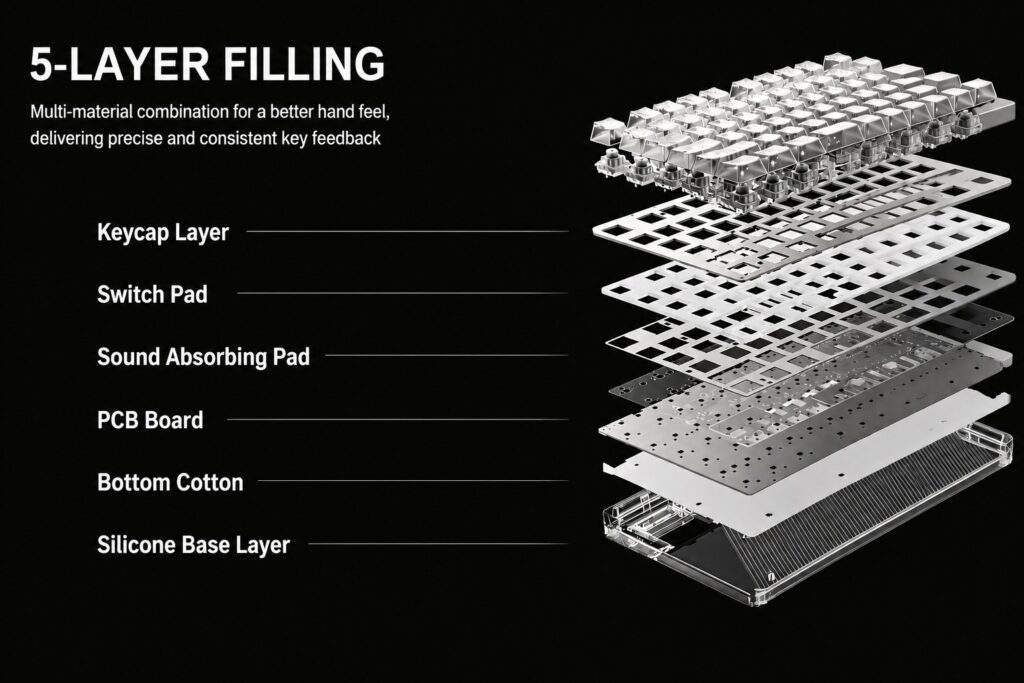
- AULA F75: 5層構造の制振構造(シリコンパッド+ポロンフォーム+PETパッド+IXPEパッド+ポロンプレートフォーム)により、箱から出してすぐに満足のいく「ドスン」というサウンドを実現します。.
- TITAN75ターボ: 同じ5層制振システムとアルミニウム製位置決めプレートを組み合わせることで、ハイファイグレードの音響体験を実現しています。.
- どちらも異なる方法で優れた音響特性を実現していますが、メカニカルスイッチはより幅広い音色特性を提供します(ブルーのキレのあるクリック音、ブラウンの控えめな温かみなど)。.
3.3 カスタマイズの可能性
- AULA F75: ホットスワップに完全対応し、3ピンおよび5ピンのスイッチと互換性があり、キーキャップは自由に交換可能です。.
- TITAN75ターボ: 完全なホットスワップに対応しており、異なるホール効果スイッチを自由に組み合わせて使用できます。.
- 注記: ホール効果を利用したホットスワップはまだ発展途上の技術であり、スイッチの種類は機械式スイッチのエコシステムに比べてはるかに限られている。.
パート4:ユースケース ― それぞれは誰のために作られたのか?
4.1 ゲーム
- FPS(CS2 / Valorant): TITAN75 TurboのRT機能は、まさに「ハードウェアの優位性」であり、対機銃掃射の成功率を劇的に向上させる。AULA F75は、この点において到底太刀打ちできない。.
- MOBA / RPG: ホール効果の利点を活かすのが難しい場合、AULA F75の安定性と成熟した感触の方が実際にはより適している。.
- リズムゲーム/格闘ゲーム: TITAN75 Turboの超低遅延と調整可能なストロークは、明確な優位性をもたらします。.
4.2 オフィスおよび日常的なタイピング
- AULA F75: 多様なスイッチオプションと触覚的な確認フィードバックにより、長時間のタイピング作業でも快適です。.
- TITAN75ターボ: リニアスイッチは触覚的な確認がないため、作動深度を浅く設定しすぎると、意図しない入力が発生しやすくなる。.
- 取り除く: 筋金入りのFPSプレイヤーでない限り、ホール効果ボードを日常的に使う前に慎重に検討した方が良いでしょう。.
4.3 複数デバイスの設定
- AULA F75: 3つのモードに対応したワイヤレス機能と幅広いシステム互換性により、デスク周りの整理整頓において圧倒的な優位性を発揮します。.
- TITAN75ターボ: 有線接続を優先。2つのUSB-Cポートはケーブル配線のためだけに搭載されている。.
第5部:テクノロジーと価値 ― 投資の理解
5.1 コスト構造
この2つのキーボードは、全く異なるコスト構造に基づいて製造されている。
- ホール効果スイッチは高価です。 彼らはホールセンサー、高精度アルゴリズム、そして8Kマイクロコントローラーを要求している。.
- メカニカルキーボードは成熟した存在だ。 スイッチ、コントローラー、金型はすべて、長年の生産期間を通じて完全に償却済みです。.
5.2 どちらがより価値が高いか?
- 競技系FPSプレイヤー向け: の タイタン75ターボ‘そのプレミアム価格は、その性能を考えれば十分に正当化される。.
- 一般ユーザーおよびオフィスユーザー向け: の AULA F75 比類のない総合的な価値を提供します。.
- 自分自身に問いかけるべき核心的な質問: 本当に0.08msの低遅延とラピッドトリガーが必要ですか?
結論:最高のものは存在しない、あるのは「自分に合ったもの」だけだ“
ホール効果式キーボードとメカニカルキーボードは、互いに取って代わるライバル関係にあるのではなく、それぞれ異なるニーズに対する異なる解決策なのです。.
の マドライオンズ タイタン75 ターボ FPS競技用に生まれた「特殊装備」である一方、 AULA F75 仕事にも遊びにも使える、万能な「日常の相棒」です。.
クイック購入ガイド
| あなたの状況 | おすすめ |
|---|---|
| 主にFPS/リズムゲームで、最高のパフォーマンスを追求しています。 | タイタン75ターボ |
| 主に事務作業、たまにゲームをする | AULA F75 |
| あらゆる用途に対応できる万能キーボードが欲しい | AULA F75 |
| プロ/ハードコアeスポーツプレイヤー | タイタン75ターボ |
| スイッチをいじったり、さまざまな感触を楽しんだりするのが好き | AULA F75 |
| 最新技術と最高の対応力にお金を払う意思がある | タイタン75ターボ |
 English
  German
  Portuguese
  Spanish
  Italian
  Finnish
  French
  Japanese
  Korean
  Swedish