
Il momento che cambia tutto
Immagina questo: sei immerso in un CS2 giro. Ti stai spostando lateralmente a sinistra, tenendo A. Un nemico fa capolino. Il tuo cervello invia il comando: rilascia A, premi D, clicca, colpo alla testa. Perfetto. Hai ripetuto quel movimento per centinaia di ore, finché la memoria muscolare non è diventata parte integrante del tuo corpo.
Ora immaginate il contrario. Vi spostate lateralmente a sinistra, il nemico si affaccia, sparate, ma il vostro personaggio continua a scivolare. Il proiettile manca il bersaglio. Muorite fissando il feed delle uccisioni.
Quella singola sequenza, chiamata controffensiva, è la differenza tra frammentazione e alimentazione. Ed ecco il colpo di scena: ora esiste una tecnologia che permette anche a un principiante assoluto di ottenere lo stop perfetto senza alcuna pratica. Nessun allenamento. Nessuna sensazione. Solo una tastiera che supporta SOCD.
Questa è la tecnologia che ha infiammato il mondo degli eSport, ha dato grattacapi agli organizzatori dei tornei e ha diviso la base di giocatori in due fazioni ben distinte. Analizziamola nel dettaglio.
Parte 1: Che cos'è esattamente il SOCD?
SOCD sta per direzioni cardinali opposte simultanee — in sostanza, “cosa succede quando si premono contemporaneamente due tasti direzionali opposti?”
Lo scenario classico: tu tieni sinistra e destra insieme, O su e giù insieme. Come dovrebbero reagire la tastiera e il gioco?
La logica normale della tastiera
Una tastiera standard semplifica le cose. Premi A E D allo stesso tempo, ed entrambi i segnali si attivano. Il gioco riceve “vai a sinistra” E “vai a destra” simultaneamente — quindi il tuo personaggio rimane fermo, annullando l’azione.
La logica della tastiera SOCD
Una tastiera SOCD si comporta in modo diverso. Al livello firmware, “pulisce” attivamente gli input in conflitto e, in base a una regola Voi impostato in anticipo, decide in quale direzione inviare.
In una sola frase: SOCD significa che quando premi due tasti opposti, la tastiera ne sceglie uno automaticamente.
Quella piccola decisione, presa in microsecondi all'interno della scheda stessa, racchiude in sé tutta la controversia.
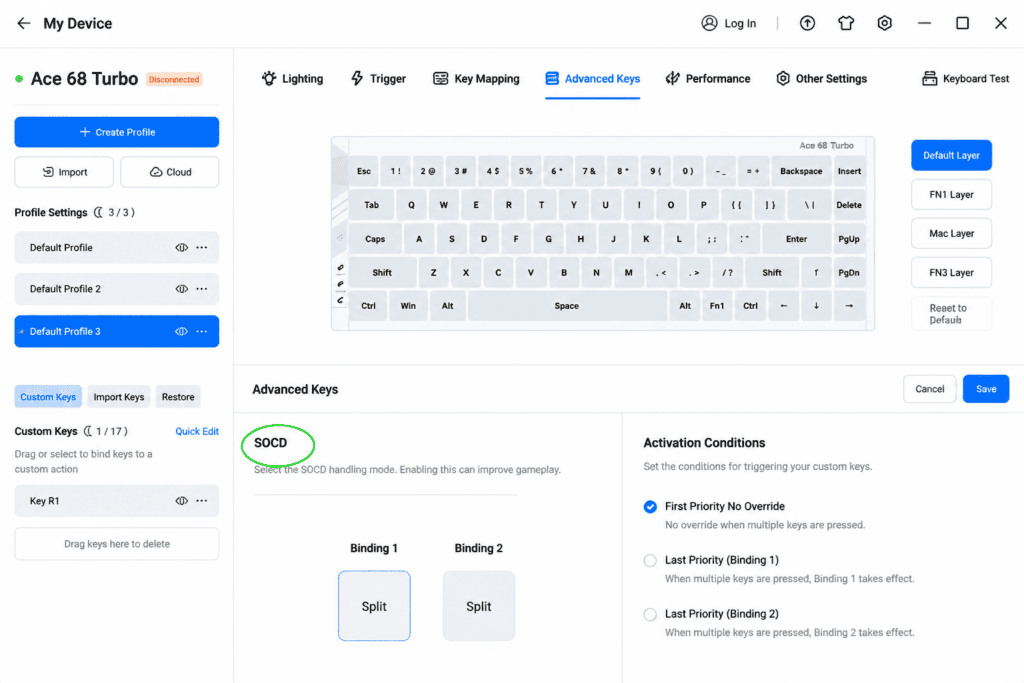
Parte 2: Le tre modalità principali di pulizia SOCD
Il SOCD non è un singolo comportamento, bensì una categoria. Ecco come le tre principali modalità di risoluzione gestiscono un conflitto tra sinistra e destra.
Modalità 1 — Priorità ultimo input
Questo è il più popolare e il più controverso modalità. È l'impostazione predefinita alla base di Snap Tap di Razer e dell'implementazione SOCD di Wooting.
La regola è semplicissima: Chi è stato premuto per ultimo vince. Tieni premuto A per muoverti a sinistra, poi premi D: il sistema ignora immediatamente A e invia solo D. Nel gioco, il tuo personaggio inverte la direzione. immediatamente: nessuna pausa, nessuna decelerazione.
Pensalo come “La nuova ondata spinge via la vecchia.” L'ultimo comando spazza via quello precedente. È proprio qui che “imbroglio fisico”Il soprannome deriva dal fatto che non è più necessario sincronizzare con precisione il sollevamento del dito, perché la tastiera lo fa automaticamente.
Modalità 2 — Priorità assoluta
Una direzione vince sempre, punto. Imposta "Priorità A" e, indipendentemente da quando premi D, il sistema continua a emettere A. Questa modalità appare più spesso in giochi di combattimento, dove la prevedibilità della risoluzione degli input è importante.
Modalità 3 — Neutro
Premere due direzioni opposte e il sistema emette un segnale nullo — il carattere rimane immobile, proprio come su una tastiera tradizionale. Questa è l'opzione più prudente, quella che "non crea problemi".
Ecco un rapido confronto per distinguere i tre:
| Modalità | Regola da seguire quando si premono A e D | Effetto in gioco | Uso comune |
|---|---|---|---|
| Ultima priorità di input | Ultime vittorie chiave | Cambio di direzione istantaneo, senza rallentamenti. | FPS (il più controverso) |
| Priorità assoluta | Una chiave fissa vince sempre | Prevedibile, ignora gli altri | Giochi di combattimento |
| Neutro | Nessuna delle due chiavi vince | Il personaggio si ferma di colpo | Sicuro/tradizionale |
Parte 3: “Dimensional Attack” di SOCD nei giochi FPS
Per capire perché questo è importante, devi capire Perché contrastare gli attacchi aerei è difficile.
In CS2 E Valorant, i tuoi proiettili sono precisi solo quando sei fermo. Muoviti anche solo leggermente e i tuoi colpi si disperdono. Quindi quando ti muovi lateralmente a sinistra (tenendo premuto A) e appare un nemico, devi rilasciare A e premere D per forzare un arresto immediato prima dello sparo.
Il problema: se queste due azioni si sovrappongono anche solo 1 millisecondo, il tuo personaggio decelera brevemente invece di fermarsi in modo pulito — e il proiettile devia. I giocatori professionisti trascorrono migliaia di ore riducendo tale finestra di sovrapposizione quasi a zero.
SOCD aggira completamente quel limite di competenze.
Accendere Ultima priorità di input, tieni premuto A, poi premi D: il sistema ignora automaticamente A e il tuo personaggio si ferma immediatamente. Non rilasci A. Non cronometri nulla. Nel momento in cui premi D È un perfetto contrattacco.
Come ha affermato senza mezzi termini un recensore, “"Questo abbassa drasticamente il livello di abilità richiesto per contrastare le manovre evasive."” Un altro rapporto è stato ancora più diretto: “"Offre ai giocatori con basi deboli un notevole incremento di abilità."” Una tecnica che un tempo richiedeva centinaia di ore per essere padroneggiata ora si esegue con la semplice pressione di un tasto.
Parte 4: Evoluzione tecnologica o imbroglio fisico?
SOCD è stato al centro di controversie fin dal primo giorno.
In Luglio 2024, Razer ha aggiunto una funzione Snap Tap al suo Huntsman V3 Pro, e “ha scatenato una tempesta” nella scena degli esports. Wooting ha rapidamente rilasciato il proprio aggiornamento SOCD, SteelSeries ha introdotto un simile Rapid Tap, e i produttori di tastiere magnetiche si sono lanciati in questo settore praticamente su tutta la linea.
Il dibattito si divide nettamente in due fazioni:
- I critici sostengono: SOCD elimina l'errore umano. Nel gioco competitivo, commettere errori e avere la capacità di correggerli è parte di ciò che viene misurato. Secondo loro, rimuovere quel componente con l'hardware significa acquistare un vantaggio competitivo con il denaro.
- I sostenitori affermano: questo è evoluzione tecnologica naturale. Le automobili sono passate dal cambio manuale a quello automatico, dallo sterzo meccanico a quello elettronico. Se uno strumento aiuta un essere umano a ottenere prestazioni migliori, qual è il problema?
Entrambi i punti di vista meritano di essere presi in considerazione. Non esiste una risposta univoca, ed è proprio per questo che il dibattito è destinato a continuare.
La situazione attuale: Le competizioni professionali di CS2 hanno esplicitamente vietato la funzionalità SOCD. Ma nelle normali partite classificate e nelle modalità casual, rimane pienamente utilizzabile. Il confine, per ora, è tracciato tra "palcoscenico ufficiale" e "gioco quotidiano".“
Parte 5: Come la MCHOSE Ace 68 GT implementa la SOCD
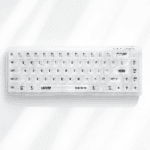
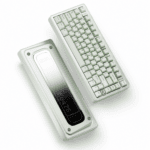
Quindi come funziona effettivamente su una scheda reale? Diamo un'occhiata alla MCHOSE Ace 68 GT, un 68% Tastiera con effetto Hall progettato specificamente per gli sparatutto in prima persona competitivi.
L'Ace 68 GT offre tutto SOCD (Snap Tap) sostegno attraverso il Software M HUB (disponibile sia nella versione web che in quella client), che consente di configurare liberamente la regola di risoluzione.
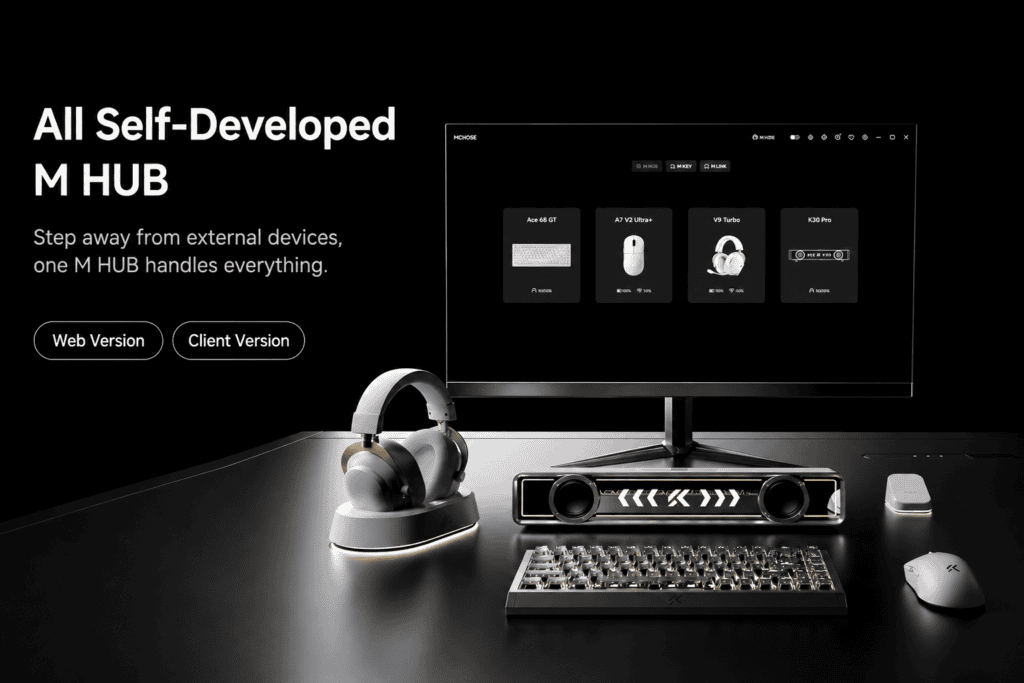
La procedura di installazione, passo dopo passo.
- Apri il driver M HUB.
- Associa i due tasti scelti, in genere A e D.
- Scegli il tuo Risoluzione SOCD, che decide come vengono gestiti i conflitti.
I recensori hanno confermato che l'Ace 68 GT è impostato di default su Ultima priorità di input, consentendo mitragliamento rapido nei titoli FPS fin da subito.
Il kit completo per la competitività
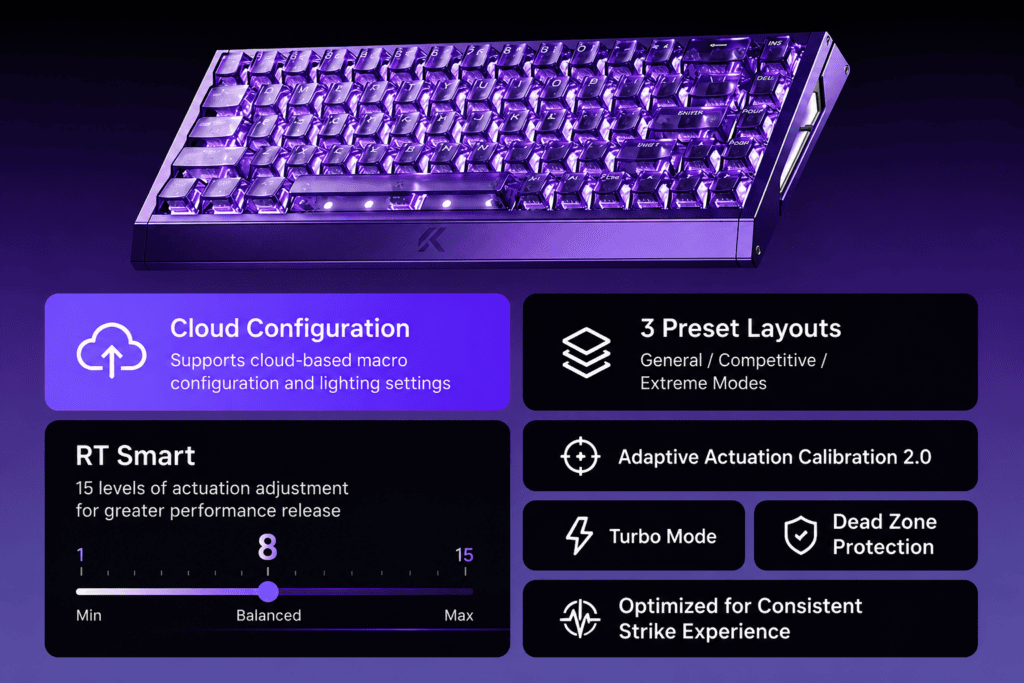
Il SOCD è solo uno strumento nella scatola. Ace 68 GT include anche:
- Grilletto rapido (RT): uno sbalorditivo 0,001 mm Precisione di regolazione: i tasti si ripristinano all'istante in cui il dito viene sollevato.
- Pressione dinamica dei tasti (DKS): legare a 4 azioni diverse a un tasto in base alla profondità di pressione.
- Mod-Tap (MT) e Toggle (TGL): Tasti a doppia funzione e interruttori a levetta per un layout più compatto.
- Attuazione regolabile da Da 0,1 mm a 3,4 mm, alimentato da interruttori magnetici Pink Taishan.
Aggiungi la potenza hardware — un Frequenza di votazione di 16.000, Latenza di 0,06 ms, E velocità di scansione 256K, Il tutto racchiuso in un case interamente in alluminio lavorato a CNC: l'Ace 68 GT si presenta come un'arma progettata appositamente per gli eSport. Il SOCD è solo uno degli strumenti a sua disposizione.
Conclusione: L'eterna lotta tra tecnologia e abilità umana
La discussione sul disturbo ossessivo-compulsivo a sfondo sessuale (SOCD) è in realtà l'ultimo capitolo di una questione ben più antica:
Cosa dovremmo pensare quando la tecnologia può rendere obsoleta un'abilità acquisita con fatica?
Alcuni lo chiamano imbroglio. Altri lo chiamano progresso. Ma prima che questo dibattito si concluda, una cosa è certa: SOCD ha già rimodellato l'ecosistema degli sparatutto in prima persona. Che vi piaccia o no, eccolo qui.
 English
  German
  Portuguese
  Spanish
  Italian
  Finnish
  French
  Japanese
  Korean
  Swedish