
A deep dive into the keyboard that dares to redefine what “compact” means in 2026.
Small-layout keyboards force a hard bargain: you trade function keys, arrow clusters, and a dedicated F-row for a smaller footprint. Most manufacturers respond in one of two predictable ways. But the MelGeek VIVA63 Hall Effect keyboard takes a genuinely different path — and that path is exactly what makes it one of the most talked-about compact boards of the year. Let’s unpack whether its bold layout is a real evolution or a costly trade-off.

The Eternal Dilemma of Compact Keyboards
Anyone who’s used a 60% keyboard knows the complaints by heart:
- No F-row — say goodbye to quick-tapping F5 or F11
- No arrow keys — navigation now lives behind a Fn layer
- Missing function keys — Home, End, Page Up/Down all require combos
Historically, the market solved this two ways:
- Accept the loss — keep the 60% size and lean on layered shortcuts.
- Add keys back —a grow into 65% or 75% layouts, sacrificing compactness for completeness.
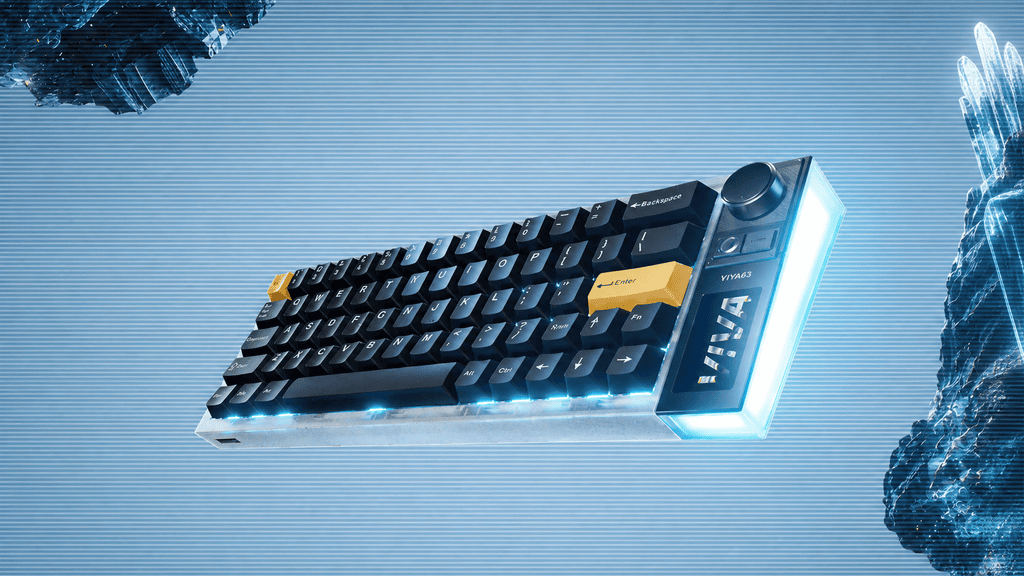
The VIVA63 introduces a third answer: keep the tight 63-key core, then bolt on a “Control Island” on the right side — an integrated OLED touch screen, a stepless control knob, y physical buttons.
The question this article tackles is simple: Is this the future of compact keyboards, or a solution that gives up more than it gains?
Getting to Know the VIVA63 Layout
Before we judge, let’s describe what’s actually on the board — objectively.
The Core Setup
- Main key area: 63 standard keys, functionally close to a traditional 60% layout.
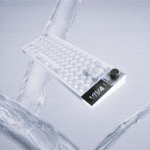
- Right-side Control Island: OLED touch screen + stepless knob + physical buttons.
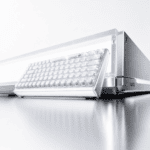
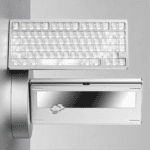
- Visual identity: transparent “Exploration Edition” shell with a wrap-around side light box.
- Switch tech: Hall Effect magnetic switches built on TTC electronic components, tuned for fast, responsive input.
Official Positioning
MelGeek frames it as “a compact magnetic switch keyboard built for gaming, office work, and everyday use — playful yet performance-focused.” It ships in three variants (Exploration Edition, Ice Soul White, Particle Pink).
The key fact to remember: the VIVA63 is wider than a standard 60% but narrower than a 75% — it sits in a deliberately awkward middle zone. Hold that thought; it’s the crux of the entire debate.
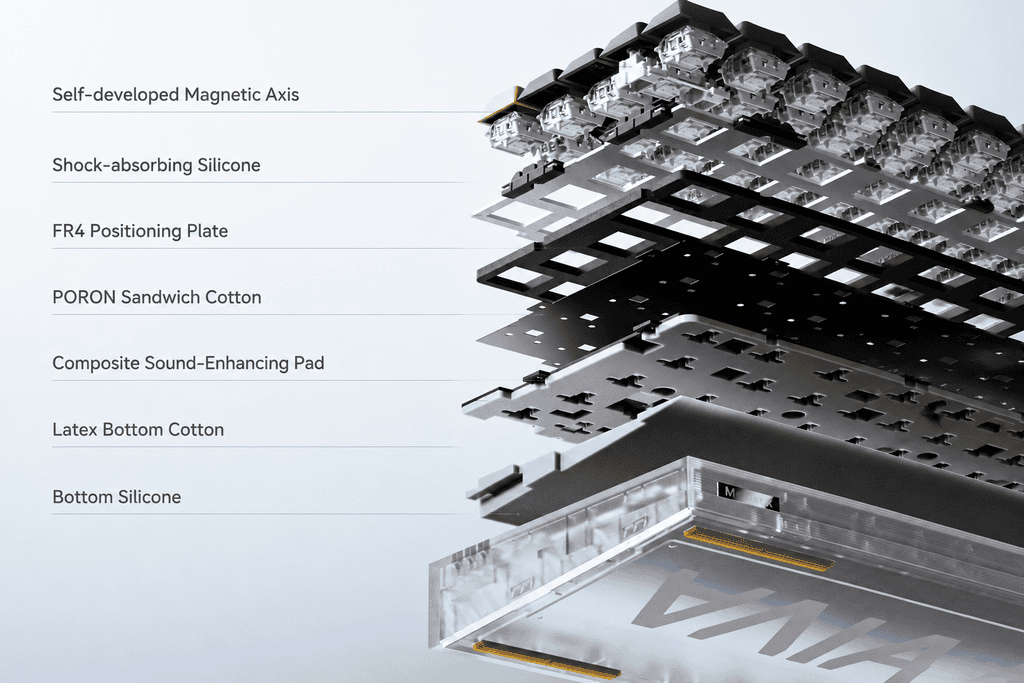
Why It’s an Innovation
There are three angles where the VIVA63’s design genuinely pushes the category forward.
1. It Systematically Answers the “Missing Function” Problem
On most compact boards, lost functions are simply gone — a structural sacrifice. The VIVA63’s Control Island offers an alternative:
- El OLED screen can display GIF animations and support game or music interaction.
- El knob’s function shifts dynamically based on the active interface.
The philosophy here isn’t “cut the feature” — it’s “deliver the feature a different way.” That’s a meaningful reframe.
2. It Moves Interaction from Software to Hardware
Adjusting lighting, volume, or macros on a typical keyboard means opening driver software. The VIVA63 puts those controls at your fingertips:
- Adjust volume with a twist
- Switch lighting profiles on the fly
- Control media playback without alt-tabbing
For anyone who tweaks settings often, “one less driver to open” is a real, everyday efficiency gain.
3. It Defines a New Compact Form Factor
Traditional compact logic is subtractive: “remove keys you don’t need.”
The VIVA63’s logic is additive: “keep the core keys, then use an interaction module to backfill what’s missing.”
That’s a fundamentally different product thesis — proactively designing a replacement instead of passively accepting a loss.
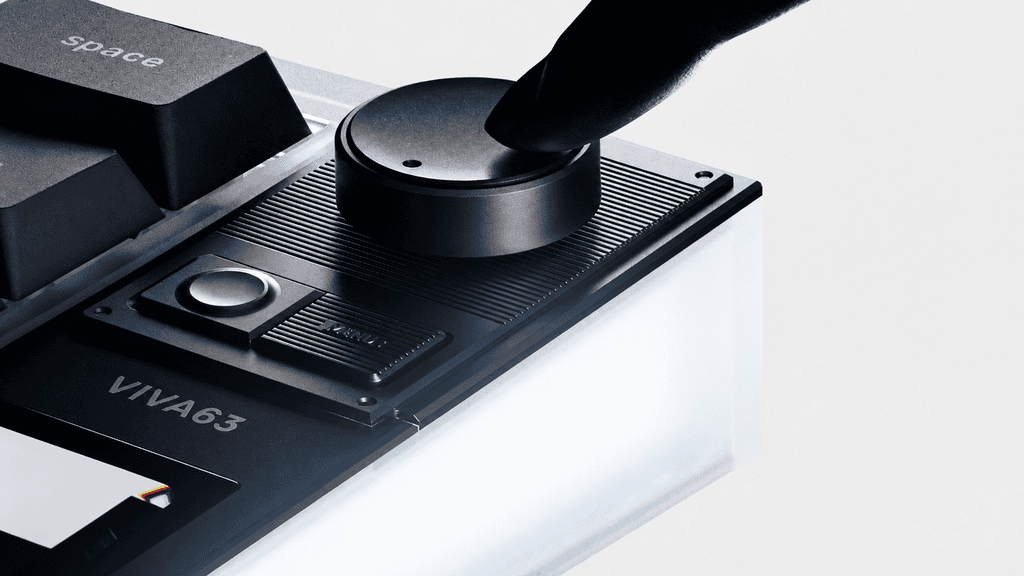
Why It’s Also a Compromise
Every innovation has a cost. Here’s where the VIVA63 asks you to give something up.
1. The Control Island Makes “Compact” Less Compact
This is the central tension: you buy a small layout for the small size, right?
With the Control Island attached, the VIVA63 grows wider than a 60% — even wider than a 65% — approaching 75% territory, all while still offering only 63 keys. If ultimate compactness is your goal, this board may not deliver what you came for.
2. Touch Interaction Can’t Replace Blind Physical Input
The magic of physical keys is muscle memory — you find them without looking. Virtual buttons on a touch screen demand visual confirmation every single time.
In fast-paced scenarios, that “glance-then-tap” rhythm is often slower than a hard-mapped physical key. Touch is elegant, but it isn’t blind-operable.
3. Built to Be Used — or to Be Seen?
The transparent shell, wrap-around lighting, and OLED screen deliver serious visual punch. But the honest question is:
Is the screen-and-knob combo designed for utility or for display?
If it’s the former, it should earn its keep in daily use. If it’s the latter, it risks becoming an expensive desk ornament.

Two Perspectives, One Keyboard
Here’s the tension laid out side by side — innovation and compromise are two faces of the same design decision.
| Dimensión | The Innovation View | The Compromise View |
|---|---|---|
| Tamaño | 63 keys keep the essentials, more compact than full-size | Control Island pushes width toward 75% — no longer truly “small” |
| Función | Screen provides virtual keys and F-row switching | Virtual keys can’t be operated blind; slower than physical |
| Interaction | Screen + knob adjust settings without a driver | Touch needs visual confirmation — counterintuitive in a rush |
| Diseño | Transparent shell + light box + screen = desk centerpiece | “Good-looking” possibly at the expense of “good-to-use” |
| Positioning | A new compact form: tight y smart | Caught in between — not small enough, not complete enough |
The takeaway: neither column is “wrong.” Which one you believe depends entirely on what tú value.
Back to the Core Question
So — is the 63-key layout plus Control Island an innovation or a compromise?
The answer is: it’s both. And those two truths don’t contradict each other.
- The innovation: For the first time, someone has used a screen + knob combo to systematically solve the function-deficit problem on a compact keyboard.
- The compromise: To achieve that, the VIVA63 sacrifices the very thing compact boards are prized for — extreme portability.
The final verdict comes down to a single trade: how much “compromise” are you willing to pay for the “innovation”?
Who Is the VIVA63 Actually For?
Let’s make this practical.
It’s a Great Fit If…
- You treat your keyboard as desk décor — the transparent Exploration Edition and surrounding light box are genuinely one-of-a-kind.
- You want driver-free control — twisting a knob to change volume or lighting is a real convenience.
- You’re new to compact layouts — the virtual keys and function-switching make a gentle on-ramp if you’re nervous about losing the F-row.
- You need a gaming-and-daily hybrid — the TTC Hall Effect magnetic switches suit players who chase fast, responsive input.
It May Not Be For You If…
- You want the smallest possible board — the VIVA63’s width has drifted away from compact-first design.
- You rely on blind physical input — touch interaction requires you to look, and can’t fully replace tactile keys.
- You buy keyboards purely to type — if you don’t need a screen or knob, you’re paying for features you’ll ignore.
Final Thoughts: A Bold Bet on the Edge of “Compact”
El MelGeek VIVA63 makes a daring wager — cramming a screen and a knob onto a small-layout board to redefine where “compact” ends. It’s not a keyboard everyone should buy, and that’s the point: its value lies in serving a specific kind of user exceptionally well.
For players who prize personality, aesthetics, and effortless hardware interaction, the VIVA63 stands out as one of 2026’s most intriguing compact keyboards. And ultimately, whether it belongs on su desk comes down to that same honest trade — how much compromise you’ll accept in exchange for real innovation.
 English
  German
  Portuguese
  Spanish
  Italian
  Finnish
  French
  Japanese
  Korean
  Swedish