
Introduzione: Una scelta tra "velocità" e "versatilità"“
Il mercato delle tastiere sta vivendo una silenziosa rivoluzione. Le tastiere a effetto Hall hanno fatto il salto dalle arene degli eSport professionistici ai computer desktop di uso comune, costringendo gli appassionati a ripensare a cosa significhi davvero una "ottima tastiera".
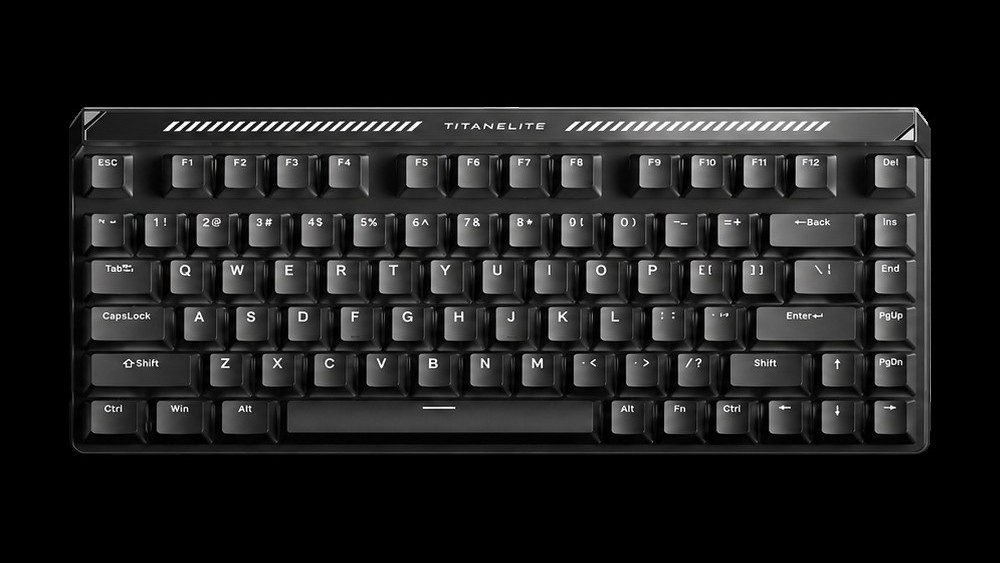
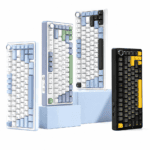
Per comprendere questo cambiamento, mettiamo a confronto due popolari tastiere con layout 75%: la AULA F75, una scheda meccanica matura e raffinata, e la MADLIONS TITAN75 Turbo, un potente interruttore ad effetto Hall di livello ammiraglia.
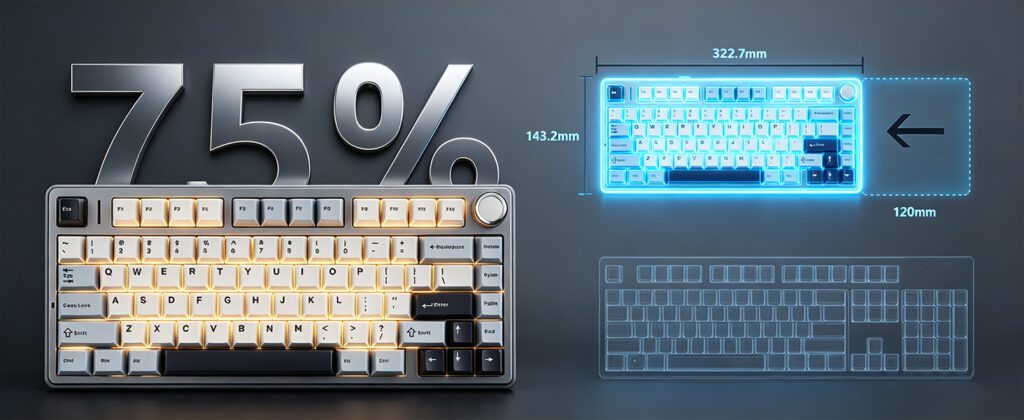
Hanno le stesse dimensioni compatte, ma sotto il cofano non potrebbero essere più diverse. Quindi la vera domanda è: In cosa differiscono queste due tastiere e quale si adatta meglio alle tue esigenze?
In questa guida, analizzeremo il confronto in base a quattro dimensioni principali: principi tecnici, prestazioni, sensazione di digitazione e casi d'uso reali.
Parte 1: Il nucleo tecnico — Due logiche di attivazione fondamentalmente diverse
1.1 Interruttori meccanici tradizionali: una “conversazione fisica” di contatti metallici
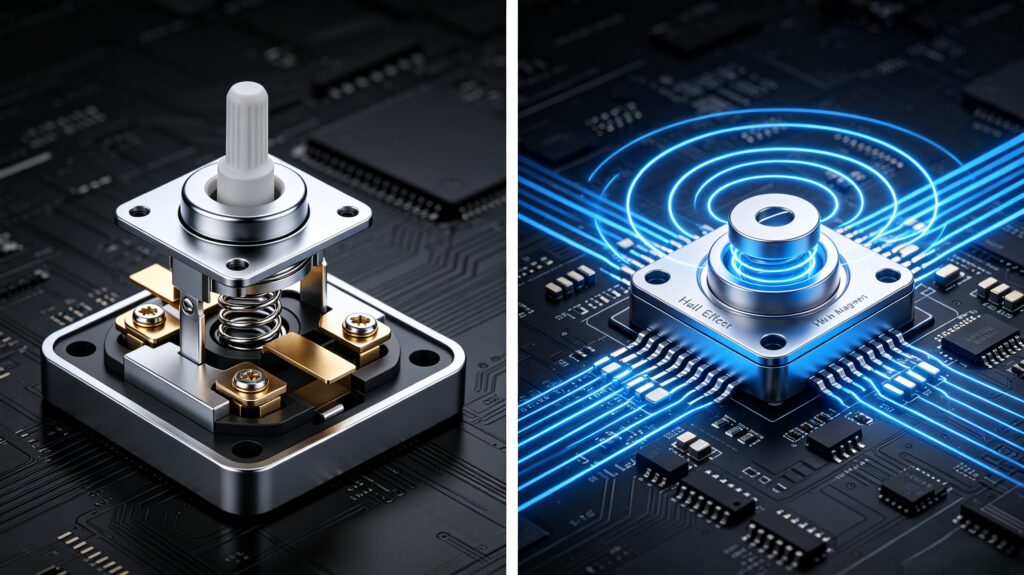
L'interruttore meccanico classico funziona tramite contatto fisico diretto. Quando si preme un tasto, le lamelle metalliche si toccano per chiudere il circuito: premere → il contatto si chiude → il segnale si attiva.
- Rimbalzo fisico: Questo contatto genera rumore elettrico, che richiede un "ritardo di debounce" (in genere 5-20 ms) per essere filtrato.
- Attuazione fissa: Il punto di attivazione è determinato dalla conformazione fisica dell'interruttore (ad esempio, un interruttore rosso si attiva a circa 2,0 mm). Modificare la sensazione al tocco significa sostituire completamente l'interruttore.
1.2 Interruttori ad effetto Hall: la rivoluzione "senza contatto"
Gli interruttori a effetto Hall si basano sul rilevamento del campo magnetico anziché sul contatto fisico. Un magnete incorporato nello stelo si sposta quando si preme, e un sensore Hall rileva questa variazione convertendola in un segnale elettrico.
- Nessun contatto fisico: Nessuna usura, nessuna ossidazione e nessun rimbalzo di contatto.
- Controllo analogico: Il sensore rileva la profondità di spostamento esatta in tempo reale, consentendo un vero e proprio input "analogico" anziché un semplice interruttore "acceso/spento".
1.3 Posizionamento dei due prodotti
- AULA F75: Una soluzione meccanica matura e ben realizzata, dotata di interruttori pre-lubrificati e di una scheda PCBA sostituibile a caldo.
- MADLIONS TITAN75 Turbo: Una soluzione di punta a effetto Hall basata su interruttori a effetto Hall Fuguang di alta qualità.
Parte 2: Scontro di prestazioni — La vittoria si decide in millisecondi
2.1 Velocità di risposta
- AULA F75: Frequenza di polling di 1000 Hz, con latenza cablata di circa 4,6 ms.
- TITAN75 Turbo: Una frequenza di polling di 8000Hz, una frequenza di scansione di 256K e una latenza minima di 0,08 ms.
- Analisi: Sulla carta, questo divario può sembrare insignificante, ma negli scenari degli sparatutto in prima persona, come il counter-strafing e i colpi rapidi, dove i millisecondi decidono l'esito, diventa di enorme importanza.
2.2 Precisione e regolabilità dell'azionamento
- AULA F75: Punto di attivazione fisso. Per modificarne la sensazione, è necessario scambiare fisicamente gli interruttori.
- TITAN75 Turbo: Precisione RT di 0,001 mm, con un intervallo di attuazione completamente regolabile di 0,001–3,0 mm su ogni tasto.
- Il momento clou: IL Grilletto Rapido (RT) La funzione si ripristina nell'istante in cui sollevi il dito, offrendo "attivazione rapida + ripristino rapido" per input ripetuti fulminei.
2.3 Connettività
- AULA F75: Connessione wireless trimodale (Bluetooth 5.0 / 2.4GHz / cablata) supportata da una batteria di grande capacità da 4000 mAh.
- TITAN75 Turbo: Doppia porta USB-C (una per lato), con connessione cablata prioritaria per massime prestazioni.
- Analisi: Si tratta della comodità del wireless contrapposta a prestazioni senza compromessi: una netta differenza nella filosofia di progettazione.
2.4 Durata e resistenza
- Interruttori meccanici: Si stima una durata di circa 50-100 milioni di presse, con il rischio di usura e problemi di doppio clic nel tempo.
- Interruttori ad effetto Hall: Oltre 100 milioni di stampe, senza usura da contatto fisico e con una consistenza superiore nel lungo termine.
Parte 3: Sensazione e suono: ogni tasto premuto conta
3.1 Sensazione di digitazione
- AULA F75: Offre una gamma di tipi di interruttori — lineari, tattili e a scatto — per soddisfare ogni preferenza.
- TITAN75 Turbo: Sensazione di digitazione puramente lineare (interruttori Fuguang ad effetto Hall, 37±5gf), senza alcun feedback tattile.
- La “limitazione della sensazione” degli interruttori ad effetto Hall: Oggigiorno quasi tutti gli interruttori a effetto Hall sono lineari, privi della conferma tattile di un interruttore Blue o del feedback morbido di un interruttore Brown.
3.2 Profilo sonoro
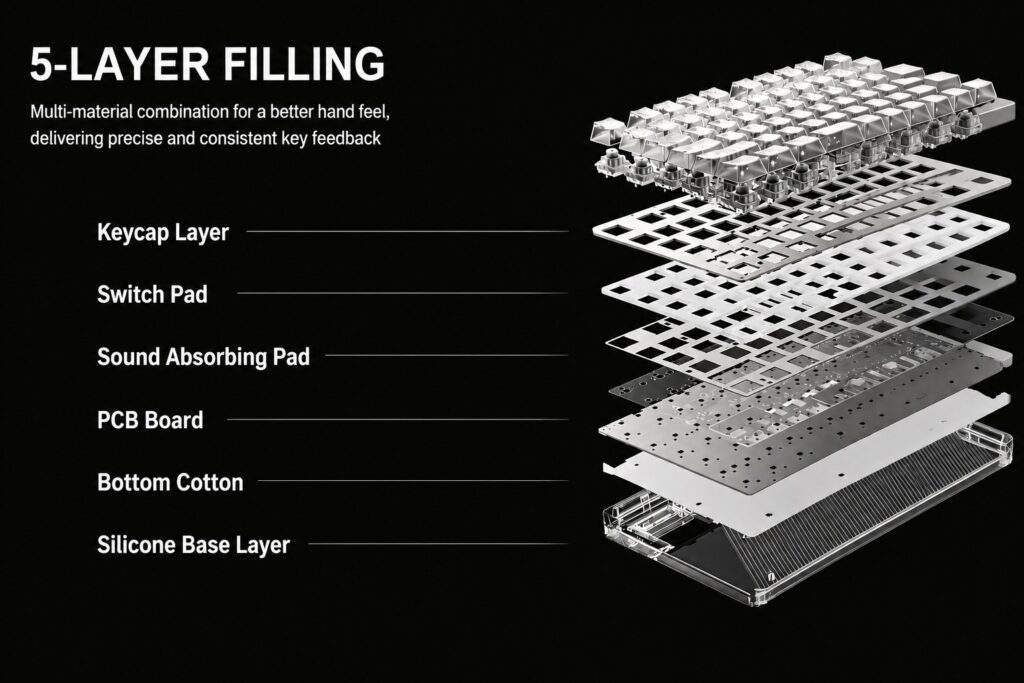
- AULA F75: Una struttura di smorzamento a cinque strati (cuscinetto in silicone + schiuma Poron + cuscinetto in PET + cuscinetto in IXPE + piastra in schiuma Poron) offre un suono "sordo" appagante fin dal primo utilizzo.
- TITAN75 Turbo: Lo stesso sistema di smorzamento a cinque strati, abbinato a una piastra di posizionamento in alluminio, garantisce un'esperienza acustica di livello Hi-Fi.
- Entrambi raggiungono un'acustica eccellente attraverso percorsi diversi, sebbene gli interruttori meccanici offrano una gamma più ampia di sonorità (il clic nitido dei Blue, il calore ovattato dei Brown e altro ancora).
3.3 Potenziale di personalizzazione
- AULA F75: Supporto hot-swap completo, compatibile con interruttori a 3 e 5 pin, con tasti liberamente intercambiabili.
- TITAN75 Turbo: Supporto completo hot-swap, che consente di combinare diversi interruttori a effetto Hall.
- Nota: La sostituzione a caldo tramite effetto Hall è ancora una tendenza emergente e la varietà di switch disponibili rimane molto più limitata rispetto all'ecosistema meccanico.
Parte 4: Casi d'uso: a chi è destinato ciascuno?
4.1 Giochi
- FPS (CS2 / Valorant): La funzione RT del TITAN75 Turbo rappresenta praticamente un "vantaggio hardware", aumentando drasticamente le probabilità di successo nelle azioni di contro-strafing. L'AULA F75 semplicemente non riesce a tenere il passo in questo ambito.
- MOBA / RPG: Laddove è difficile sfruttare i vantaggi dell'effetto Hall, la stabilità e la sensazione di guida matura dell'AULA F75 si rivelano in realtà la scelta migliore.
- Giochi ritmici/di combattimento: La latenza estremamente bassa e la corsa regolabile del TITAN75 Turbo offrono un netto vantaggio.
4.2 Digitazione in ufficio e nella vita di tutti i giorni
- AULA F75: Grazie alle diverse opzioni di interruttori e al feedback tattile di conferma, è più comodo anche per lunghe sessioni di digitazione.
- TITAN75 Turbo: Gli interruttori lineari non offrono un riscontro tattile e impostare una corsa di azionamento troppo superficiale può facilmente portare a input accidentali.
- Porta via: A meno che tu non sia un giocatore di FPS incallito, pensaci bene prima di scegliere una scheda madre con effetto Hall come scheda principale.
4.3 Configurazioni multi-dispositivo
- AULA F75: La connettività wireless trimodale, unita all'ampia compatibilità con i sistemi, garantisce un ordine sulla scrivania decisamente superiore.
- TITAN75 Turbo: Priorità alla connessione cablata; le due porte USB-C servono esclusivamente per il passaggio dei cavi.
Parte 5: Tecnologia e valore — Comprendere l'investimento
5.1 Struttura dei costi
Le due tastiere sono costruite su basi di costo molto diverse:
- Gli interruttori a effetto Hall costano di più: Richiedono sensori di Hall, algoritmi ad alta precisione e un microcontrollore a 8K.
- Le tastiere meccaniche sono ormai mature: Interruttori, controller e stampi sono stati tutti completamente ammortizzati nel corso degli anni di produzione.
5.2 Quale offre un valore maggiore?
- Per i giocatori di FPS competitivi: IL TITAN75 Turbo‘Il prezzo elevato di ' è ampiamente giustificato dalle sue prestazioni.
- Per utenti quotidiani e d'ufficio: IL AULA F75 Offre un valore complessivo imbattibile.
- La domanda fondamentale da porsi è: Hai davvero bisogno di quella latenza di 0,08 ms e di Rapid Trigger?
Conclusione: non esiste un “migliore”, ma solo la “soluzione giusta”.”
Le tastiere a effetto Hall e le tastiere meccaniche non sono rivali che si sostituiscono a vicenda: sono due risposte diverse a due esigenze diverse.
IL MADLIONS TITAN75 Turbo è un pezzo di “attrezzatura specializzata” nato per le competizioni FPS, mentre il AULA F75 è il compagno ideale per ogni occasione, pronto sia per il lavoro che per il tempo libero.
Guida rapida all'acquisto
| La tua situazione | Raccomandazione |
|---|---|
| Principalmente giochi FPS/ritmici, alla ricerca delle massime prestazioni | TITAN75 Turbo |
| Principalmente lavoro d'ufficio, qualche partita occasionale. | AULA F75 |
| Desideri una tastiera versatile per tutto? | AULA F75 |
| Giocatore professionista/hardcore di eSport | TITAN75 Turbo |
| Adoro sperimentare con gli interruttori e le diverse sensazioni. | AULA F75 |
| Disponibile a pagare per le nuove tecnologie e la massima reattività | TITAN75 Turbo |
 English
  German
  Portuguese
  Spanish
  Italian
  Finnish
  French
  Japanese
  Korean
  Swedish