
Por qué un nuevo juego de teclas se siente como un teclado completamente nuevo
¿Alguna vez has cambiado las teclas del teclado? mismo ¿Alguna vez has tecleado en un teclado y de repente has sentido que estabas escribiendo en algo completamente diferente? No te lo estás imaginando.
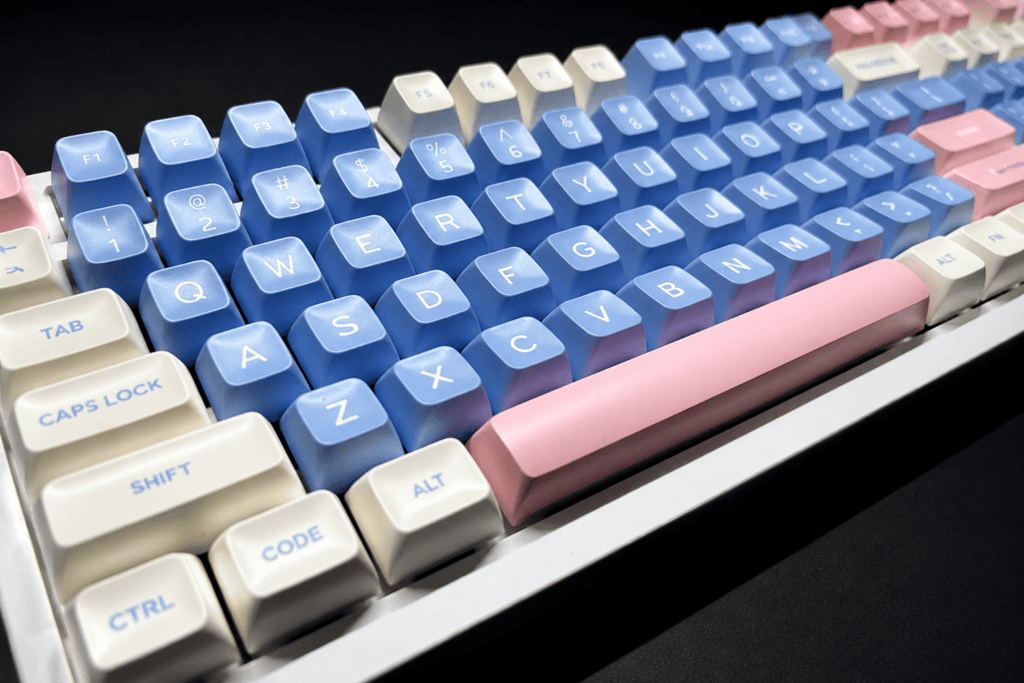
La altura de las teclas es el primer factor determinante en la sensación al usar un teclado. Los mismos interruptores, la misma carcasa, todo igual, pero si le pones un juego de teclas SA altas y esculpidas en lugar de un juego Cherry de perfil bajo, la experiencia de escritura se transforma por completo. A algunos les encanta la estética retro de las teclas esféricas altas; otros prefieren el clic preciso y eficiente del perfil Cherry. No hay una respuesta incorrecta, solo lo que mejor se adapte a ti. su manos.
Si eres nuevo en este pasatiempo, términos como Cereza, OEM, MDA, SA, XDA y DSA Puede resultar abrumador. Esta guía utiliza una comparación de perfiles lado a lado y datos de medición reales para ayudarte a construir un modelo mental completo de la altura de las teclas en una sola lectura.
La comparación maestra: Todas las alturas de un vistazo
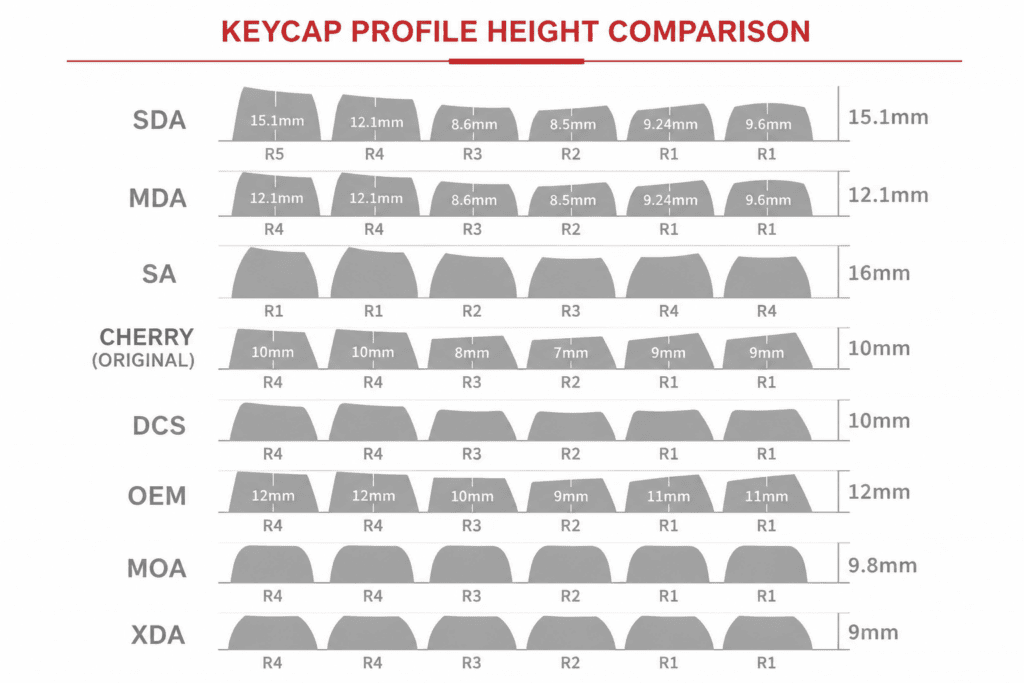
La forma más clara de entender los perfiles de las teclas es alinearlos en silueta de vista lateral: Cereza, OEM, MDA, SA, XDA y DSA.
De inmediato, surgen tres familias:
- Gorras esculpidas altísimas → SA y OSA (alto, esférico, dramático)
- Perfiles de altura media → MDA y OEM (equilibrado, para uso diario)
- Gorras planas “uniformes” → XDA y DSA (bajo, minimalista, sin variación de filas)
Aquí están los datos medidos para el Fila R4 (la más alta) y Fila R1 (la más baja):
| Perfil | Altura R4 | Altura R1 | Rasgo distintivo |
|---|---|---|---|
| AOS | ~14,4 mm | ~11,4 mm | Una de las tapas esféricas más altas, con una parte superior más grande. |
| Sudáfrica | ~13,95 mm | ~12,7 mm | Estilo clásico, alto y esculpido, de estilo retro. |
| MDA | ~12,36 mm | ~8,56 mm | Ligeramente más alto que Cherry, gran superficie de contacto. |
| OEM | ~10,5 mm | ~7,1 mm | Es la más común a nivel mundial, un poco más alta que Cherry. |
| Cereza | ~9,81 mm | ~8,59 mm | Escalera clásica esculpida, el estándar de la industria. |
| XDA | ~9,56 mm (uniforme) | Uniforme | Perfil plano, primera altura diseñada de forma independiente |
| DSA | Inferior a XDA | Uniforme | Esférico plano, minimalista y refinado. |
Llevar: Cuanto más arriba se sube en esta tabla, más "ceremonia" y carácter clásico se obtiene, pero a menudo a costa de la comodidad al teclear sin un reposamuñecas.
Desglose perfil por perfil
Analicemos cómo se siente cada altura en el uso diario.
Perfil Cherry: el estándar original
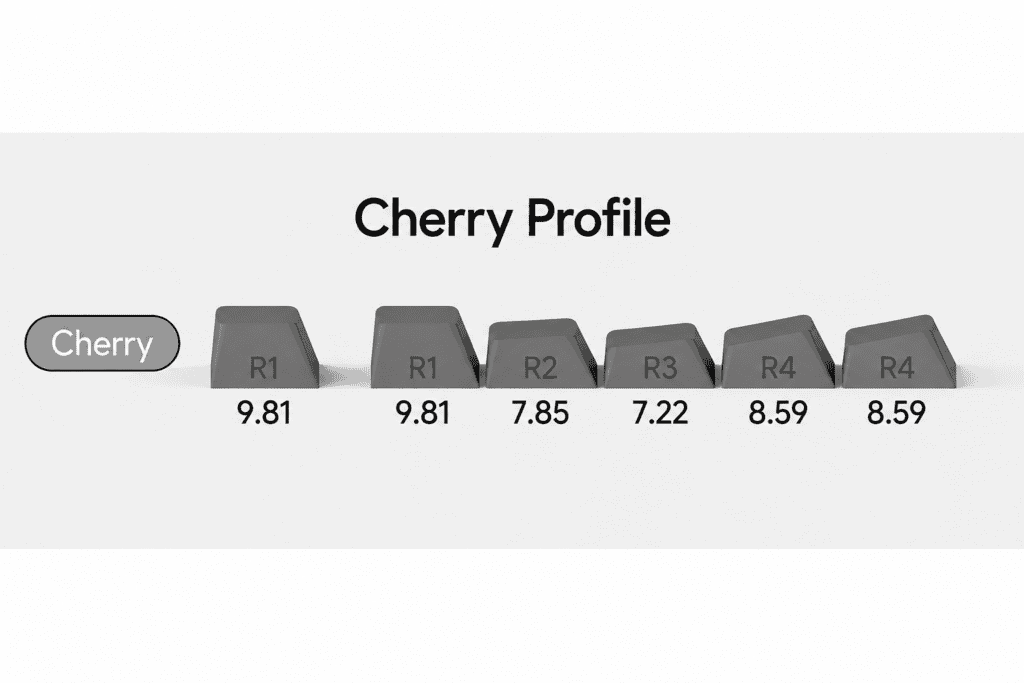
El perfil Cherry coincide con la altura clásica de las teclas utilizadas en los teclados de Cherry. Su disposición en filas sigue el R1-R1-R2-R3-R4-R4 escalera, creando una curva suave y esculpida.
Durante largas sesiones de escritura, este diseño permite que tus dedos se muevan de una manera arco natural, reduciendo la fatiga. Es preciso, eficiente y la opción más segura para casi cualquier persona; no te impresionará, pero nunca te defraudará.
Perfil OEM: la configuración predeterminada para el día a día
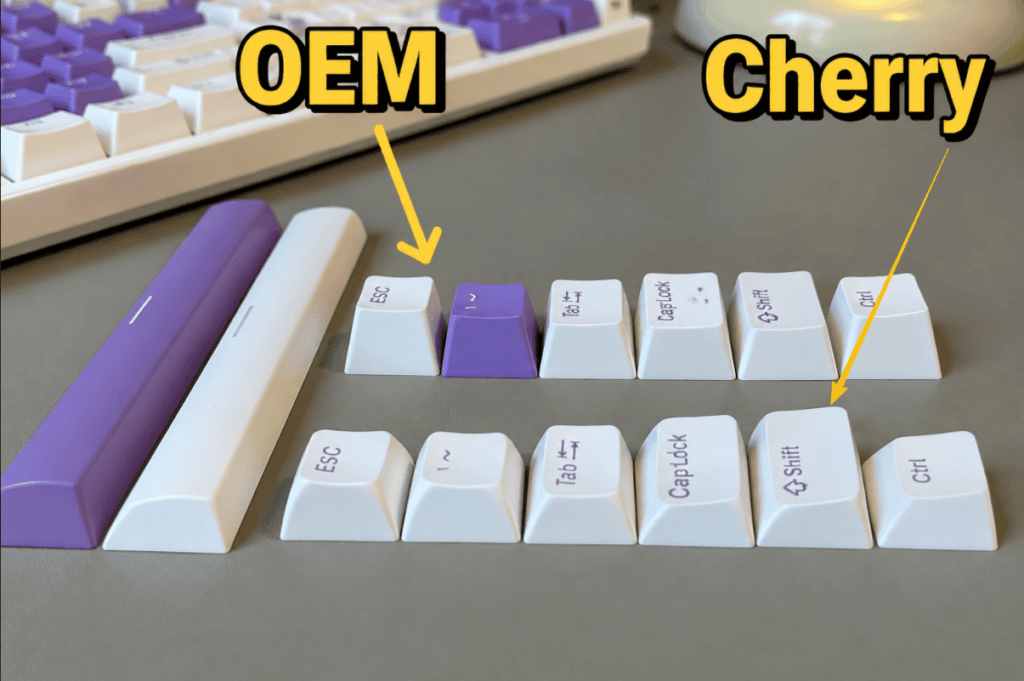
OEM significa estándar de fabricación de terceros. Es ligeramente más alto que la variedad Cherry, con una curva ligeramente más pronunciada, lo que la convierte en el perfil más común del mercado.
Si estás acostumbrado a OEM y vuelves a Cherry, sentirás que "no estás tocando fondo". OEM es ideal para principiantes precisamente porque esa altura extra proporciona una mayor sensación de Información clave sobre viajes y confirmación con cada pulsación.
Perfil de MDA: Lo mejor de ambos mundos
MDA se sitúa un poco más alto que Cherry con un mayor superficie de contacto. Piénsalo como un híbrido "SA corto + OEM amplio", que se sitúa entre OEM y SA.
Sus bordes son más redondeados y sus curvas más suaves, por lo que las yemas de los dedos se sienten delicadas. acunado En lugar de ser pinchada. Ideal para mecanógrafos maratonianos que desean una zona de aterrizaje suave, amplia y tolerante.
Perfil de Sudáfrica: El espectáculo estrella
Las gorras esculpidas de SA se mantienen casi el doble de alto como Cherry, con platos esféricos profundos y una silueta redondeada. Las filas suelen seguir el R1-R1-R2-R3-R4-R3 patrón.
Su estética es inigualable: puro drama retro sobre el escritorio. La desventaja: una superficie de contacto con la punta de los dedos más pequeña, que puede cansar las manos sin un reposamuñecas. Si te apetece teclear ceremonia En cuanto a la estética del escritorio, SA es esencial; simplemente combínalo con un reposamuñecas si escribes miles de palabras al día.
Perfil XDA: plano y refinado
XDA es un altura uniforme Perfil (todas las filas idénticas): un diseño plano derivado de DSA. Su superficie amplia y uniforme resulta ideal para usuarios con dedos más anchos y ofrece un aspecto limpio y minimalista.
El inconveniente: no hay escalera de altura completa. fallos más fáciles Si tus dedos tienden a moverse rápidamente entre las teclas.
Perfil DSA: Minimalismo aún más bajo
DSA es una esférico uniforme bajo Tapa más corta que la XDA, sin variación R1–R4. Es la favorita de los minimalistas: plana, discreta y elegantemente sencilla. Sin embargo, al igual que la XDA, su diseño plano conlleva el mismo riesgo de tocarla accidentalmente.
¿Qué perfil debería elegir?
Aquí tienes una tabla de decisión rápida para que encuentres la altura adecuada según tus necesidades.
| Tu prioridad | Perfil recomendado | Por qué |
|---|---|---|
| Largas sesiones de escritura, máxima comodidad. | Cereza / MDA | La cereza es fiable; la amplia superficie de MDA se siente suave. |
| Soy nuevo en este hobby y no estoy seguro. | OEM | Lo más común, curva de aprendizaje más baja |
| Estética y configuración del escritorio | SA / OSA | Diseño retro esculpido y dramático (añadir un reposamuñecas) |
| Estilo limpio y minimalista | XDA / DSA | Perfil plano, visualmente uniforme |
| Dedos más anchos, odio los golpes fallidos | XDA / MDA | Mayor superficie de contacto, aterrizajes estables. |
La conclusión principal: Si no sabes por dónde empezar, opta por Cherry o el fabricante original (OEM). Si tienes claro el estilo que buscas, la tabla de arriba te indicará cómo conseguirlo.
¿Listo para cambiar la "altura" de tu teclado?
Si esta guía te convenció para probar un nuevo conjunto, vale la pena echar un vistazo a la sección de teclas en el Tienda oficial del teclado de efecto Hall. Disponen de una amplia gama de perfiles. Cereza, OEM, ASA, JDA, OSA, MOA, MOG y MAO Así que, tanto si te encanta la sensación clásica de Cherry como si prefieres experimentar con teclas esféricas altas, hay una opción perfecta para ti.
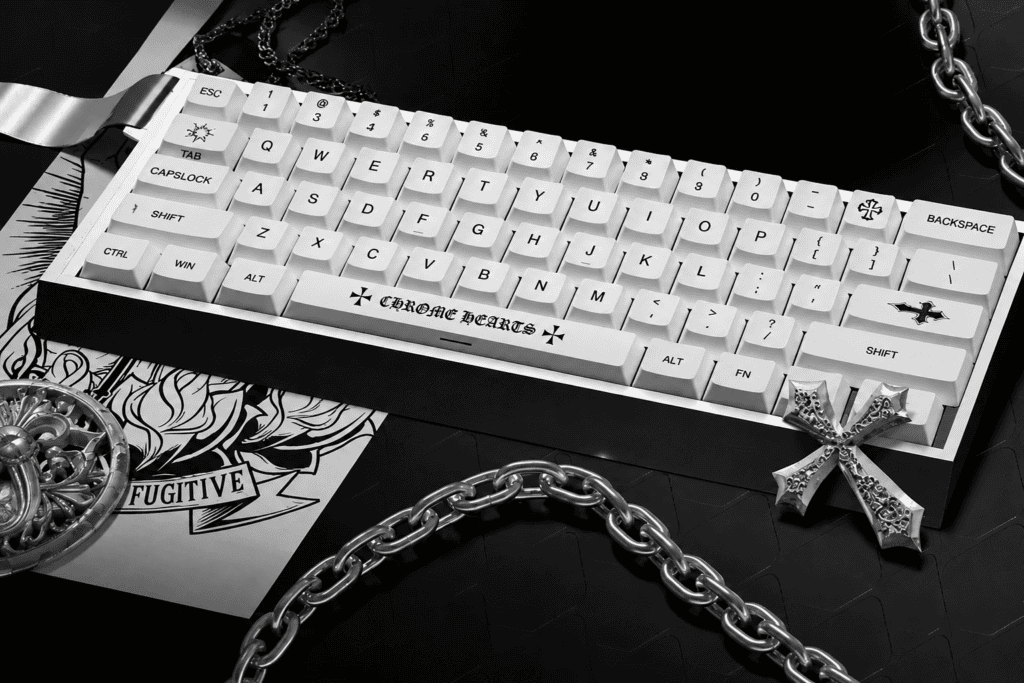
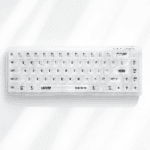
Uno de los más destacados es el Juego de teclas PBT con efecto de brillo lateral inspiradas en Chrome Hearts. Utiliza comodidad Perfil de cereza con durabilidad PBT Material y impresión por sublimación de tinta de cinco lados, para que las leyendas nunca se desgasten. El diseño brillante grabado en el lateral permite que tu RGB brille desde los lados de cada tapa, manteniendo la comodidad del perfil Cherry a la vez que añade un gran impacto visual. Es compatible con 61/64/68/75/84/87/98/104/108 Diseños que se adaptan a todo, desde placas 60% hasta placas de tamaño completo.
Consejo profesional: Antes de cambiar las teclas, confirma la compatibilidad de tus interruptores. Los teclados con interruptores magnéticos de efecto Hall tienen requisitos de teclas similares a los de los interruptores mecánicos; pero siempre verifica que el vástago en forma de cruz (+) coincida con tus interruptores magnéticos.
Última palabra
La altura de las teclas no es solo una especificación, es el cambio más importante que puedes hacer en tu teclado. sentimientos sin tocar un solo interruptor. Ya sea que busques el imponente encanto retro de SA, la confiabilidad diaria de Cherry o la elegante uniformidad de DSA, el perfil perfecto es el que desaparece bajo tus dedos y simplemente se siente bien.
 English
  German
  Portuguese
  Spanish
  Italian
  Finnish
  French
  Japanese
  Korean
  Swedish