
소개: "키보드에 적응하기"에서 "키보드가 나에게 적응하도록 만들기"로“
곰곰이 생각해 볼 만한 질문이 있습니다. 당신은 키보드를 사용하는가, 아니면 키보드에 휘둘리는가?
대부분의 사람들은 평생을 바쳐 살아갑니다. 적응하다 사람들은 키보드에 적응하기 위해 레이아웃, 키감, 제조사가 정해놓은 모든 키 기능에 맞춰 적응합니다. 하지만 키보드 커스터마이징의 진정한 본질은 정반대입니다. 키보드가 사용자에게 맞춰지도록 합니다.
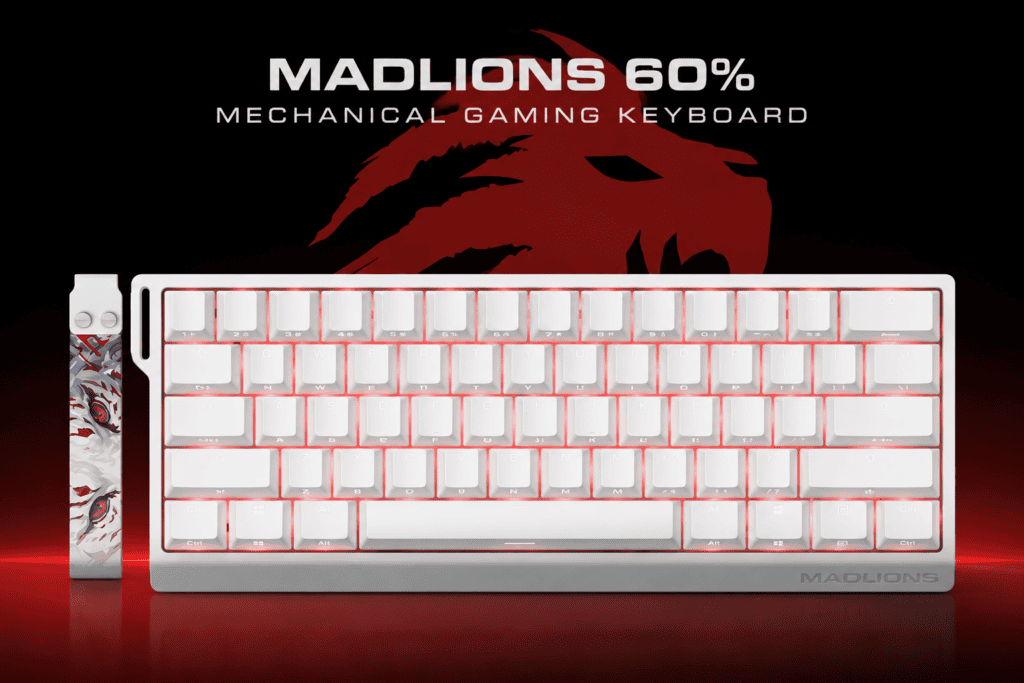
이 가이드에서는 키보드 사용자 지정의 세 가지 단계를 자세히 살펴보겠습니다.리매핑, 레이어 및 매크로—사용 매들리온스 MAD60HE 자기 스위치 키보드를 예로 들어보겠습니다. 이 글을 끝까지 읽으시면, 진정으로 맞춤 설정 가능한 키보드가 단순히 참는 도구에서 사용자의 의지에 완벽하게 부합하는 도구로 변모하는 과정을 확인하실 수 있을 것입니다.
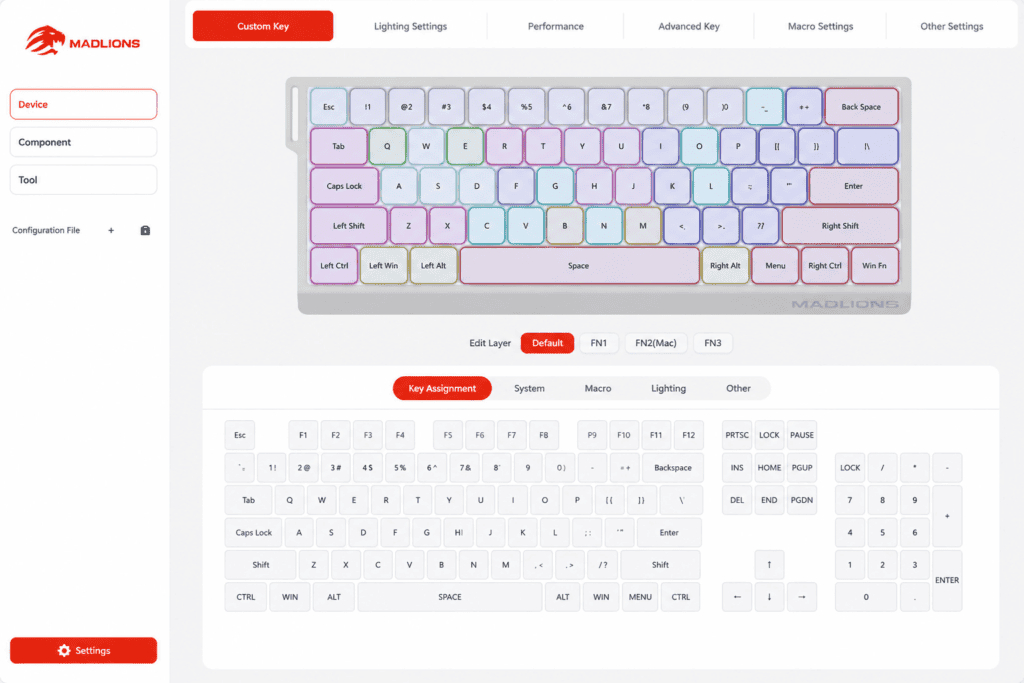
1단계: 재구성 — “수용”에서 “반항”으로”
리매핑이란 무엇인가요? 가장 간단한 형태의 맞춤 설정은 사용하지 않는 키를 실제로 필요한 기능으로 바꾸는 것입니다.
대부분의 사람들은 자신이 사용하는 키보드 레이아웃을 절대적인 진리처럼 여깁니다. Caps Lock ~ 해야 하다 Caps Lock 키입니다. Insert 키를 누르세요. ~ 해야 하다 그냥 거기에 앉아서 무슨 일을 하든 간에, 만약 당신이 그 키들을 전혀 사용하지 않는다면, 손가락 아래 공간만 낭비되는 셈이죠.
리매핑의 철학은 간단합니다. 키보드의 모든 키는 각각 고유한 기능을 가져야 합니다. 너 필요 - 제조업체의 핵심이 아닙니다. 생각한다 당신에게 필요한 것.
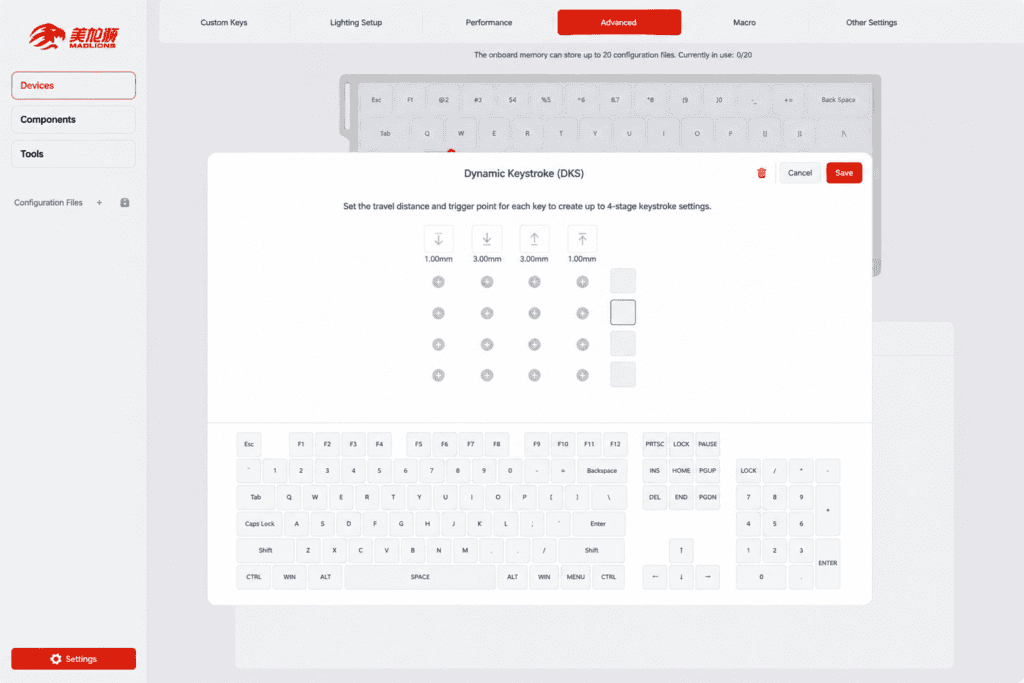
바로 이 부분에서 MAD60HE의 진가가 드러납니다. MADLIONS 온라인 소프트웨어다운로드나 설치 없이 브라우저만 열면 어떤 키든 원하는 기능으로 손쉽게 재매핑할 수 있습니다. 리뷰어들은 이 소프트웨어를 홀 효과 키보드의 "영혼"이라고 표현하곤 합니다. 하드웨어는 몸체에 불과하지만, 소프트웨어는 사용자가 실제로 무엇을 할 수 있는지를 결정한다는 의미입니다. 하다 그것과 함께라면. MAD60HE는 플러그를 꽂는 순간 당신에게 그 영혼을 선사합니다.
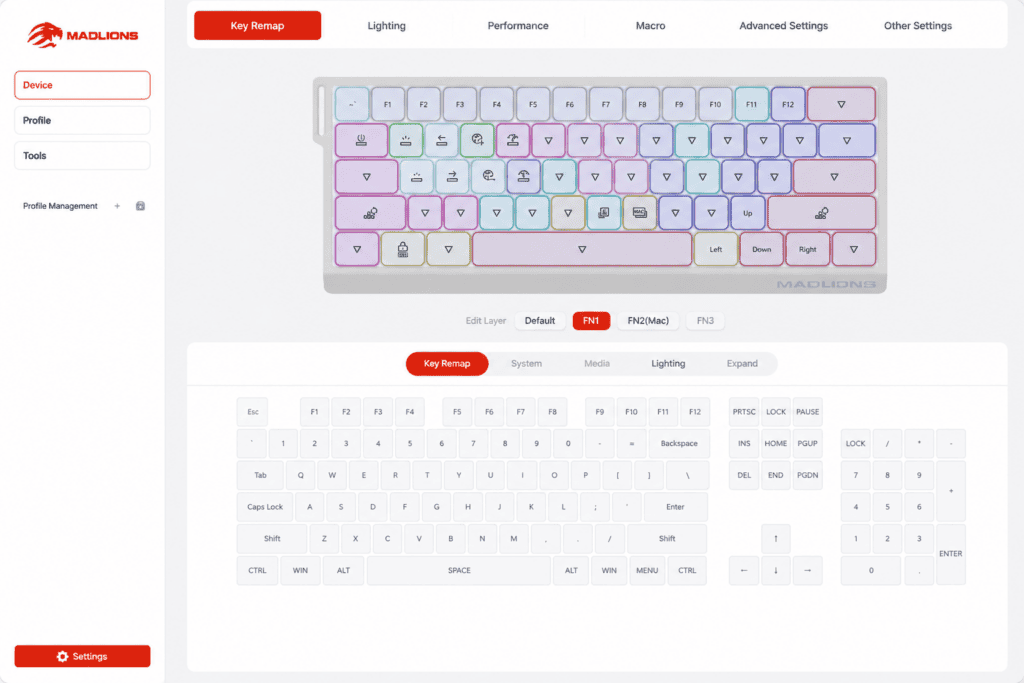
2단계: 키보드 레이어 — 60% 키보드의 "숨겨진 차원"
레이어란 무엇인가요? Fn 키를 누른 상태로 유지하면 모든 키가 다른 기능으로 전환됩니다. 동일한 물리적 버튼이 현재 레이어에 따라 완전히 다른 기능을 수행합니다.
이것이 바로 60% 키보드의 핵심 생존 철학입니다. 숫자 키패드도 없고, 방향키도 없고, F열 키도 없는데, 어떻게 사용해야 할까요? 레이어.
레이어의 핵심은 바로 이것입니다. 물리적인 키 개수는 바꾸지 않고, 무한대에 가까운 키들을 쌓아 올릴 수 있다는 것입니다. 가상 키보드 동일한 하드웨어 위에 소프트웨어를 통해 구현됩니다. 게임용 레이어, 코딩용 레이어, 비디오 편집용 레이어가 각각 따로 존재하며, 키 하나만 누르면 키보드 전체가 완전히 바뀝니다.
레이어의 철학: 당신은 사용하지 않고 있습니다 하나 키보드를 사용하고 계십니다. 다수의 키보드를 하나의 하드웨어에 쌓아 올린 형태.
그만큼 MAD60HE의 컴팩트한 60% 레이아웃 ~이다 목적에 맞게 제작된 레이어 구조입니다. 키 배열이 촘촘하며, 없어진 방향키와 기능 키는 Fn 레이어를 통해 모두 복구됩니다. ~와 결합되어 있습니다. 동적 작동 설정, 심지어 같은 키에 대해 레이어마다 완전히 다른 트리거 깊이를 부여할 수도 있습니다. 매우 빠른 속도입니다. 0.01mm 게임 레이어에서, 그리고 흔들림 없는 2.0mm 타이핑 레이어에 적용됩니다. 모듈식 PCB, 위치 지정 플레이트 및 내부 패딩으로 제작되었기 때문에 애호가들은 저렴한 비용으로 맞춤형 키보드를 제작하기 위해 부품을 분해할 수도 있습니다. 이는 "레이어" 개념을 하드웨어로 확장한 것입니다.
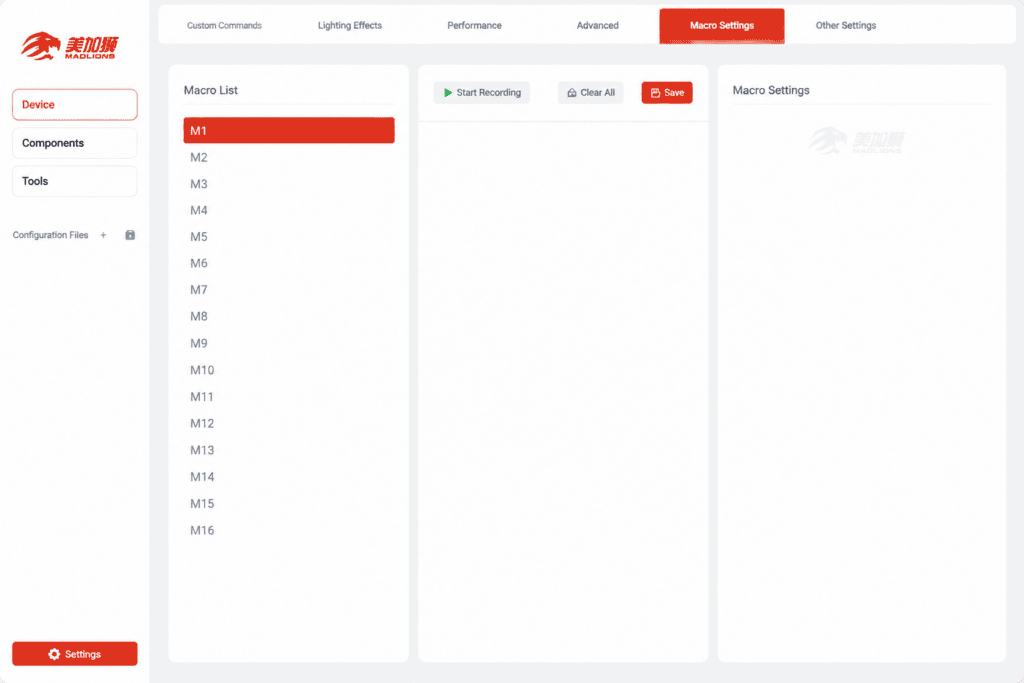
3단계: 매크로 — 일련의 동작을 하나의 키로 실행하기
매크로란 무엇인가요? 일련의 동작을 기록하고, 이를 하나의 키에 연결한 다음, 한 번의 키 누름으로 전체 동작을 실행하는 것입니다.
- 간단한 매크로: 이메일 주소를 입력하는 데 키 하나만 누르면 되고, 업무에 필요한 모든 앱을 실행하는 데 키 하나만 누르면 됩니다.
- 고급 매크로: 게임 내 콤보, 복잡한 다단계 연계 공격, 그리고 빠른 연쇄 공격.
거시경제학의 철학: 선회 행위 ~ 안으로 명령. 이제 일련의 단계를 수행하는 것이 아니라, 단 하나의 명령을 내리고 기계가 이를 실행하도록 하는 것입니다.
MADLIONS 온라인 소프트웨어를 사용하면 매크로 설정이 간편합니다. MAD60HE는 이를 지원합니다. 최대 20개의 사용자 지정 매크로 코드. FPS 게임에서의 빠른 연사든 RPG 게임에서의 복잡한 콤보 공격이든, MADLIONS는 비교할 수 없는 경험을 제공합니다. 또한 브라우저 기반 소프트웨어이기 때문에 더욱 뛰어난 성능을 자랑합니다. 윈도우, macOS, 리눅스, 키보드는 어디든 당신과 함께하며, 설정은 운영 체제에 영향을 받지 않습니다.
융합: MAD60HE의 완벽한 맞춤 설정 모습
MAD60HE의 진정한 차별점은 세 가지 레벨 모두를 사용할 수 있다는 점입니다. 즉시:
| 수준 | MAD60HE 기능 |
|---|---|
| 리매핑 | 브라우저 소프트웨어를 통한 원클릭 키 재매핑 |
| 레이어 | 60% 레이아웃 + 동적 작동 + SOCD 설정 |
| 매크로 | 20개의 사용자 지정 매크로 + 실시간 브라우저 편집 |
게다가, 뛰어난 성능 사양까지 제공됩니다: 8K 투표율, 0.1ms 지연 시간, 그리고 128K 스캔 속도. MAD60HE는 당신에게 둘 중 하나를 선택하도록 강요하지 않습니다. 성능 그리고 맞춤 설정—그것은 당신에게 둘 다 줍니다.
결론: 맞춤 제작의 진정한 의미
우리가 처음 시작했던 곳으로 돌아가 봅시다. 당신은 키보드를 사용하는가, 아니면 키보드에 휘둘리는가?
- 리매핑 모든 키에 대한 제어권을 되찾을 수 있습니다.
- 레이어 제한된 물리적 공간 내에서 무한한 기능적 차원을 제공합니다.
- 매크로 복잡한 작업들을 하나의 프레스로 통합하세요.
컴팩트한 60% 섀시, 원활한 브라우저 기반 소프트웨어, 그리고 완벽한 키 매핑 + 레이어 + 매크로 툴킷을 갖춘 이 제품은 매들리온스 MAD60HE 이는 사용자가 원하는 대로 완벽하게 작동하는 도구의 살아있는 예입니다.
사용자 지정의 최종 목표는 "키를 몇 개나 다시 매핑했는가"가 아닙니다. 바로 이것입니다. 자리에 앉아 키보드에 손을 얹는 순간, 알다이 기계는 전적으로 당신의 의지에 따라 작동합니다.

 English
  German
  Portuguese
  Spanish
  Italian
  Finnish
  French
  Japanese
  Korean
  Swedish