
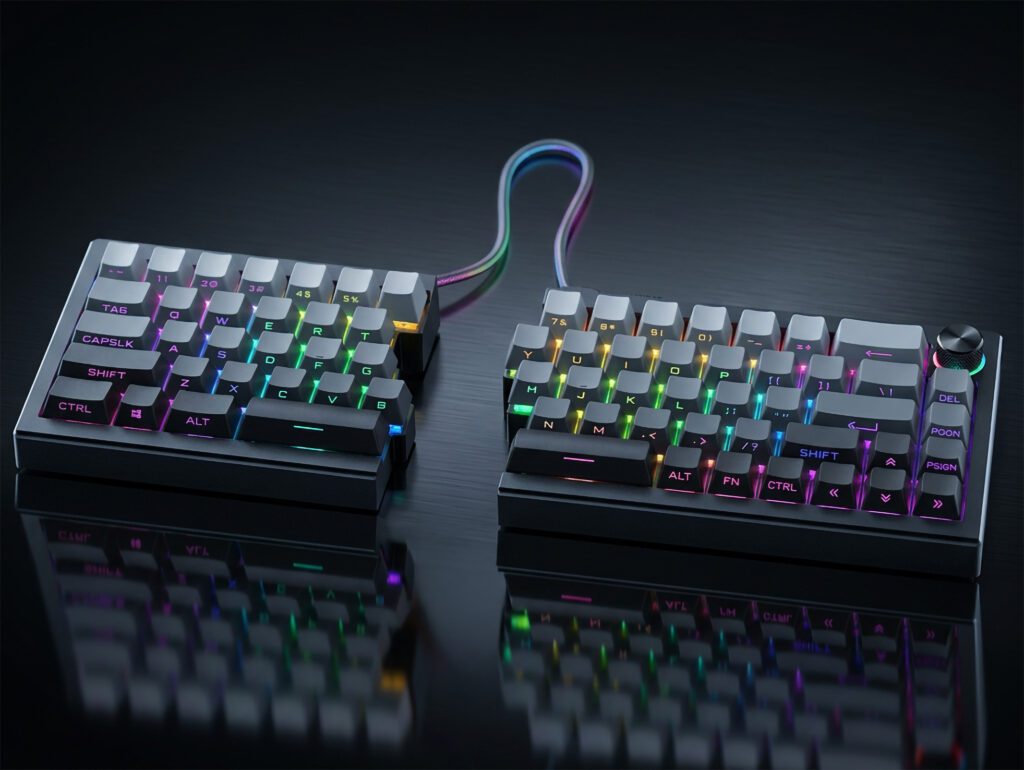
Se sei un giocatore PC competitivo, una tastiera divisa probabilmente ti sembrerà una trappola: ottima per il comfort, pessima per la memoria muscolare.
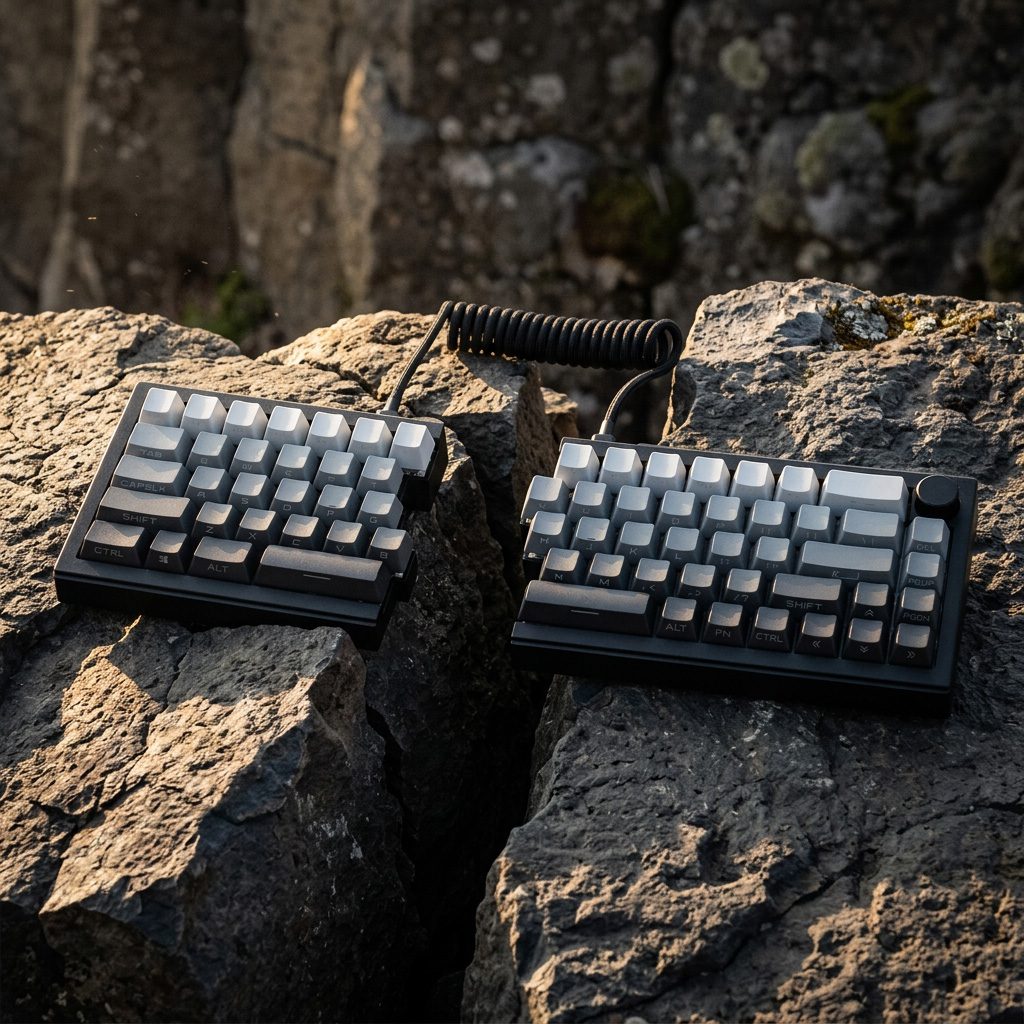
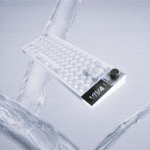
Ecco il verdetto fin da subito: Sì, puoi giocare con una tastiera divisa—e se vuoi una tavola divisa che non ti costringa a un cambiamento di layout permanente, la ZORNHER ST68 è una scelta intelligente e che non deluderà le aspettative.
Ecco perché mi sento di consigliarlo: Si tratta di uno splitter 65% che può anche essere fisicamente collegato in un'unica scheda "più o meno normale". Quel singolo dettaglio conta più di RGB, nomi degli interruttori o aggettivi di marketing, perché ti permette di allenarti in modalità split senza mandare in tilt le tue sessioni classificate.
A chi è destinato:
- Ti piace giocare per lunghe sessioni e desideri comfort come fattore moltiplicatore della costanza.
- Ti interessa avere movimenti fluidi e ridurre al minimo quei momenti in cui "sento la mano indolenzita".
- Sei disposto a fare un breve sprint di adattamento (giorni, non mesi).
Chi dovrebbe evitarlo:
- Desideri una scheda madre specifica per eSport, con benchmark di latenza pubblicati.
- Rifiuti qualsiasi tentativo di interrompere la memoria muscolare.
- Ci si aspetta che la connessione Bluetooth sia identica a quella cablata.
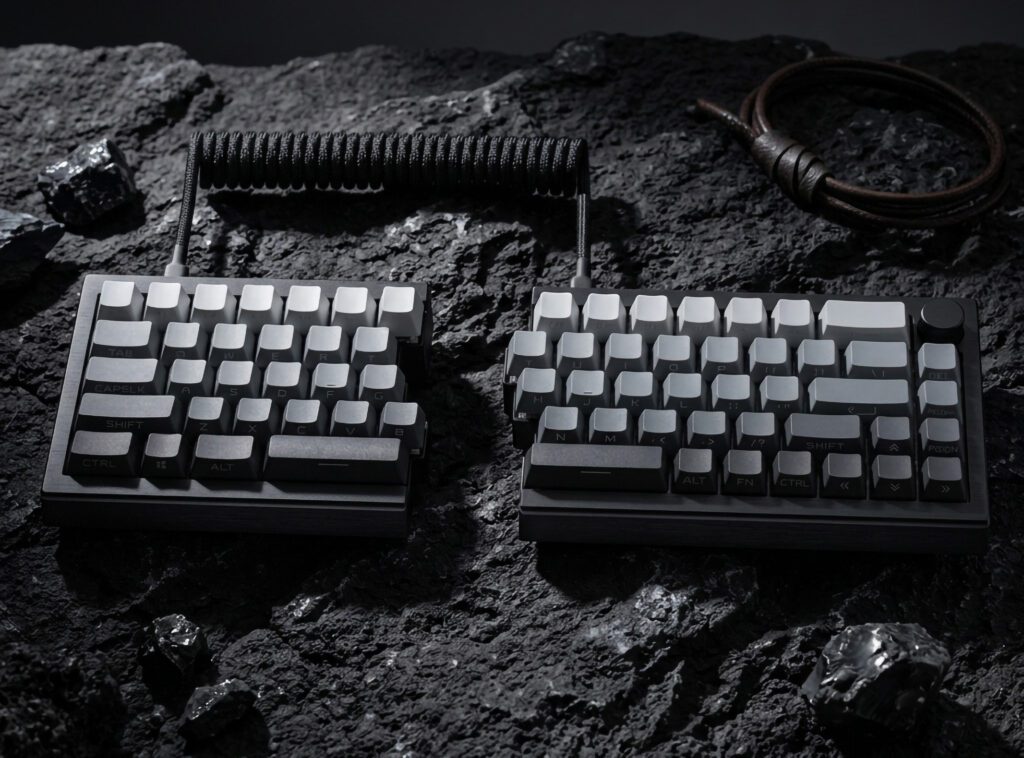
Tastiera divisa ZORNHER ST68 in sintesi (le specifiche più importanti)
Tutto quanto contenuto in questa sezione si basa sulla pagina ufficiale del prodotto ST68.
- Disposizione: Tastiera ergonomica divisa 65%
- Modalità convertibile: può essere collegato tramite un cavo a spirale incluso; la pagina del prodotto lo descrive come convertibile in un più tradizionale stile "TKL" a scheda singola quando collegato
- Connettività: tri-modalità: connessione cablata USB-C, dongle wireless a 2,4 GHz, Bluetooth 5.0
- Multi-dispositivo: passa da un massimo di 5 dispositivi
- Batteria: batteria ricaricabile da 3000 mAh
- Costruzione/sensazione al tatto: struttura montata su guarnizione
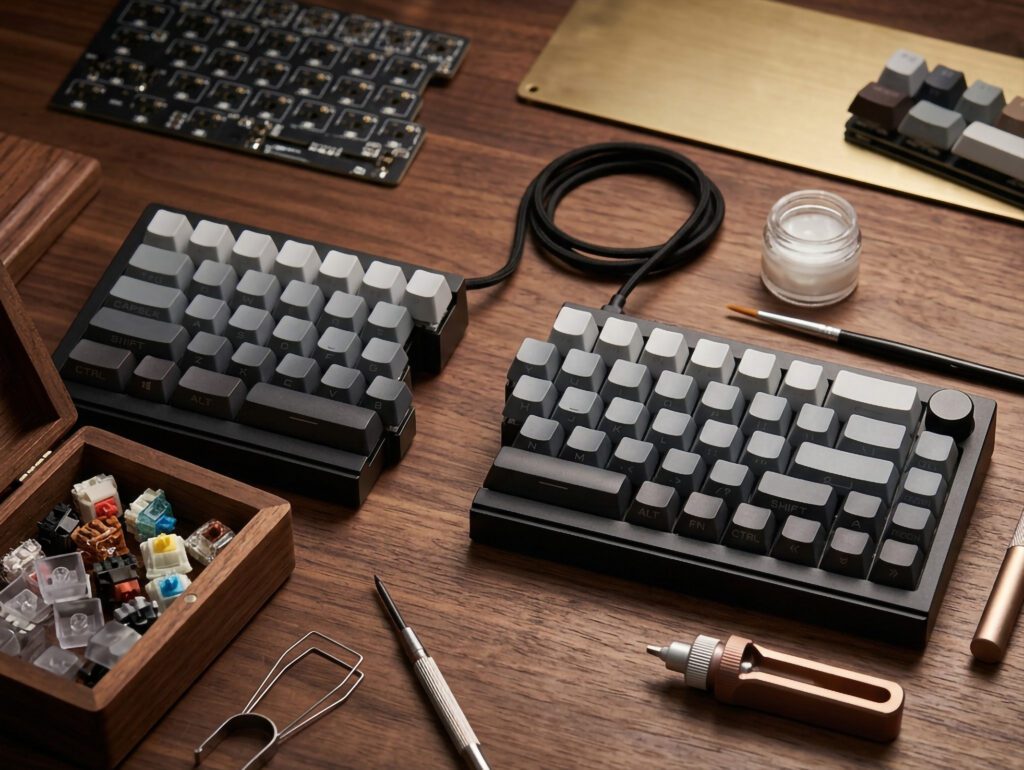
- Supporto per Switch: PCB sostituibile a caldo (3 pin e 5 pin)
- Copritasti: Copritasti in PBT (leggende stampate lateralmente)
- Illuminazione: RGB rivolto a sud + illuminazione dei bordi (22 preset)
- Compatibilità: Windows, macOS, Linux, iOS, Android
- Garanzia: 2 anni
Questo è il sottotesto importante: L'ST68 non cerca di essere uno splitter di nicchia per "appassionati di tastiere". Si posiziona come un sistema split di fascia media, esteticamente gradevole e plug-and-play, dotato di comodità moderne (tri-mode, software, hot-swap) e di una valvola di sicurezza (per ricollegarlo).
Consiglio utile: Trattate le tastiere divise come trattate le modifiche alla sensibilità: se cambiate tutto in una volta, non saprete cosa ha funzionato. Iniziate con un layout stabile e un gioco stabile, poi procedete per tentativi.
È davvero possibile giocare con una tastiera divisa? Sì, se si gestiscono i due rischi reali
Le tastiere divise non ti "rallentano". Sono due le cose che ti rallentano:
- Esprime male (perché la tua mappa della mano è errata)
- Modalità di connessione instabile (perché la tecnologia wireless non è un'unica cosa)
Risolvendo questi problemi, una configurazione a scacchiera divisa diventa fattibile.
Rischio #1: la memoria muscolare della mano e del movimento ti mentirà
La tua mano sinistra è in modalità pilota automatico da anni:
- Dove si trova WASD.
- Quanto lontano arriva il mignolo per premere Ctrl.
- Quanto velocemente riesci a muoverti lateralmente o a contrastare i movimenti laterali senza pensarci.
Quando la geometria cambia, non “ti senti diverso”. commettere piccoli errori sotto stress.
Anche i consigli generici sull'ergonomia nei videogiochi sottolineano il costo dell'adattamento e come questo possa interrompere le abitudini consolidate, soprattutto per i giocatori competitivi (vedi Ragnok's Tastiere meccaniche ergonomiche per il gaming? Tutto quello che devi sapere).
La soluzione non è di natura motivazionale, bensì procedurale:
- Blocca la posizione della metà sinistra per una settimana.
- Non rimappare il movimento durante la fase di adattamento.
- Utilizzare la modalità di collegamento per le partite classificate se stai ancora pensando alla tua tastiera.
⚠️ Attenzione: Se giudichi una tastiera divisa dopo un solo deathmatch, stai misurando principalmente "la velocità con cui il tuo cervello si adatta", non la qualità della tastiera stessa.
Rischio #2: la modalità di connessione scelta modifica la sensazione della tastiera
L'ST68 è trimodale, il che è fantastico, finché non si considerano tutte le modalità equivalenti.
Per il gioco competitivo:
- Cablato rappresenta il punto di riferimento per la stabilità.
- 2,4 GHz Solitamente è la scelta wireless migliore per il gaming.
- Bluetooth La comodità prima di tutto.
Perché? Molte schede tri-mode utilizzano il Bluetooth a una frequenza di polling inferiore rispetto alla connessione cablata/2,4 GHz, e questo può tradursi in input "spugnosi" o con un senso di ritardo durante i movimenti veloci negli sparatutto in prima persona.
Un esempio concreto (non specifico per ST68, ma illustrativo): i test di Tech4Gamers sulla tastiera divisa riportano un polling a 1000Hz su cavo/2.4G rispetto a 125Hz su Bluetooth, con cifre di latenza notevolmente diverse in Recensione di Epomaker Split70: una tastiera divisa che ha davvero senso.
Raccomandazione pratica: trattare cablato o 2,4 GHz come impostazione predefinita competitiva, e tieni il Bluetooth per i viaggi, per le configurazioni da divano o per i giochi non FPS.
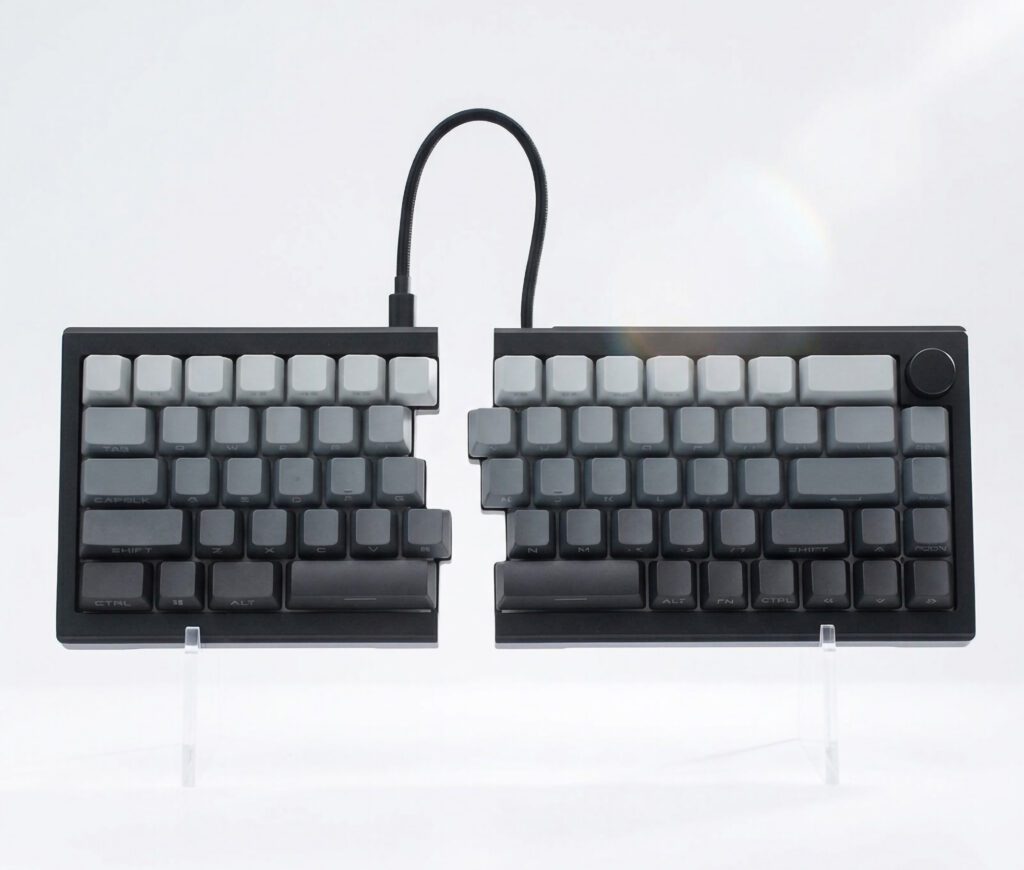
Perché il vero punto di forza dell'ST68 è il design modulare (non la possibilità di dividerlo).
La maggior parte delle tastiere divise impone una scelta binaria:
- impegnarsi a separarsi per sempre, oppure
- torna alla schermata principale.
L'opzione "collega tutto" dell'ST68 è uno strumento di formazione.
Ecco la guida per rendere una tastiera divisa compatibile con il gaming competitivo:
- Suddivisione dello studio. È lì che trovi comfort e spazio per il mouse.
- Competi collegato. È lì che si protegge il pilota automatico.
Se ti trovi a metà stagione, a un livello di difficoltà intermedio o semplicemente non sopporti la casualità, questa flessibilità fa la differenza tra "interessante" e "utilizzabile".“
Collegamento o separazione: quando utilizzare l'una o l'altra modalità
Utilizza questa regola decisionale per il tuo primo mese:
- La modalità divisa serve per: Lunghi blocchi di pratica, allenamento alla mira, perfezionamento delle meccaniche e qualsiasi sessione in cui si accetta di commettere qualche errore in cambio di una maggiore sicurezza a lungo termine.
- La modalità collegata serve per: Partite classificate, allenamenti o tornei: ogni volta che vuoi che la tastiera scompaia dalla tua mente.
Se desideri un piano di adattamento che non comprometta il tuo tasso di vittorie, prova questo:
- Settimana 1: Diviso per riscaldamento + allenamento; collegato per la classifica.
- Settimana 2: Suddivisione per tutto tranne che per le sessioni "da vincere a tutti i costi".
- Settimana 3+: Split a tempo pieno se gli errori di battitura sono rari; il collegamento rimane come rete di sicurezza.
Può sembrare un approccio conservativo, ma funziona perché impedisce al cervello di mescolare casualmente due schemi di movimento.
Stabilisci i punti di partenza (così non saboti la prima settimana)
Non serve un processo di messa a punto in 30 fasi per iniziare. Basta una base stabile.
Valore basale del giorno 1
- Posiziona la metà sinistra dove la tua mano si appoggia naturalmente.
- Inclinalo leggermente verso l'esterno.
- Mantieni la metà destra più a destra rispetto a una tastiera normale per guadagnare spazio per il mouse.
- Scegliere cablato per la prima sessione.
Strategia di rimappatura (cosa cambiare e cosa mantenere)
La ST68 supporta software driver per la rimappatura, le macro e l'illuminazione (come indicato nella pagina del prodotto ST68). Questo è utile, ma l'obiettivo è evitare il caos.
Lascia invariato per la settimana 1:
- WASD e il gruppo circostante
- accovacciarsi, camminare, saltare (il "trio della memoria muscolare")
Modifiche sicure nella settimana 1:
- spostare i fotogrammi chiave nei livelli
- collegare le utilità non critiche alla manopola
- aggiungi un "livello di pratica" per i comandi solo di allenamento
Attendi almeno la seconda settimana:
- spostamento Ctrl/Shift
- cambio di posizione iniziale del movimento (WASD → ESDF)
Consiglio utile: Il modo più rapido per innamorarsi di una nuova tastiera è quello di mantenere le combinazioni di tasti invariate per sette giorni.
Uno schema di rimappatura semplice che funziona per il gaming con 65%
L'obiettivo è mantenere intatto il cluster FPS principale e rendere accessibile tutto il resto.
- Livello 0 (predefinito): Layout FPS puro, senza sorprese.
- Livello 1 (utilità): Funzioni della manopola per volume, riproduzione/pausa, screenshot, pulsante push-to-talk secondario e controlli multimediali.
- Livello 2 (lavoro): tasti freccia, navigazione tra le pagine, riga delle funzioni.
Se fai così, non dovrai lottare con la tastiera nel bel mezzo di un combattimento.
Lista di controllo per la configurazione wireless (gli errori più comuni)
La connessione wireless "sembra funzionare bene" finché non smette di farlo, e a quel punto inizi a dare la colpa alla tastiera per un problema che in realtà dipende dalla tua configurazione.
Se intendi utilizzare la frequenza a 2,4 GHz, procedi come segue:
- Tieni la chiavetta a portata di mano. Spesso le porte di ingresso/uscita anteriori sono migliori di quelle posteriori.
- Utilizzare una prolunga USB in modo che la chiavetta non sia nascosta dietro un case metallico per PC.
- Evitate le zone ad alta interferenza. Le porte USB 3.0 e gli ambienti affollati a 2,4 GHz possono essere rumorosi.
- Separare il dongle dagli altri ricevitori wireless. (ricevitore del mouse, ricevitore delle cuffie) in caso di problemi.
- Esegui i test nelle condizioni peggiori possibili. Se giocate in LAN o in ambienti affollati come i dormitori universitari, effettuate i test lì, non in una camera bianca.
Non si tratta di paranoia. Si tratta di eliminare le variabili prima di decidere se la tastiera piace o meno.
Affermazioni sul comfort a confronto con la realtà (nessuna garanzia medica)
La pagina del prodotto ST68 utilizza un linguaggio fortemente incentrato sul comfort (incluse frasi relative alla sindrome del tunnel carpale). Consideratelo una strategia di marketing.
La versione con i piedi per terra:
- Le configurazioni a gambe divise possono ridurre gli angoli di inclinazione forzati del polso.
- Le sessioni prolungate possono risultare meno faticose.
- Ma una tastiera non "risolverà" tutti i problemi se l'altezza della scrivania, la sedia e l'impugnatura del mouse sono il vero problema.
Se compri l'ST68, compralo per comfort + coerenza, non come dispositivo medico.
Effetto Hall e grilletto rapido: cosa sono (e cosa non dichiara l'ST68)
Le discussioni sulle tastiere competitive spesso si trasformano in un dibattito sull'effetto Hall e sulla pressione rapida dei tasti.
Due utili chiarimenti:
- Interruttori ad effetto Hall In genere si utilizza il rilevamento magnetico anziché i contatti fisici, il che può ridurre i fenomeni di rimbalzo e consentire concetti di attuazione regolabili.
- Grilletto rapido È una funzione che può modificare la velocità con cui un tasto si "resetta" al rilascio, il che può influire sui movimenti laterali rapidi e sulle pressioni ripetute.
Se desideri una spiegazione chiara delle impostazioni di Rapid Trigger e del perché valori eccessivamente sensibili possono causare mancate accensioni, Epomaker's Come utilizzare una tastiera magnetica (effetto Hall) illustra i compromessi e l'importanza della calibrazione.
E se desideri una semplice panoramica su "cosa rende Hall Effect diverso" dal sito di Hall Effect Keyboard, consulta Cosa rende unici gli interruttori ad effetto Hall nella tecnologia delle tastiere?.
Importante: la pagina del prodotto ST68 lo descrive come una tastiera meccanica divisa con opzioni di interruttore e programmabilità, ma non Indica esplicitamente le funzionalità Hall Effect o Rapid Trigger. Non acquistarlo presumendo di ottenere Rapid Trigger.
Cosa rende l'ST68 ideale per il gaming (e cosa devi verificare personalmente)
Quali sono i punti di forza (in base alle caratteristiche documentate)
- Connettività trimodale ti offre flessibilità.
- PCB sostituibile a caldo significa che puoi sintonizzare le tue sensazioni in un secondo momento, invece di rimanere intrappolato.
- Programmabilità è il codice cheat per rendere abitabili i layout 65%.
- Garanzia di 2 anni rappresenta un serio segnale di fiducia in questa categoria.
Cosa dovresti verificare nei primi 60 minuti
Poiché la pagina del prodotto non pubblica dati comparativi con la concorrenza, ti consigliamo di effettuare una rapida verifica autonoma:
- N-key rollover / input mancati: Tieni premuti i tasti Maiusc + A + D + Spazio e verifica se si verificano problemi durante il gioco.
- Stabilità wireless (2,4 GHz): Nella tua configurazione, la sensazione è identica a quella di una connessione cablata?
- Verifica della realtà del Bluetooth: Avverti un leggero ritardo nei micro-tocchi? Se sì, è normale: non usarlo nelle partite classificate.
- Politica macroeconomica: Se utilizzi macro, controlla il regolamento del tuo torneo/campionato.
Pro e contro
Vantaggi
- La progettazione modulare collegabile riduce il rischio di adattamento. Puoi allenarti in modo separato e competere in modo coordinato.
- La tripla modalità semplifica l'abbinamento della modalità al caso d'uso. Connessione cablata/2.4G per le competizioni; Bluetooth per la massima praticità.
- La funzionalità hot-swap garantisce la compatibilità futura della scheda.
- La programmabilità tramite software contribuisce a preservare la memoria muscolare. È possibile sovrapporre le utilità senza spostare i tasti di movimento principali.
- Copertura di garanzia (2 anni) è rassicurante.
Svantaggi
- Nella pagina del prodotto non sono pubblicate metriche sulle prestazioni negli eSport. Se hai bisogno di valori di latenza/polling verificati, devi "testarlo tu stesso".
- L'adattamento diviso è inevitabile. Se non ti alleni intenzionalmente, tenderai a sbagliare all'inizio.
- Il layout 65% non è adatto a tutti. Se ti affidi a una riga funzionale, avrai bisogno di livelli.
- La connessione wireless introduce delle variabili. Il posizionamento del dongle e le interferenze sono importanti.
Protocollo di prova di 60 minuti (utilizzalo prima di impegnarti)
Consideratela una prova, non un controllo di intesa.
1) Blocca il layout
- Imposta la metà sinistra.
- Non spostarlo più per tutta l'ora.
2) Testare le modalità nell'ordine corretto
- Prima il cablaggio.
- 2,4 GHz secondo.
- Durata della connessione Bluetooth.
3) Eseguire tre esercizi
- Esercizio di movimento (10 min): Ripetizioni di movimento laterale e contromovimento laterale.
- Esercizio modificato (10 min): Spam di accovacciamento + toggle di camminata + tempismo del salto.
- Esercizio di simulazione di stress (10 min): deathmatch o una routine di mira in cui si reagisce, non si pensa.
4) Segnalo
- Ho premuto male il tasto a causa della pressione?
- Il mio mignolo mi sembrava affidabile?
- La connessione wireless risultava più "morbida" rispetto a quella cablata?
- Mi sono forse perso la funzione di input multi-tasto?
Se continui a premere in modo errato: collegalo per le partite classificate, mantieni la suddivisione per l'allenamento e aspetta una settimana.
Chi dovrebbe acquistare l'ST68?
Acquistalo se:
- Vuoi un Tastiera divisa per il gaming che non ti intrappola in una scissione permanente dell'identità.
- Per te la comodità è importante perché giochi molto.
- Hai la disciplina necessaria per adattarti invece di reagire impulsivamente e tornare alle vecchie abitudini dopo una sola sessione negativa.
Saltalo se:
- Desideri una tastiera per eSport basata sui dati, con benchmark pubblicati.
- Si utilizza solo il Bluetooth e non ci si aspetta alcuna differenza.
- Non sei disposto a seguire alcun corso di riqualificazione professionale.
FAQ
L'utilizzo di una tastiera divisa è dannoso per gli FPS?
Non intrinsecamente. Il rischio principale è l'interruzione della memoria muscolare. Per gestirlo, è necessario un setup stabile e un breve piano di adattamento.
Quanto tempo ci vuole per adattarsi?
Se non ti alleni regolarmente, potresti sentirti bene in breve tempo. Se invece sei un atleta agonista, calcola da qualche giorno a un paio di settimane, a seconda di quanto sia particolare la tua posizione di spaccata e di quanto sia rigoroso il tuo allenamento.
Dovrei usare il Bluetooth per le partite competitive?
Per un'esperienza FPS seria, è consigliabile utilizzare la connessione cablata o a 2,4 GHz. Il Bluetooth può essere perfettamente utilizzabile per il gioco occasionale, ma non è la modalità da scegliere quando è necessaria una risposta precisa e immediata.
Devo rimappare i tasti per rendere utilizzabile una tastiera split 65%?
Non è necessario rimappare il movimento. Fare È consigliabile avere almeno un livello di utilità per non perdere le funzioni di comfort (media, frecce, riga delle funzioni) nel momento in cui si esce da un gioco.
Una tastiera divisa mi aiuterà a mirare meglio?
Non direttamente. Può migliorare il comfort generale e l'ergonomia della scrivania, il che potrebbe aiutarti a mantenere la costanza durante sessioni prolungate, ma non si tratta di un miglioramento meccanico della mira.
La ZORNHER ST68 è dotata di sensore a effetto Hall/grilletto rapido?
Nella pagina del prodotto ST68 non sono esplicitamente elencate le funzioni di sensore a effetto Hall o trigger rapido. Se queste caratteristiche sono il motivo per cui state pensando di acquistarlo, verificatele prima di procedere all'acquisto.
Raccomandazione finale
Se vuoi provare lo split gaming senza compromettere la tua costanza competitiva, la ZORNHER ST68 è un'ottima scelta, soprattutto perché ti offre una via d'uscita.
Allenati separatamente. Competi in collegamento. Usa la connessione cablata o a 2,4 GHz quando la partita conta.
Se sei pronto per il trasloco, utilizza la pagina del prodotto ST68, il cui link si trova all'inizio di questa recensione, per verificare le colorazioni disponibili, il contenuto della confezione e i dettagli della garanzia.
 English
  German
  Portuguese
  Spanish
  Italian
  Finnish
  French
  Japanese
  Korean
  Swedish