
Jos olet joskus tuijottanut työpöytääsi ja miettinyt, pitäisikö sinun ostaa mukava mekaaninen näppäimistö kirjoittamista varten tai nopea magneettinen näppäimistö pelaamiseen, et ole yksin. Lofree HYZEN67 Hall-efektinäppäimistö on rakennettu juuri tätä ongelmaa varten – ja sen vastaus on virkistävän yksinkertainen: miksi ei molempia?
Valinta, joka turhauttaa kaikkia
Tässä on tilanne, jonka jokainen näppäimistöharrastaja tuntee liiankin hyvin.
Haluat mekaanisen näppäimistön, koska mikään ei voita sitä tuntuvaa napsahdusta ja tyydyttävää ääntä pitkien kirjoitussessioiden aikana. Mutta sinä... myös haluan magneettisen (Hall-ilmiöllä varustetun) emolevyn, koska pelaaminen vaatii matalaa latenssia ja nopeaa liipaisutarkkuutta, joihin perinteiset kytkimet eivät yksinkertaisesti pysty.
Vanha ratkaisu? Osta kaksi näppäimistöä. Mutta se tarkoittaa:
- Tuplakustannukset
- Tuplasti enemmän sotkua työpöydällä
- Jatkuva vaihtaminen ja uudelleenjohdotus
- Sotkuinen, kompromisseja täynnä oleva asetelma
The Lofree HYZEN67 kirjoittaa koko yhtälön uusiksi: yksi näppäimistö, kaksi tilaa, ei kompromisseja.
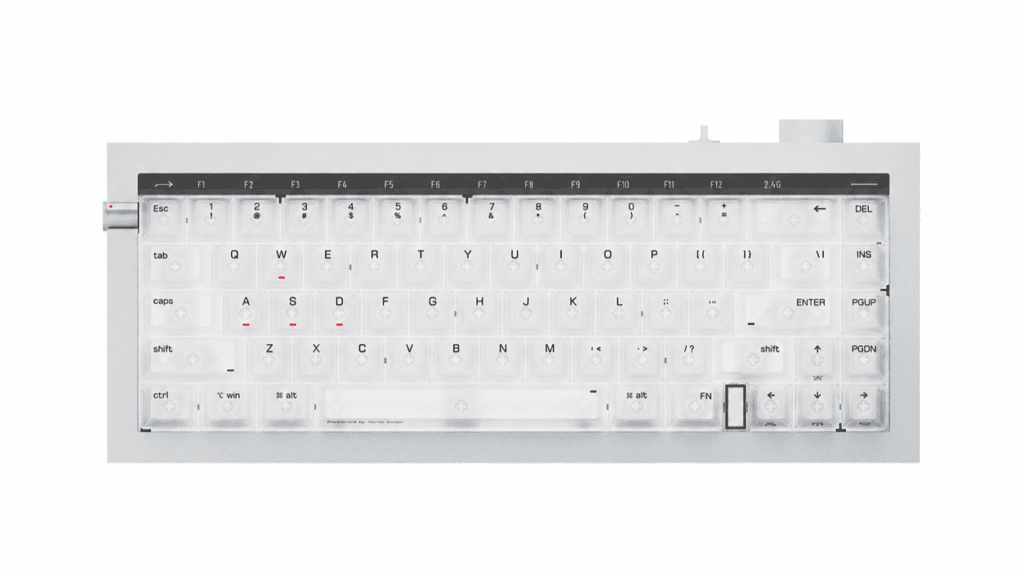
Osa 1: Mikä Nexus-hybridikytkin tarkalleen ottaen on?
HYZEN67:n ytimessä on sen tärkein innovaatio – Nexus-hybridikytkin, yhteistyössä kehitetty Lofree ja Kailh.
Useimmat näppäimistöt pakottavat valitsemaan kytkimen tyyppi. Nexus kieltäytyy. Yhden kytkinkotelon sisällä se pitää molemmat teknologiat elossa samaan aikaan:
- Perinteinen metallikontaktirakenne — klassinen mekaaninen liipaisinmekanismi
- Integroitu magneettinen elementti — varteen rakennettu magneetti TMR-magneettianturitulo
Miksi tämä on tärkeää
Tämä ei ole Hall-efektikytkin teeskentely tuntua mekaaniselta, eikä mekaaniselta kytkimeltä, johon on pultattu kikka. Se on aito fyysinen fuusio molemmista.
Muutamia erinomaisia ominaisuuksia:
- Sujuva heti pakkauksesta — tehdasvoideltu tuntuma ja vakaa, heilumaton varsi
- Ylivertainen akustiikka ja tuntuma — ääni ja tuntuma, jotka päihittävät tyypilliset Hall-efektikytkimet
- Hot swap -ominaisuus — yhteensopiva sekä magneettisten ja perinteiset mekaaniset kytkimet
Keskeinen pointti: Se ei ole "magneettinen" tai "mekaaninen". Se on molempia, samanaikaisesti, samassa kytkimessä.
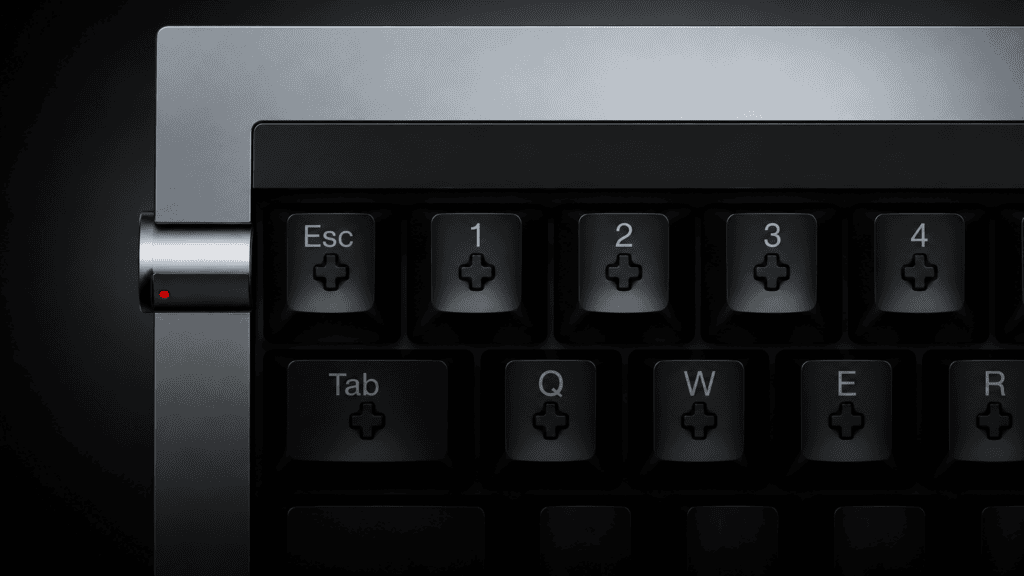
Osa 2: Kaksi tilaa, yksi oikotie pois
Todellinen taika näkyy jokapäiväisessä käytössä. Yksi pikanäppäin vaihtaa HYZEN67:n kahden täysin erilaisen persoonallisuuden välillä.
Mekaaninen tila – jokapäiväiseen työhön
- Laukaisimet kautta perinteinen metallikontakti
- Tarjoaa sille ominaisen mekaanisen tuntopalaute ja kirjoitusääni
- Ihanteellinen pitkille dokumenteille, koodaukselle ja toimistotyölle
Hall-ilmiötila – kilpailulliseen pelaamiseen
- Avaa 0,01 mm:n nopean liipaisimen tarkkuus
- Voimanlähteenä on Nordic 54 -siru varten kaksois 8 kHz:n kyselytaajuus ja 0,06 ms:n erittäin matala latenssi
- Tarkoin suunniteltu e-urheiluun ja nopeatempoisiin peleihin
Tässä on nopea rinnakkainen vertailu, jotta ero on ilmeinen:
| Ominaisuus | Mekaaninen tila | Hall-ilmiötila |
|---|---|---|
| Liipaisumenetelmä | Metallikontakti | TMR Hall-ilmiön tunnistus |
| Paras | Kirjoittaminen, toimistotyöt, koodaus | Kilpailullinen pelaaminen |
| Allekirjoituksen vahvuus | Taktiilinen palaute ja ääni | 0,01 mm:n pikaliipaisin |
| Nopeus | Standardi | 8 kHz / 0,06 ms latenssi |
Käytännössä tämä tarkoittaa Voit tehdä raporttia koko aamun, painaa sitten yhtä näppäintä ja sinulla on heti turnaustason pelilauta – ei kaapeleita, ei vaihtoja, ei hässäkkää.
Osa 3: Voiko se todella tehdä molemmat tehtävät hyvin?
Kaksikäyttöinen tuote ansaitsee hintansa vain, jos se todella loistaa molemmissa rooleissa. Arvostelujen ja käyttäjäpalautteen perusteella HYZEN67 kestää huomattavan hyvin.
Mitä arvioijat ja käyttäjät sanovat
- Arvostelijat kuvailevat sitä ihanteelliseksi “käyttäjät, jotka haluavat pitää vain yhden näppäimistön työpöydällään ja samalla tavoitella sekä ensiluokkaista kirjoitustuntumaa että e-urheilun suorituskykyä.”
- Usein suositellaan, että toimistotyöntekijät, koska se "sopii saumattomasti useimpien käyttäjien työnkulkuihin".“
- Äänitestit näytä syvempi, vaimeampi näppäinpainallusten melunvaimennus on huomattavasti parempi kuin perinteisillä mekaanisilla korteilla, mikä johtuu sen tiivisterakenne, viisikerroksinen vaimennus ja FR4-levy.
- Jotkut käyttäjät huomauttavat, että kytkimen tuntuma on hieman pehmeä, jota monet pitävät täydellisenä pitkiin kirjoitussessioihin.
Minun näkemykseni
HYZEN67 ei tee eroa kahden maailman välillä – se toimii todella hyvin molemmat. Se on harvinaista. Useimmat hybridituotteet tuntuvat kahden paremman erillisen vaihtoehdon vesitetyltä versiolta. Tämä tuntuu kahdelta hyvältä näppäimistöltä, jotka sattuvat jakamaan saman rungon.
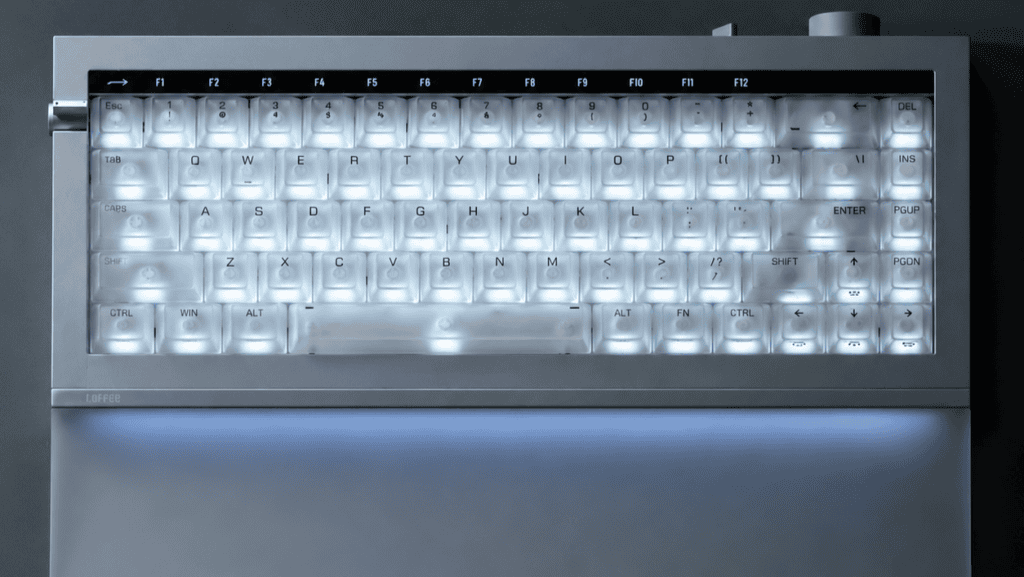
Osa 4: Kenen pitäisi ostaa Lofree HYZEN67?
Ollaanpa rehellisiä – mikään näppäimistö ei sovi kaikille. Tässä on esimerkki siitä, kenelle tämä todella sopii.
Täydellinen pari
- Rajoitetun työpöydän käyttäjät, jotka sekä työskentelevät että pelaavat – Et todellakaan enää tarvitse kahta näppäimistöä
- Mekaaniset uskolliset ovat kiinnostuneita Hall-ilmiön suorituskyvystä – ei vaadi uhrauksia
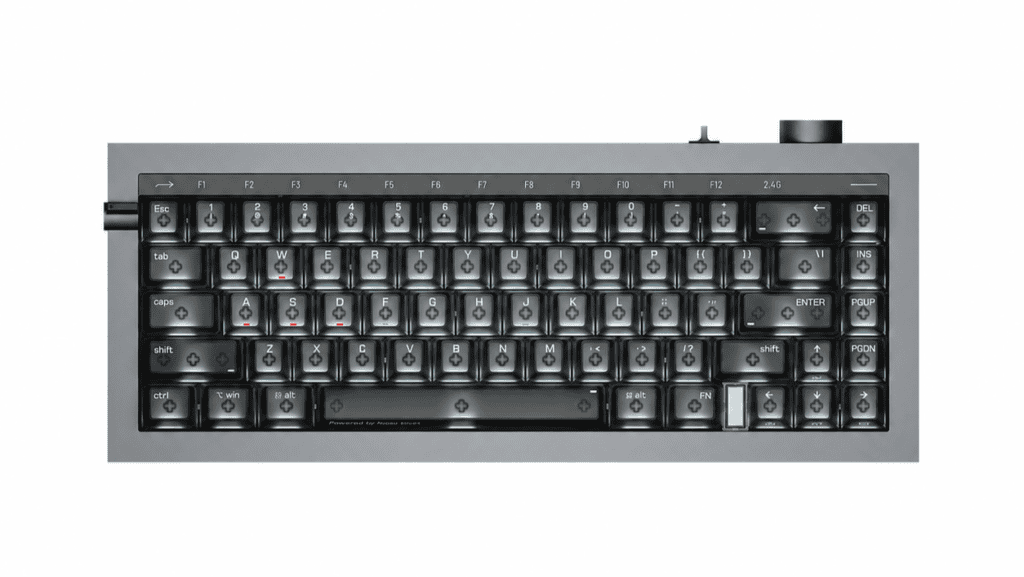
- Minimalistit, jotka välittävät estetiikasta — the täysalumiininen CNC-runko ja kaksoispeiliviimeistely näyttää ensiluokkaiselta
- Kokeneet käyttäjät, joilla on ylimääräistä budjettia — joustavat tasot, plus kolmitilayhteys (langallinen, 2,4 GHz, Bluetooth 6.0) ja valtava 10 000 mAh akku
Kukapa haluaisi ohittaa sen
- Hintatietoiset ostajat — tämä on premium-tuote, ei budjettivalinta
- Erittäin raskaiden kytkimien ystävät — 40 gf:n käyttövoima on kevyempi ja pehmeämpi
Näppäimistöpäättämättömyyden loppu
The Lofree HYZEN67 ratkaisee ongelman, joka on hiljaa turhauttanut harrastajia vuosia: pakotettu valinta mekaanisen mukavuuden ja magneettisen nopeuden välillä.
Se, mikä tekee siitä erityisen, ei ole ominaisuuksien pinoaminen – vaan fyysinen fuusio kytkintasolla Nexus-hybridisuunnittelun kautta. Kaksi kokemusta, aidosti yhtenäisenä, ei vain pakettina.
Kaikille, jotka kieltäytyvät täyttämästä työpöytäänsä kahdella taululla tai pomppimasta kahden eri tunteen välillä koko päivää, HYZEN67 tarjoaa jotain aidosti eleganttia: yksi näppäimistö, joka vihdoin tekee molemmat.
 English
  German
  Portuguese
  Spanish
  Italian
  Finnish
  French
  Japanese
  Korean
  Swedish