مقدمة
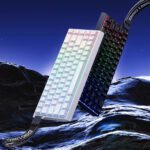
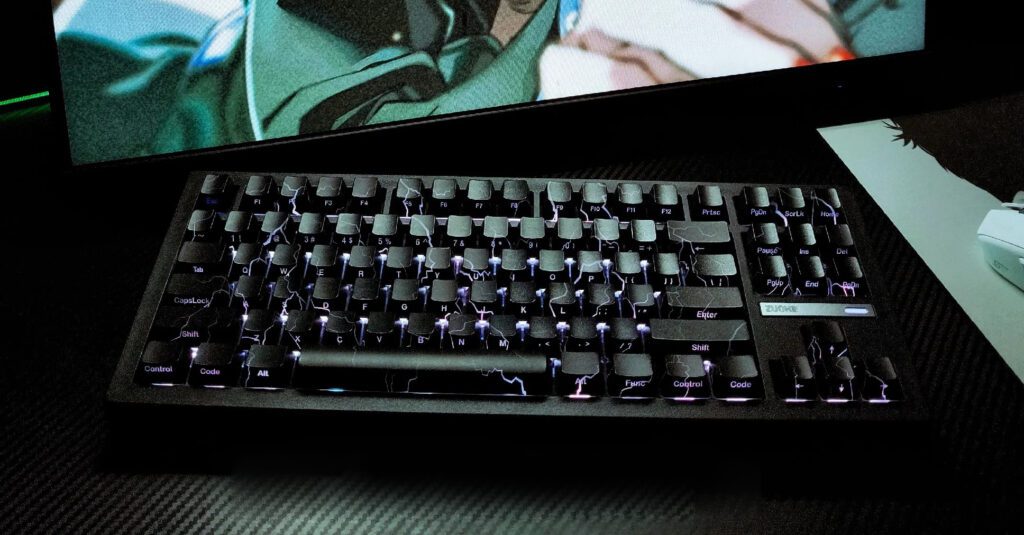
لوحة مفاتيح Zornher ZH870 TKL الميكانيكية هي لوحة 80% مصممة خصيصًا للاعبين وعشاق الألعاب الذين يرغبون في تصميم صغير الحجم دون التخلي عن المفاتيح الأساسية. إذا كنت من محبي ألعاب التصويب من منظور الشخص الأول أو ألعاب الساحة متعددة اللاعبين عبر الإنترنت (MOBA)، فإن لوحة المفاتيح TKL توفر مساحة أكبر للماوس لحركات سريعة ودقيقة، وتحافظ على وضعية جلوسك مريحة، وتقلل من الفوضى البصرية لتتمكن من التركيز على مؤشر التصويب وفترات انتظار إعادة استخدام القدرات. تتميز لوحة المفاتيح ZH870 الميكانيكية بثلاثة أوضاع تشغيل، فهي تجمع بين الاتصال اللاسلكي بتردد 2.4 جيجاهرتز، وتقنية Bluetooth متعددة الأجهزة، ومنفذ USB-C سلكي، بالإضافة إلى ميزة التبديل السريع للمفاتيح وتصميم أنيق بلون داكن يناسب سطح المكتب.
التصميم والتخطيط
لوحة مفاتيح مدمجة وواضحة
يستخدم ZH870 تصميمًا مألوفًا من نوع 80%/TKL: صف كامل الوظائف في الأعلى، وأسهم مخصصة، ومجموعة مفاتيح تنقل ثلاثية. يُعد هذا التصميم مثاليًا للألعاب التنافسية والعمل اليومي، حيث يتيح لك الوصول إلى الاختصارات ومفاتيح الوسائط دون الحاجة إلى لوحة أرقام كبيرة. كما اختارت Zornher مصابيح LED موجهة نحو الأسفل، والتي تتوافق بشكل أفضل مع أغطية مفاتيح Cherry وتساعد على تجنب مشاكل التداخل الناتجة عن الإضاءة الموجهة نحو الشمال، مع الحفاظ على توزيع إضاءة RGB أنيقًا. هذه المواصفات الأساسية موثقة على صفحات منتجات Zornher الرسمية (بتاريخ 6 مارس 2026)، بما في ذلك دعم الأوضاع الثلاثة، ومنافذ التبديل السريع، وأنماط الإضاءة. للاطلاع على نظرة عامة شاملة، راجع إصدار ZH870 IMD في كتالوج Zornher عبر الصفحة الرسمية. صفحة منتج Zornher ZH870 IMD.
البناء والمواد
تُسوّق شركة Zornher هيكلاً مُحكماً بطبقات من الإسفنج لامتصاص الاهتزازات وتخفيف الصدمات عند الضغط على المفاتيح. وبدون وجود دليل تفصيلي، اعتبر هذا مجرد كلام من الشركة المصنّعة وليس ادعاءً مُثبتاً من المختبر. الأهم عملياً هو الشعور: سطح ثابت، ومسافة ضغط متناسقة للمفاتيح، ومثبتات لا تُصدر صوتاً مزعجاً حتى مع الحركات السريعة أو جلسات الكتابة الطويلة. يتميز السطح الخارجي بملمس غير لامع وهادئ، مما يُخفي بصمات الأصابع بشكل أفضل ويتناسب مع الأجهزة ذات التصميمات البسيطة.
أسلوب ذو طابع داكن
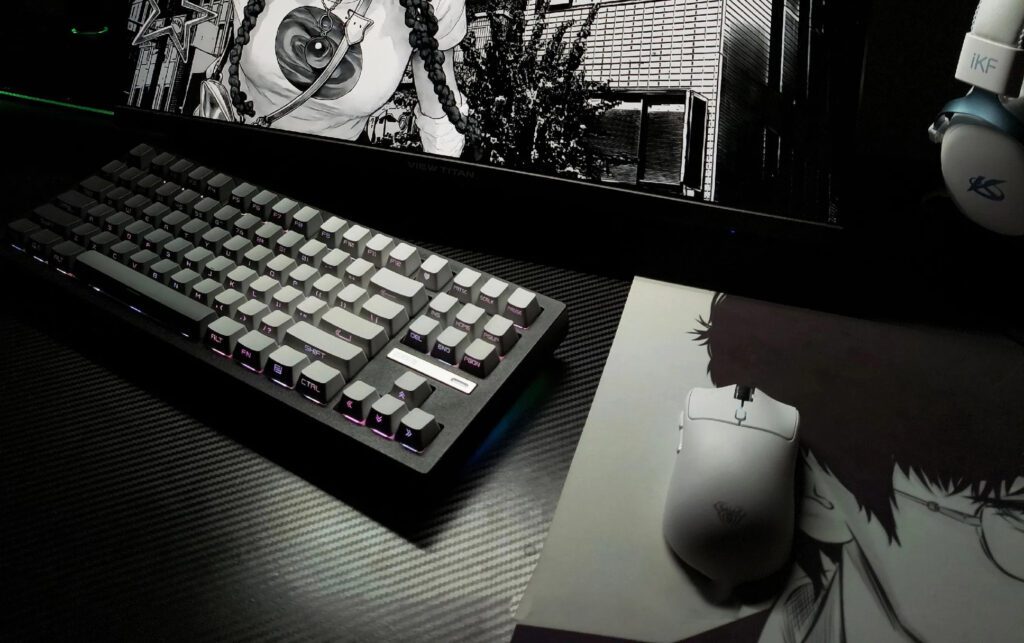
إذا كان تصميم مكتبك يميل إلى الطابع الكلاسيكي، فإنّ اللمسات النهائية الداكنة للوحة المفاتيح ZH870، وإضاءة الجوانب في بعض الإصدارات، والرموز البسيطة، تتناغم تمامًا مع هذا النمط. يضفي توهج RGB الخافت والتأثيرات الموجهة نحو الجنوب جوًا مميزًا دون التأثير على مجال رؤيتك. تخيّل: جهازًا بسيطًا بإضاءة كافية لتتناسب مع الماوس وسماعة الرأس، وليس عرضًا ضوئيًا يشتت الانتباه.
الاتصالات وزمن الاستجابة
الوضع الثلاثي عملياً
تتوفر لك ثلاث طرق للاتصال: اتصال لاسلكي بتردد 2.4 جيجاهرتز عبر مستقبل USB للألعاب، وتقنية بلوتوث 5.0 التي تتيح الاقتران بما يصل إلى خمسة أجهزة لأجهزة الكمبيوتر المحمولة والأجهزة اللوحية والهواتف، واتصال سلكي عبر منفذ USB-C لتجنب القلق بشأن نفاد البطارية. توثق شركة Zornher هذا الإعداد ثلاثي الأوضاع (وإمكانية اقتران خمسة أجهزة عبر البلوتوث) على صفحات ZH870 الرسمية (بتاريخ 6 مارس 2026). في الاستخدام اليومي، يتيح لك الوضع الثلاثي إمكانية استخدام تردد 2.4 جيجاهرتز مع جهاز الكمبيوتر المخصص للألعاب، ثم الانتقال إلى البلوتوث لاستخدامه مع جهاز كمبيوتر محمول للعمل أو جهاز لوحي في غرفة المعيشة دون الحاجة إلى إعادة توصيل الكابل.
2.4 جيجاهرتز للألعاب
بالنسبة لألعاب التصويب السريعة وألعاب القتال في الساحات، يُعدّ تردد 2.4 جيجاهرتز هو الوضع الأمثل للأداء. فهو يوفر عادةً زمن استجابة أقل واستجابة أكثر استقرارًا من البلوتوث، خاصةً عند وضع جهاز الاستقبال في خط رؤية مباشر وعلى بُعد حوالي 30 سم من لوحة المفاتيح. في البطولات أو المباريات التجريبية التي تسمح بها القواعد، يبقى استخدام منفذ USB-C السلكي الخيار الأمثل. إذا كنت تسعى إلى ثبات مطلق، فاحرص على تثبيت جهاز الاستقبال على وصلة أمامية قصيرة وتجنب استخدام منافذ USB المزدحمة.
تقنية بلوتوث متعددة الأجهزة
يُعدّ البلوتوث خيارًا مثاليًا لزيادة الإنتاجية والاسترخاء على الأريكة. فالتنقل السريع بين ما يصل إلى خمسة أجهزة مقترنة يُسهّل الانتقال بين الكمبيوتر المكتبي والمحمول واللوحي. مع ذلك، بالنسبة لألعاب التصويب السريعة، يُضيف البلوتوث تأخيرًا وقد يكون أكثر عرضةً للتداخل في بيئات 2.4 جيجاهرتز/5 جيجاهرتز المزدحمة. باختصار: العب على تردد 2.4 جيجاهرتز أو عبر اتصال سلكي، واستخدم البلوتوث لكل شيء آخر.
المفاتيح والتخصيص
خيارات خطية مشحمة مسبقًا
كثيراً ما تشير إعلانات Zornher إلى مفاتيح خطية مُشحّمة مسبقاً من المصنع، مصممة لتوفير ضغطة سلسة وصوت خافت. تختلف طرازات المفاتيح باختلاف رمز المنتج، ولا تُحدد الشركة دائماً أوزان النوابض أو مواد السيقان في كل صفحة من صفحات المنتجات. استمتع بتجربة ضغط سلسة ومريحة فور إخراجها من العلبة، مع إمكانية تعديل الصوت والوزن عبر التبديل السريع.
التبديل السريع والتوافق
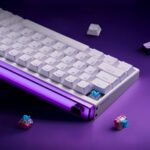
يدعم جهاز ZH870 مفاتيح MX ذات 3 و5 دبابيس، مما يتيح لك تجربة المفاتيح الخطية واللمسية والصوتية دون الحاجة إلى اللحام. كما يُسهّل ذلك الصيانة الدورية؛ فإذا تعطل أحد المفاتيح، ما عليك سوى إزالته واستبداله. تُقلل مصابيح LED المواجهة للجنوب عادةً من تداخل أغطية المفاتيح المصنوعة من مادة PBT ذات تصميم Cherry، مما يفتح المجال أمام مجموعة واسعة من أغطية المفاتيح البديلة.
أغطية المفاتيح وأنماط إضاءة RGB
تأتي معظم إصدارات ZH870 مزودة بأغطية مفاتيح PBT متينة وإعدادات RGB متعددة يمكنك التبديل بينها مباشرةً على اللوحة. تبدو الإضاءة خافتة عمدًا بفضل توجيهها نحو الجنوب؛ فهي أقرب إلى لمسة جمالية منها إلى إضاءة رئيسية. بالنسبة للاعبين الذين يقارنون بين تقنيات المفاتيح، تجدر الإشارة إلى أن مفاتيح MX القابلة للتبديل السريع، مثل ZH870، تُعطي الأولوية لمرونة المكونات، بينما يُمكّن الاستشعار المغناطيسي من ضبط سرعة التشغيل وإعادة الضبط السريع؛ وللحصول على شرح مبسط لهذا النهج، يُرجى الاطلاع على شرح مزايا مفاتيح Hall Effect في مقال "لماذا تحظى مفاتيح Gateron Hall Effect بشعبية بين اللاعبين والكتّاب" على موقع العلامة التجارية. أساسيات وفوائد مفتاح تأثير هول.
الصوت وشعور الكتابة
قاعدة تثبيت وحشية ورغوة
يهدف تركيب لوحة المفاتيح باستخدام الحشية عادةً إلى توفير مرونة طفيفة بين اللوحة والهيكل، مما يخفف من حدة الارتطام ويتحكم في الرنين الحاد. إذا كنت تستخدم لوحة مفاتيح صلبة ذات تركيب صينية، فتوقع هبوطًا أكثر سلاسة ونغمة أعمق قليلاً، خاصةً مع مكثفات PBT السميكة. يعتمد الإحساس الفعلي على مادة اللوحة وكثافة الإسفنج وضبط المصنع، وهي أمور نادرًا ما يوضحها المصنعون بالتفصيل.
الصوتيات للعب والعمل
في جلسات العمل الليلية أو المساحات المشتركة، يتميز جهاز ZH870 بانخفاض مستوى الضوضاء عند استخدام مفاتيح خطية وأغطية أكثر سمكًا. تساعد مصابيح LED المواجهة للجنوب، وطبقات الإسفنج، وخياطة الهيكل المحكمة على تقليل الضوضاء. إذا كنت ترغب في صوت نقر أعمق، ففكر في استخدام مفاتيح خطية طويلة القطب مع أغطية PBT كثيفة؛ أما في المكاتب الهادئة، فتُعدّ المفاتيح الخطية القياسية المخصصة للسفر مع أغشية رقيقة وقليل من مادة التشحيم كافية.
المثبتات والضبط
يمكن أن تؤثر المفاتيح الكبيرة (المسافة، الإدخال، حذف) بشكل كبير على تجربة الاستخدام. عادةً ما يمكن حل مشكلة الطقطقة بأساليب بسيطة شائعة: قصّ وتزييت قواعد التثبيت، وضع طبقة رقيقة من الشحم العازل على أغلفة الأسلاك، والتأكد من استقامة الأسلاك قبل إعادة تركيبها. مع المقابس القابلة للاستبدال السريع، يصبح التعديل سهلاً وآمناً، حيث يمكنك ضبط الصوت والوزن حسب رغبتك دون الحاجة إلى مكواة لحام.
البرامج والبطارية
إعادة تعيين التعيينات ووحدات الماكرو
على نظام ويندوز، توفر شركة Zornher برنامج تشغيل لجهاز ZH870 يشمل إعادة تعيين المفاتيح، وتسجيل الماكرو، والتحكم بالإضاءة. ستجد برنامج التثبيت وخطوات الإعداد على بوابة البرامج الرسمية (بتاريخ 6 مارس 2026). صفحة برامج التشغيل الخاصة بـ Zornher. قد تتغير خصائص الملف الشخصي وميزاته مع التحديثات، لذا يُنصح بمراجعة أحدث ملاحظات الإصدار عند التثبيت. لا يتوفر دعم macOS بشكل صريح في صفحات المنتج، لذا يُنصح بتكوينه على نظام Windows أولاً إذا كنت تستخدم نظام تشغيل مختلط.
التحكم في الإضاءة
يتيح لك البرنامج اختيار الإعدادات المسبقة، وضبط السطوع والسرعة، ومزامنة التأثيرات بين المناطق. كما تتيح لك اختصارات لوحة المفاتيح إجراء تغييرات سريعة إذا كنت تفضل إبقاء تطبيقات الخلفية خفيفة. ولأن إمكانية برمجة كل مفتاح على حدة غير مؤكدة صراحةً في صفحات ZH870، فافترض التحكم عبر الإعدادات المسبقة ما لم تُحدّث Zornher الوثائق.
بطارية بسعة 4000 مللي أمبير ورؤوس شحن
بطارية بسعة 4000 مللي أمبير/ساعة تُعدّ خيارًا ممتازًا لجهاز TKL. يتأثر عمر البطارية الفعلي بمستوى سطوع الإضاءة والرسوم المتحركة. لجلسات اللعب الطويلة أو أثناء السفر، يُنصح بضبط تأثير سطوع منخفض ثابت (أو إيقاف تشغيل إضاءة RGB)، وتفعيل مؤقتات وضع السكون في البرنامج للحد من استهلاك البطارية في وضع الخمول. الشحن عبر منفذ USB-C القياسي 5 فولت سهل للغاية؛ وإذا كنت تشحن الجهاز أثناء اللعب، فإنّ مسارًا أنيقًا للكابل على طول الحافة الخلفية يُحافظ على ترتيب الجهاز.
خاتمة
اختر لوحة مفاتيح Zornher ZH870 TKL إذا كنت تبحث عن لوحة مفاتيح ميكانيكية ثلاثية الأوضاع حديثة وصغيرة الحجم بتصميم أنيق، تجمع بين الميزات الأساسية: تردد 2.4 جيجاهرتز للألعاب، وإمكانية الاقتران بخمسة أجهزة عبر البلوتوث للاستخدام اليومي، ومنفذ USB-C سلكي لضمان استمرارية العمل، بالإضافة إلى منافذ قابلة للتبديل السريع لتخصيص تجربة الكتابة والصوت حسب رغبتك. من أبرز مزاياها تصميم TKL العملي، والإضاءة الموجهة نحو الجنوب، ودعم أنواع مختلفة من المفاتيح، وصوت متوازن بعد ضبطه. أما عيوبها، فتتمثل في عدم توثيق تصميم الحشوة/الإسفنج بشكل كافٍ، وعدم تأكيد إضاءة RGB لكل مفتاح على الصفحات الرسمية، وعدم وضوح دعم برامج macOS. في سوق TKL لعام 2026، فإن مجموعة الخيارات هذه تضع ZH870 مباشرة في فئة "مصمم للفوز، سهل الاستخدام" - خاصة إذا كنت تقدر حرية الوضع الثلاثي وجمالية المكتب التي تتلاشى في الخلفية عندما تصبح اللعبة صاخبة.